2-16 BenchMike Pro 2025/2050 & Z-Mike Pro 4025/4050 Instruction Handbook: Installation
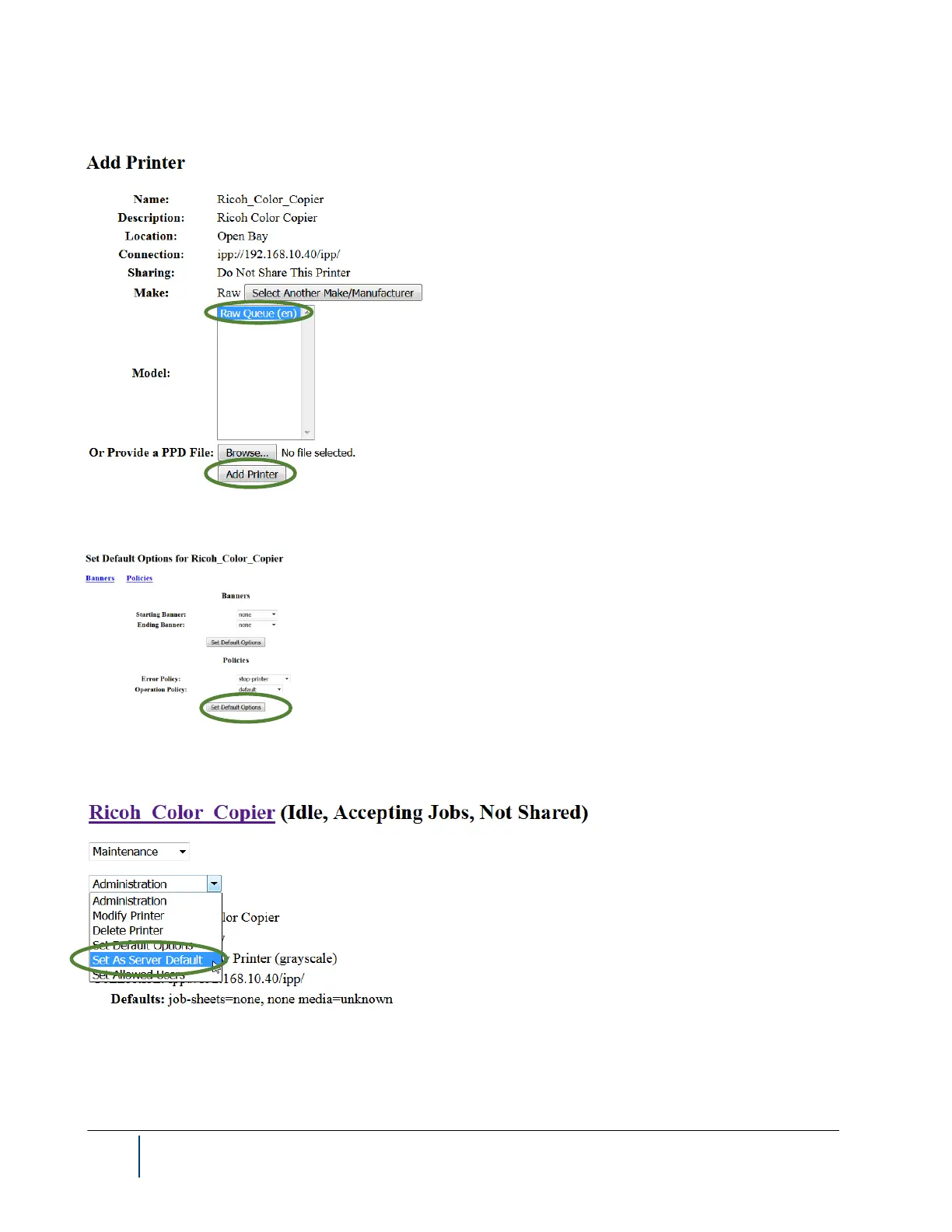
10. Choose the Raw Queue (en) Model, then click Add Printer.
11. Click the Set Default Options button at the bottom of the page.
12. Set the printer as the default by clicking the Set As Server Default option from the Administration drop-
down list.
13. The network printer configuration is now complete, and the browser can now be closed.



 To Next Page