INSTALLATION GUIDE
4. PRESENTATION OF THE APPLIANCES
Points 3, 4 and 5: these different ports enable access to the appliance in console mode.
The LEDs above the interfaces provide indications as to the throughput. For the U30, an interface
with a LED that does not light up indicates a throughput of 10 mbits/s, an interface with 2 LEDs that
light up indicate a throughput of 100 mbits/s.
Blinking LEDs indicate the presence of network activity.
NOTE:
power is supplied to this appliance from outside the rear panel. An upgrade to version 8.0 is
recommended.
4.3 The U70 appliance
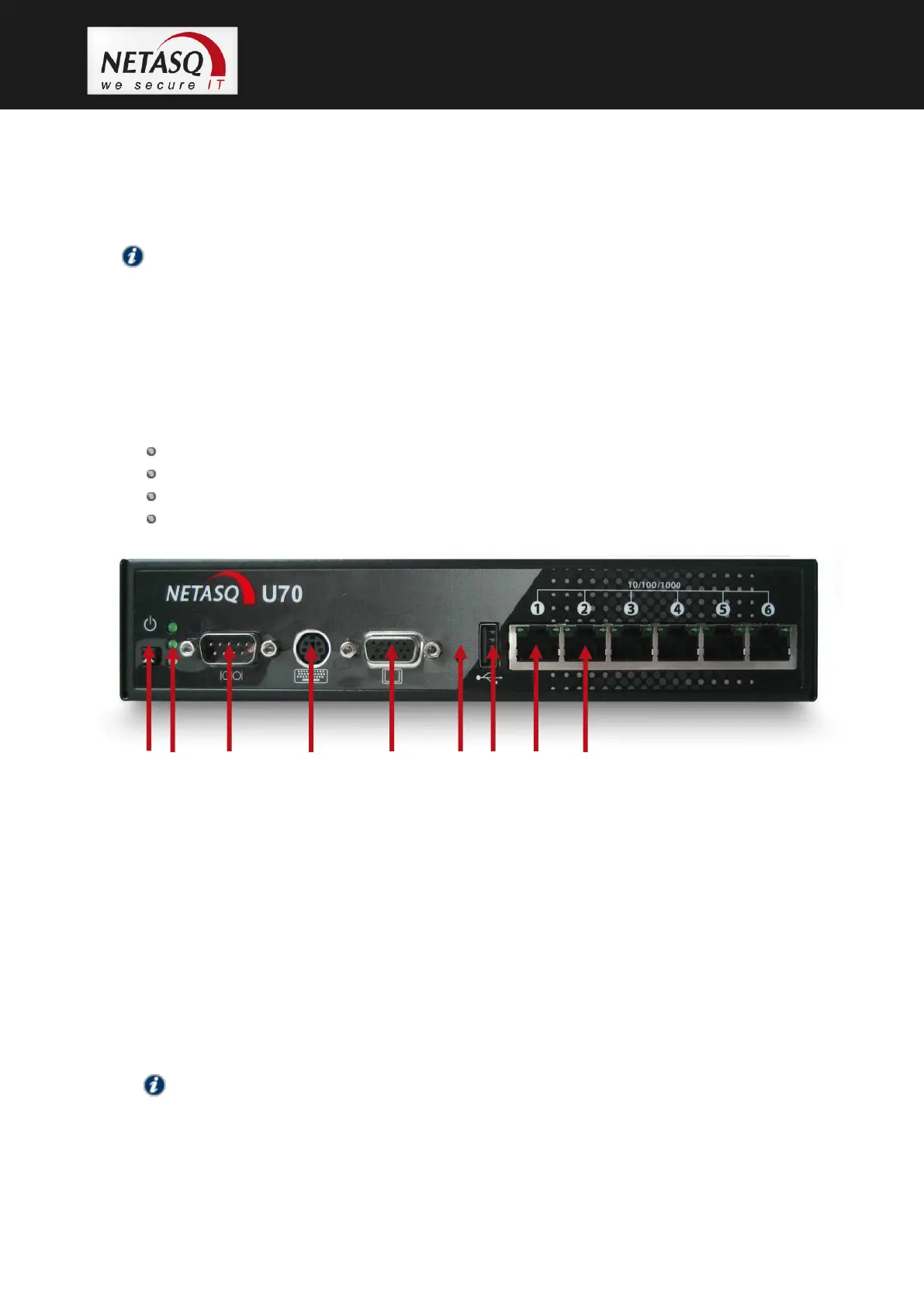
The U70 appliance has the following characteristics:
Throughput of 600 Mbits/s.
100,000 concurrent connections.
6 Gigabit interfaces.
6,000 new sessions per second.
1. Software shutdown button.
2. LEDs from bottom to top: Power/Status/Online.
3. Serial port: for connecting the firewall directly to a PC or modem.
4. PS2 mini-din port: for connecting a keyboard.
5. VGA port: for connecting a monitor.
6. Button to reset to the default configuration (defaultconfig).
7. 1 USB port: for secure configuration or updates.
8. OUT Interface.
9. IN Interface.
Point 1: to shut down the software, hold down the software shutdown button for 4 seconds (until
the Online (green) LED goes off).
NOTE:
The fan is directly linked to the power supply.
Point 2: the Power LED (yellow) indicates that the product has been plugged in but has been shut
down. If this is the only LED that lights up, this means that the appliance is off.



 To Next Page