INSTALLATION GUIDE
4. PRESENTATION OF THE APPLIANCES
The Status LED will blink (quick blinking every 250 milliseconds) in the event of a major failure of
the product (hardware modification, faulty network interface, etc). In this case, do contact your
distributor.
For an appliance configured in high availability, the Online LED will light up intermittently (for every
second it lights up, it will go off for 2 seconds). This means that the appliance is in passive mode.
Points 3, 4 and 5: these different ports enable access to the appliance in console mode.
The LEDs above the interfaces provide indications as to the throughput. For the U250, if the left
LED lights up on an IN interface, this indicates a throughput of 10 mbits/s, 2 LEDs that light up
indicate a throughput of 100 mbits/s and if the right LED lights up, this indicates a throughput of
1000 mbits/s.
One or two blinking LEDs on an IN interface indicate the presence of network activity.
NOTE
power is supplied to this appliance from inside the rear panel. An upgrade to version 8.0 is
recommended.
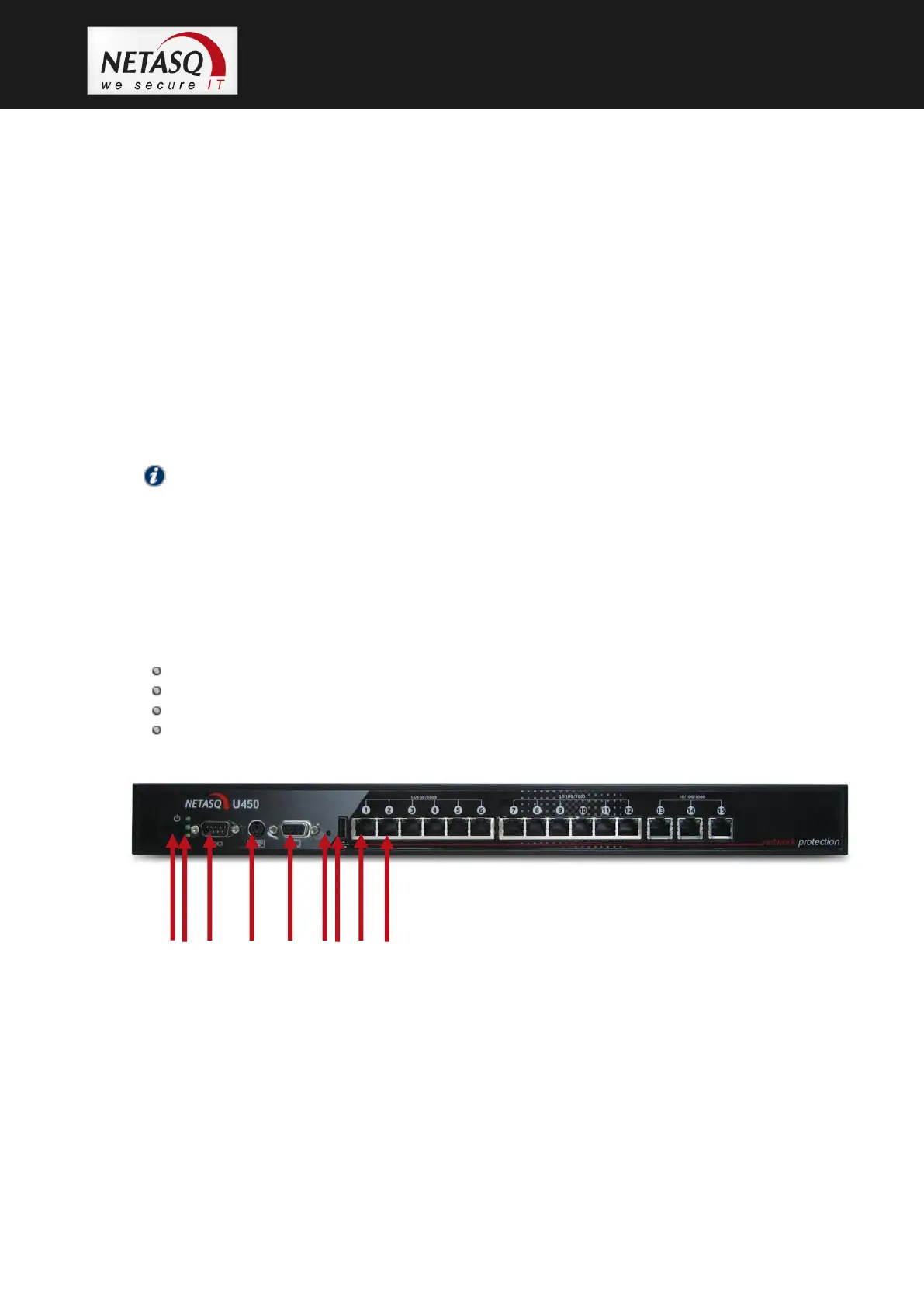
4.6 The U450 appliance
The U450 appliance has the following characteristics:
Throughput of 1000 Mbits/s.
600,000 concurrent connections.
15 Gigabit interfaces.
10,500 new sessions per second.
1. Software shutdown button.
2. LEDs from bottom to top: Power/Status/Online.
3. Serial port: for connecting the firewall directly to a PC or modem.
4. PS2 mini-din port: for connecting a keyboard.
5. VGA port: for connecting a monitor.
6. Button to reset to the default configuration (defaultconfig).
7. 1 USB port: for secure configuration or updates.
8. OUT Interface.
9. IN Interface.



 To Next Page