INSTALLATION GUIDE
4. PRESENTATION OF THE APPLIANCES
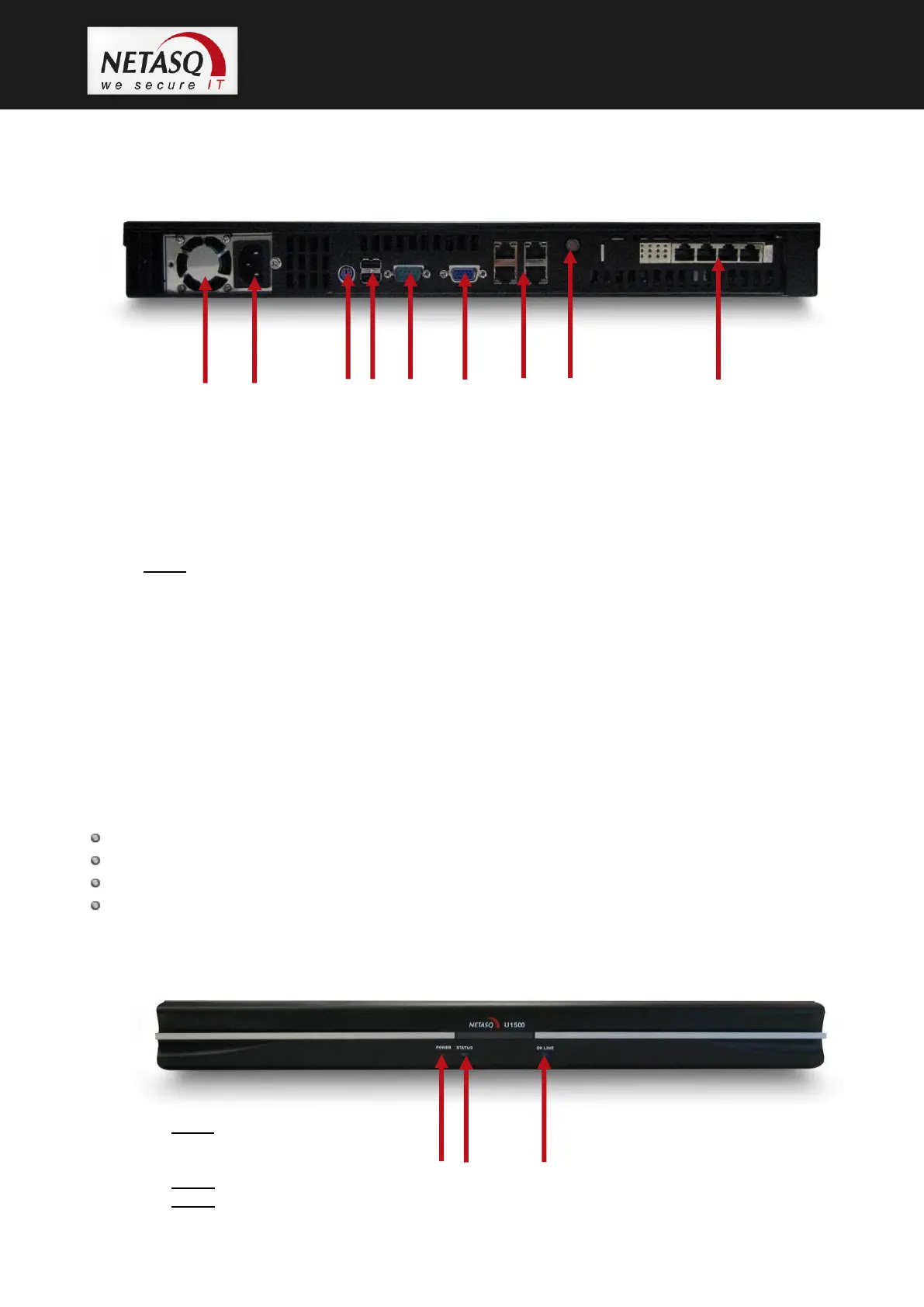
4.7.2 Rear panel
1. Fan grating.
2. Power socket: for plugging in the main power cable.
3. PS2 mini-din port: for plugging in a keyboard.
4. 2 USB ports: for secure configurations and updates.
5. Serial port: for connecting the firewall directly to a PC or a modem.
6. VGA port: for connecting a monitor.
7. 4 RJ45 Ethernet ports for connecting network cables. The port on the top left corresponds to the
external interface (OUT).
8. Power button: button for switching the appliance on and off.
9. 4 additional RJ45 Ethernet ports for connecting network cables.
Point 8: The Power button serves to switch the appliance on and off. To shut down the firewall,
hold down the button for a few seconds (when the orange indicator is on) until the Online indicator
goes off.
To turn on the firewall, simply press lightly on this button.
4.8 The U1500 appliance
The U1500 appliance has the following characteristics:
Throughput of 3,800 Mbits/s.
1,200,000 concurrent connections.
10 Gigabit interfaces.
25,000 new sessions per second.
1.1.1. Front panel
1. Power LED (yellow):
when this LED lights up,
this means that the firewall is running.
2. Status LED (green).
3. Online LED (green).



 To Next Page