INSTALLATION GUIDE
4. PRESENTATION OF THE APPLIANCES
The Status LED will blink (quick blinking every 250 milliseconds) in the event of a major failure of
the product (hardware modification, faulty network interface, etc). In this case, do contact your
distributor.
The U6000 firewall has 2 additional indicators – a temperature indicator and a power supply
indicator. If a unit is not receiving any power supply, the power supply indicator will light up. If a
fan is faulty, the temperature indicator will light up.
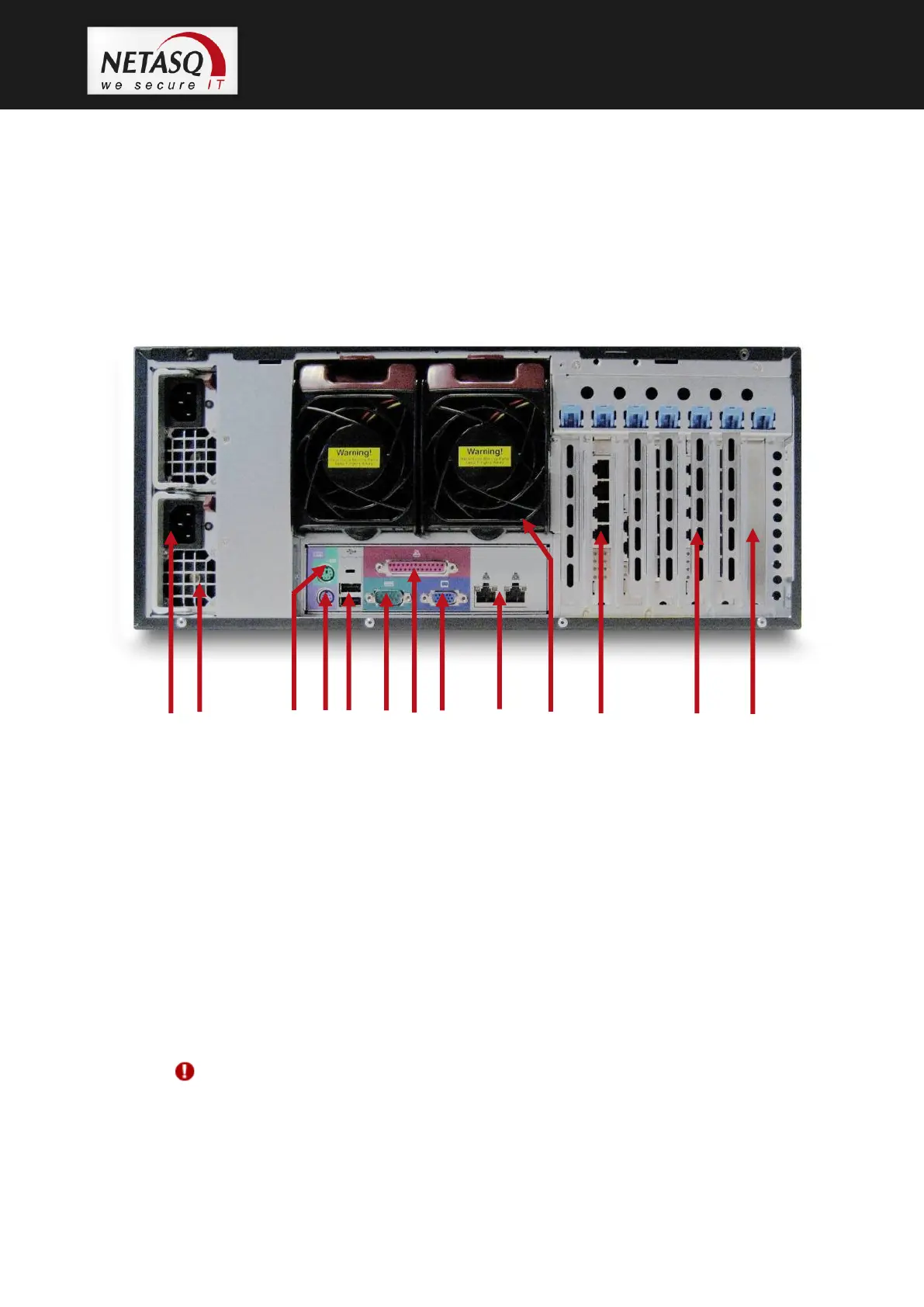
4.9.2 Rear panel
1. 2 power sockets for plugging in the main power cables. The U6000 firewall is equipped with a redundant
power supply. You are advised to connect each power unit to a different mains power.
2. Fan grating.
3. Not in use
4. PS2 mini-din port: for plugging in a keyboard (purple).
5. 2 USB ports: for secure configurations and updates.
6. Serial port: for connecting the firewall directly to a PC or a modem.
7. Not in use
8. VGA port: for connecting a monitor.
9. RJ45 Ethernet ports for connecting network cables. Ethernet port extension cards can be purchased
separately. The port on the bottom left corresponds to the external interface (OUT).
10. 2 hot-swappable fans
11. RJ45 Ethernet ports for connecting network cables (DMZ)
12. 4 slots for additional network cards.
13. Slot for one 0-channel RAID card.
WARNING
When one of the power supply units is no longer working, an alarm will go off. Likewise,
the alarm will go off if only one power cable is plugged in.



 To Next Page