INSTALLATION GUIDE
4. PRESENTATION OF THE APPLIANCES
Layout n°1 :
Layout n°2 :
AVERTISSEMENT
The lowest firmware version compatible with layout no. 2 is v. 8.1.3.
In versions lower than that, the order of network ports is not guaranteed.
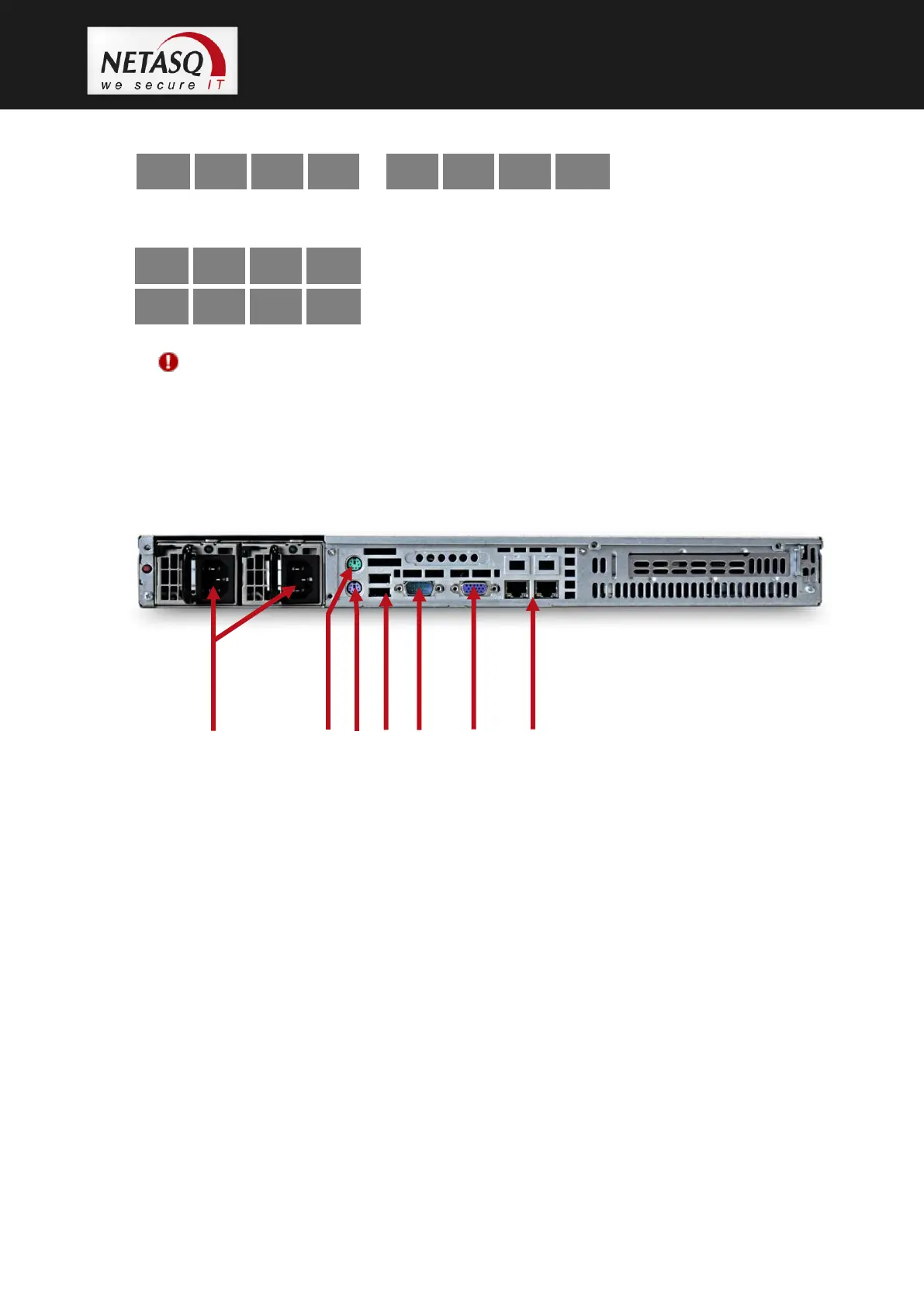
4.10.2 Rear panel
1. 2 power sockets for plugging in 2 mains power cables. The NG1000-A firewall is equipped with a
redundant power supply. You are advised to connect each power unit to a different mains power and to
use a power supply backed up by an inverter.
2. Not in use
3. PS2 mini-din port: for plugging in a keyboard (purple).
4. 2 USB ports: for secure configurations and updates.
5. Serial port: for connecting the firewall directly to a PC or a modem.
6. VGA port: for connecting a monitor.
7. RJ45 Ethernet ports for connecting network cables. From left to right, MGMT1 and MGMT2 ports –
these are used for administering the product and also for HA.



 To Next Page