INSTALLATION GUIDE
5. CONNECTIONS
5.3 Connection for administering the appliance
WARNING
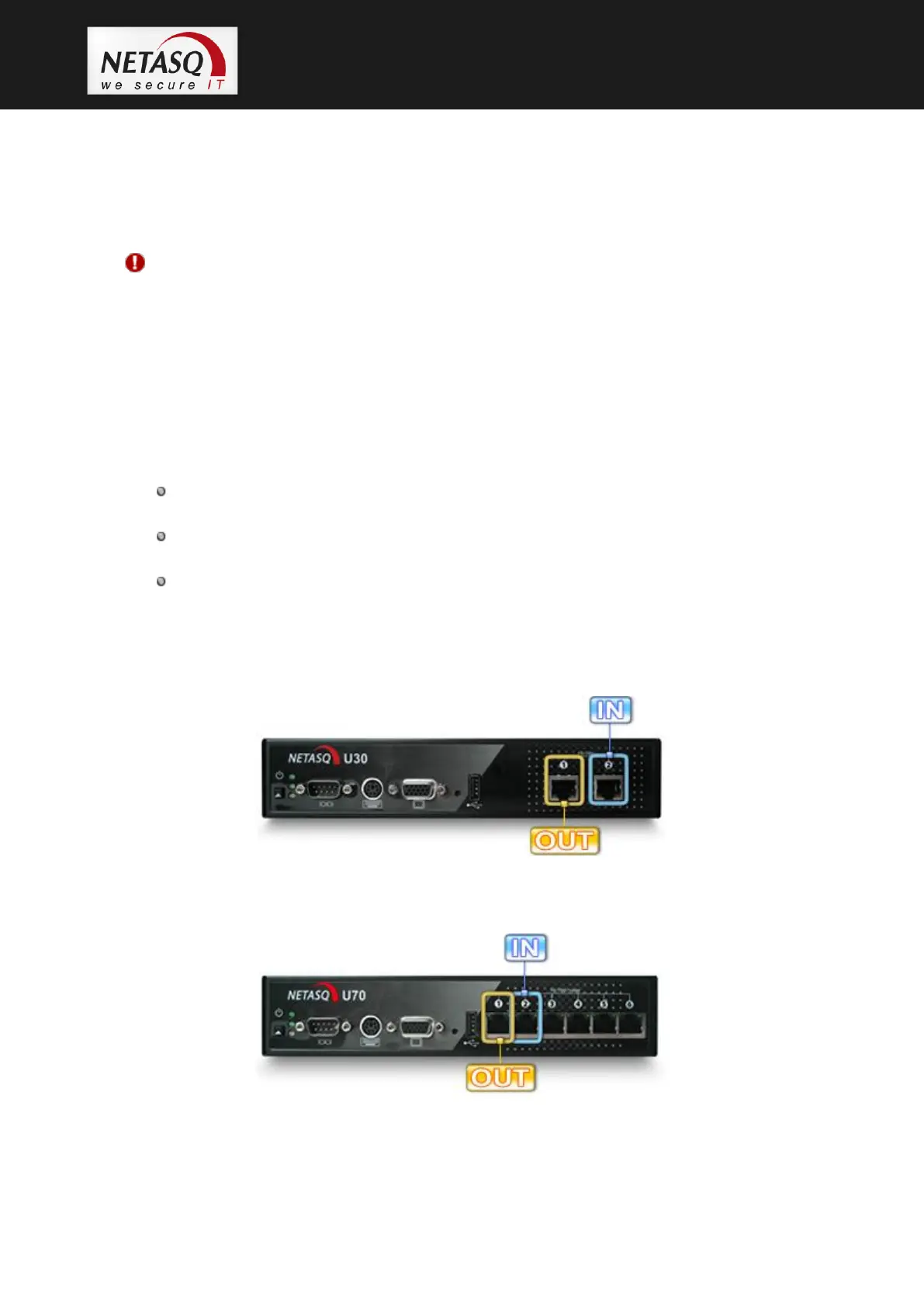
The appliance is administered by default via the INTERNAL interface. This interface, depending on the
model, is identified by the number “2” (U30, U70, U120, U250, U450).
5.4 Connecting to the network
Connect the firewall’s different interfaces to the network interconnection elements with an RJ45
cable. The numbers of the interfaces apply to the U30, U70, U120, U250 and U450 models:
The interface identified as “1” on the firewall corresponds to the EXTERNAL interface
(called OUT by default)
The interface identified as “2” on the firewall corresponds to the INTERNAL interface
(called IN by default)
The interfaces identified as “3, 4, 5, etc” on the firewall correspond to the DMZ
interfaces (like the INTERNAL interface, these interfaces host internal networks)
The interfaces are indicated below by appliance model:
5.4.1 U30
Figure 7: U30 interfaces
5.4.2 U70
Figure 8: U70 interfaces



 To Next Page