INSTALLATION GUIDE
4. PRESENTATION OF THE APPLIANCES
4.9 The U6000 appliance
The U6000 appliance has the following characteristics:
Throughput of 5,000 Mbits/s.
2,500,000 concurrent connections.
6 to 24 Gigabit interfaces.
40,000 new sessions per second.
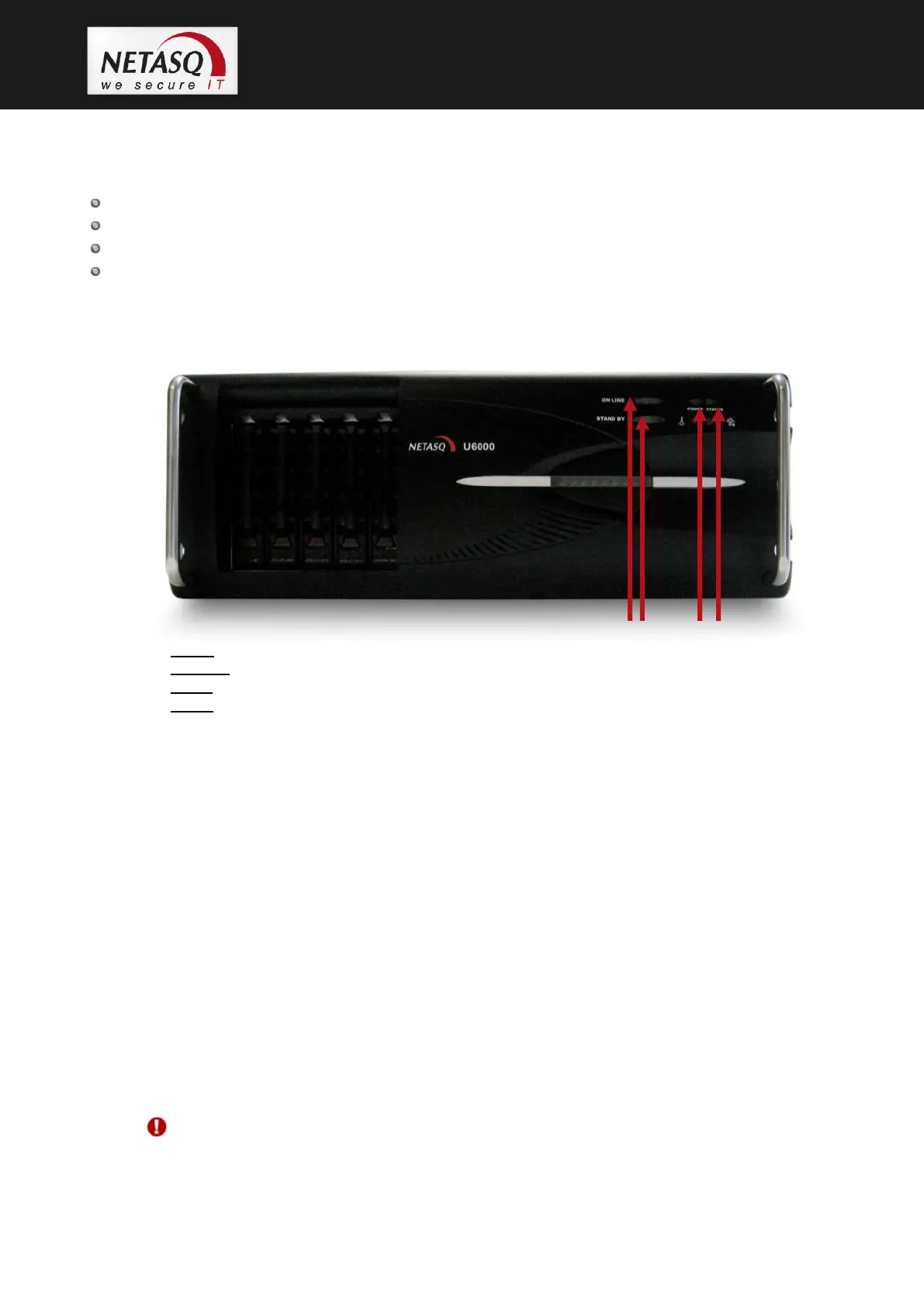
4.9.1 Front panel
1. Online LED.
2. Stand by button: button for switching the appliance on and off.
3. Power LED(yellow): when this LED lights up, this means that the firewall is running.
4. Status LED,
Point 1: The Online LED will be the last to light up when the product is running. Traffic will pass
through the interfaces.
For an appliance configured in high availability, the Online LED will light up intermittently
(for every second it lights up, it will go off for 2 seconds). This means that the appliance is
in passive mode.
Point 2: The button for switching the appliance on and off is called the Standby button here and is
found on the appliance’s front panel. To shut down the firewall, just hold down the button for a few
seconds (the orange indicator will be visible) until the Online indicator lights up.
Point 3: the Power LED (yellow) indicates that the product has been plugged in but has been shut
down.
The product is running when the Power LED and the Status and Online LEDs (green) are visible.
Point 4: When the appliance is starting, shutting down or being updated, the Status LED will light
up.
WARNING
You are strongly advised against switching off the product when the Status LED is starting,
shutting down or being updated.



 To Next Page