EasyManua.ls Logo

NETGEAR DGN1000 - User Manual

NETGEAR DGN1000
107 pages
Print Icon
To Next Page IconTo Next Page
Loading...
350 East Plumeria Drive
San Jose, CA 95134
USA
February 2012
202-10927-01
v1.0
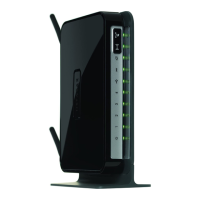
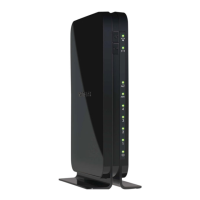
N150 Wireless ADSL2+
Modem Router DGN1000
User Manual

Table of Contents

Other manuals for NETGEAR DGN1000

Questions and Answers

  • A
    Andre JohnsonAug 7, 2025
    What to do if I cannot load an Internet web page using my NETGEAR DGN1000 Wireless Router?
    • H
      Heather MatthewsAug 7, 2025
      If you cannot load an Internet web page using your NETGEAR Wireless Router, it might be because your computer doesn't recognize any DNS server addresses, or your computer might not have the wireless modem router configured as its TCP/IP wireless modem router.
  • K
    Kathleen ArnoldAug 11, 2025
    How to troubleshoot login issues on a NETGEAR Wireless Router?
    • T
      Timothy MackAug 11, 2025
      If you cannot log in to your NETGEAR Wireless Router, ensure that the router is plugged in and powered on and that you are using the correct login information. If you're unable to connect wirelessly, try using an Ethernet connection to view the router's wireless settings. Also, check the Ethernet connection between your computer and the router.
  • S
    Sandra WrightAug 15, 2025
    What to do if the DSL Link LED is off on my NETGEAR DGN1000?
    • R
      Ronald HarrisonAug 15, 2025
      If the DSL Link LED on your NETGEAR Wireless Router is off, check that the telephone company has established the connection to your line and tested it. Also, verify that you are connected to the correct telephone line.
  • A
    Alan HicksAug 20, 2025
    What to do if TCP/IP network is not responding on NETGEAR DGN1000?
    • D
      Danielle PaulAug 20, 2025
      If your TCP/IP network is not responding when using your NETGEAR Wireless Router, ensure the LAN port LED is lit. Verify that the Ethernet card driver software and TCP/IP software are installed and configured on your PC or workstation. Also, check that the IP address for your router and workstation are correct and on the same subnet.
  • S
    Stephanie SanchezAug 25, 2025
    How to fix 'Cannot Obtain an Internet IP Address' on NETGEAR DGN1000 Wireless Router?
    • W
      wilsonnathanAug 25, 2025
      To resolve the issue of not obtaining an Internet IP address with your NETGEAR Wireless Router, access the router menus at http://192.168.0.1 and log in. Assign the computer host name of your ISP account to the wireless modem router in the browser-based Setup Wizard. Inform your ISP that you have a new network device and ask them to use the router's MAC address or configure your router to spoof your computer’s MAC address through the Basic Settings.
  • J
    Jessica KnoxAug 28, 2025
    How to correct incorrect date or time on NETGEAR Wireless Router?
    • B
      Benjamin TurnerAug 28, 2025
      If your NETGEAR Wireless Router displays an incorrect date or time, ensure that your Internet access is configured correctly. Additionally, in the Schedule screen, select the 'Adjust for Daylight Savings Time' check box.
  • C
    Calvin FordSep 2, 2025
    Why are changes not saved on my NETGEAR Wireless Router?
    • J
      James BrownSep 2, 2025
      If changes are not being saved on your NETGEAR Wireless Router, always click the Apply button when entering configuration settings before navigating to another screen or tab. Also, try clicking the Refresh or Reload button in your web browser.

NETGEAR DGN1000 Specifications

General IconGeneral
Wireless Standard802.11b/g/n
Frequency Band2.4 GHz
Wireless SpeedUp to 150 Mbps
LAN Ports4 x 10/100 Mbps
WAN Port1 x ADSL2+
SecurityWEP, WPA, WPA2
FirewallSPI, NAT
AntennaInternal
Weight0.6 lbs

Videos

How to Set up NETGEAR DGN1000

Related product manuals