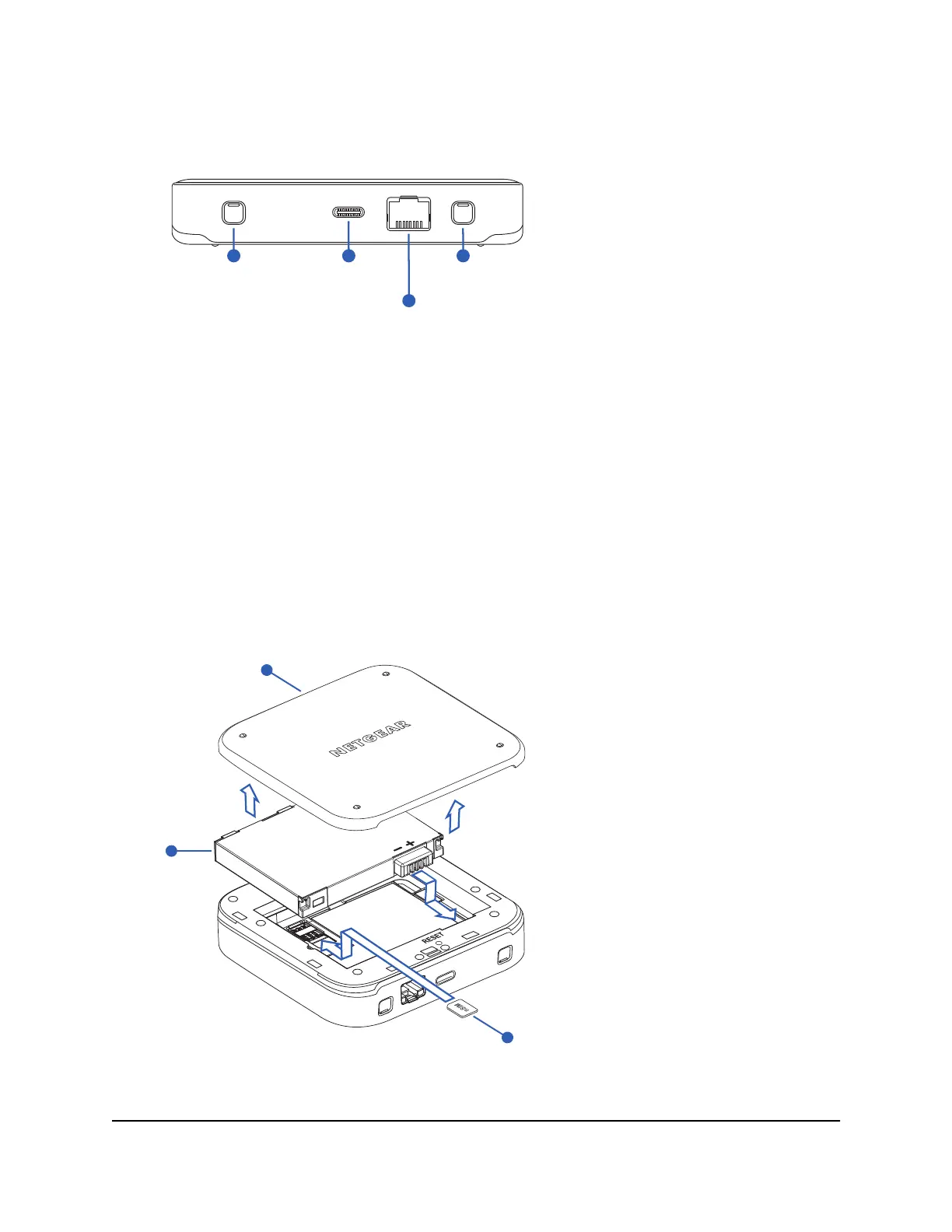
The Nighthawk M7 connectors are located on the rear panel. The connectors include
a USB Type-C connector, an RJ45 Ethernet port, and two TS-9 external antenna ports.
Figure 4. Nighthawk M7 connectors
Install or replace a SIM card
To use your mobile hotspot, you need to install a valid, activated nano SIM card with a
data plan from your mobile provider. Depending on where you purchased your mobile
hotspot, a SIM card with an active data plan might already be installed. If you change
your mobile data provider or plan, you might need to replace the SIM card that you
previously installed.
Nano SIM card
Battery cover
Battery
Figure 5. Nighthawk M7 SIM card installation
User Manual11Overview and Setup
Nighthawk M7 Pro













 To Next Page