View the home screen
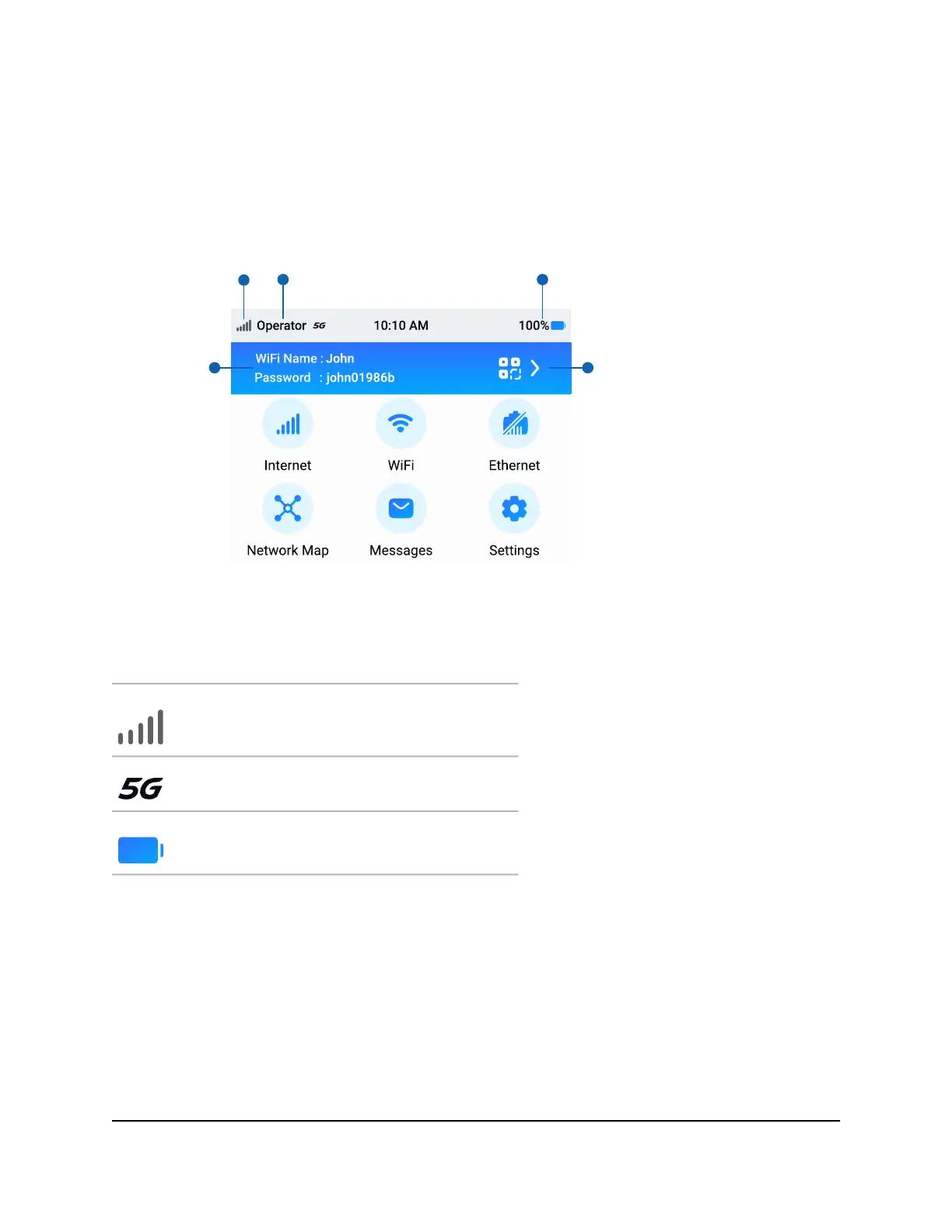
From your mobile hotspot's home screen, you can view your connection status, configure
WiFi settings, view data usage details, and more.
WiFi network
name and
password
WiFi quick
connect
QR code
Signal
strength
Mobile
network
Battery
charge
Figure 8. Home screen
Table 1. Icons
DescriptionIcons
Indicates the strength of the mobile broadband network
signal.
Indicates that you are connected to the 5G network.
Indicates the amount of charge in the battery.
Power off or restart your mobile
hotspot
When you are done using your mobile hotspot, power it off to preserve battery life. You
can also restart your mobile hotspot.
User Manual17Overview and Setup
Nighthawk M7 Pro













 To Next Page