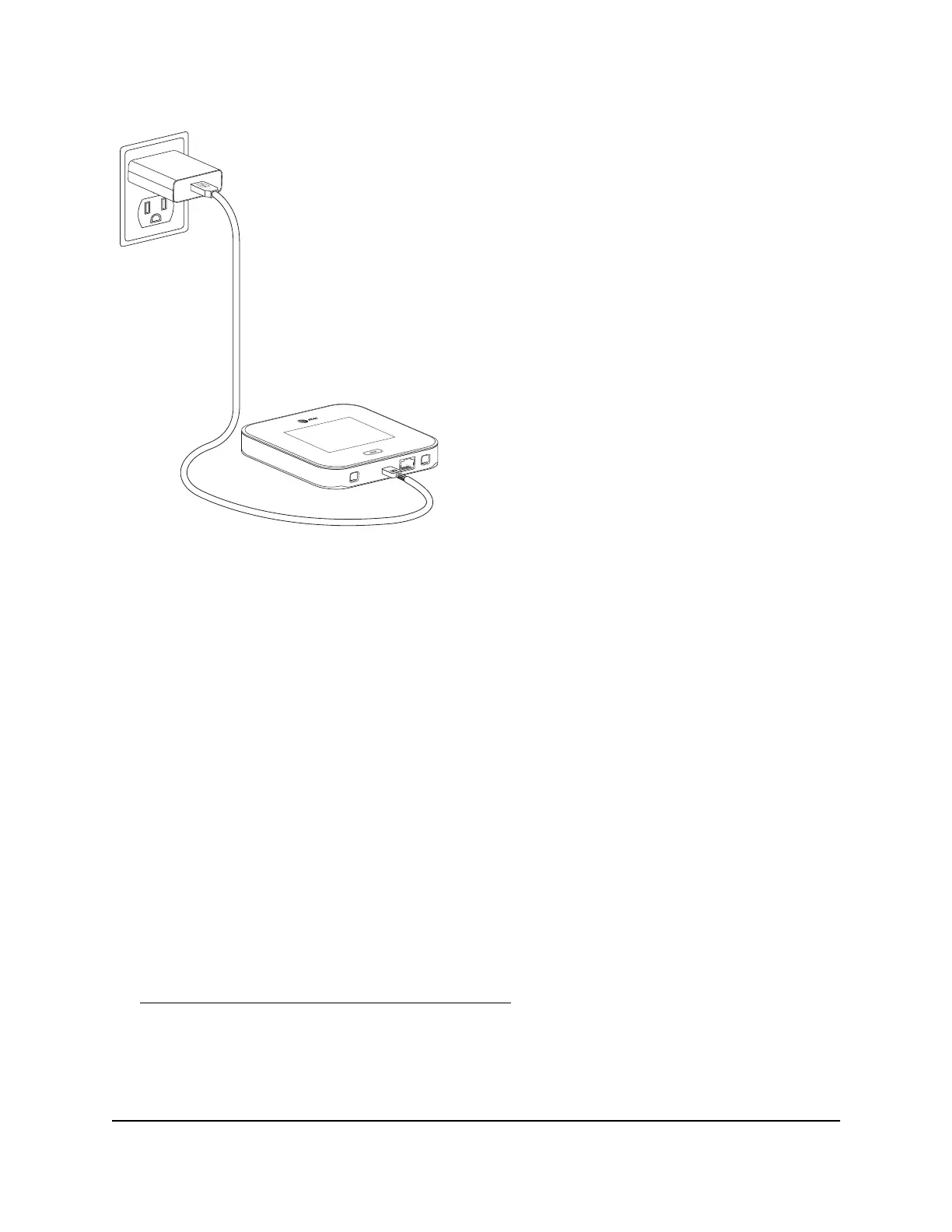
Figure 6. Nighthawk M7 battery charging
To charge your battery:
1. Connect the USB charging cable to your mobile hotspot.
2. Connect the other end of the charging cable to the USB power adapter.
3. Plug the USB power adapter into a wall outlet.
Charging best practices
Charging your mobile hotspot properly is important to ensure its longevity and maintain
its performance. Here are some best practices to follow when charging your mobile
hotspot:
•
Use a high quality USB cable and power adapter: Typical third-party USB power
adapters and computer USB ports do not provide the same amount of current as
the included USB power adapter and will not charge your battery as quickly.
Third-party cables can also limit battery charging speed. However, high quality
third-party USB power adapters and cables that meet certain standards should
provide similar performance to the included parts. For more information, see
Third-party power adapters and USB cables on page 82.
•
Check the charging status: When you plug in the charging cable, check the device's
charging status. The charging indicator in the status bar shows a lightning bolt over
the battery icon if the device is charging. If the charging indicator does not appear,
try unplugging the cable and plugging it back in.
User Manual13Overview and Setup
Nighthawk M7 Pro













 To Next Page