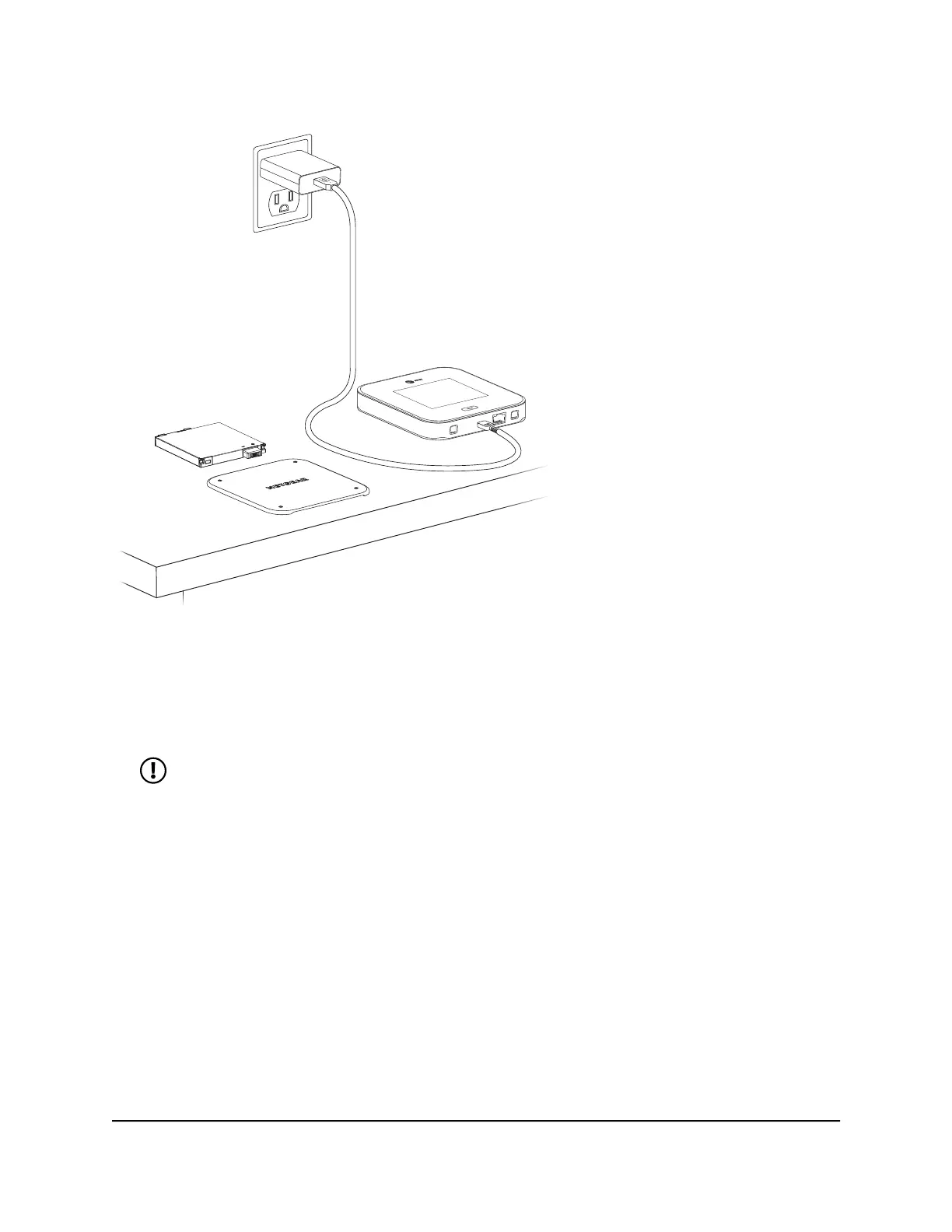
Figure 7. Nighthawk M7 fixed setup
To enable Plugged-In Mode for fixed usage:
1. Remove the mobile hotspot back cover by lifting the corners.
2. Remove the battery.
NOTE: When using Plugged-In Mode, we recommend that you do not
reinstall the back cover after removing the battery for better device cooling
performance.
3. Connect the USB charging cable to your mobile hotspot.
4. Connect the other end of the charging cable to the USB power adapter.
5. Plug the USB power adapter into a wall outlet.
User Manual15Overview and Setup
Nighthawk M7 Pro













 To Next Page