User Manual HX4E/MX8A Series Voice Gateway
6 www.newrocktech.com
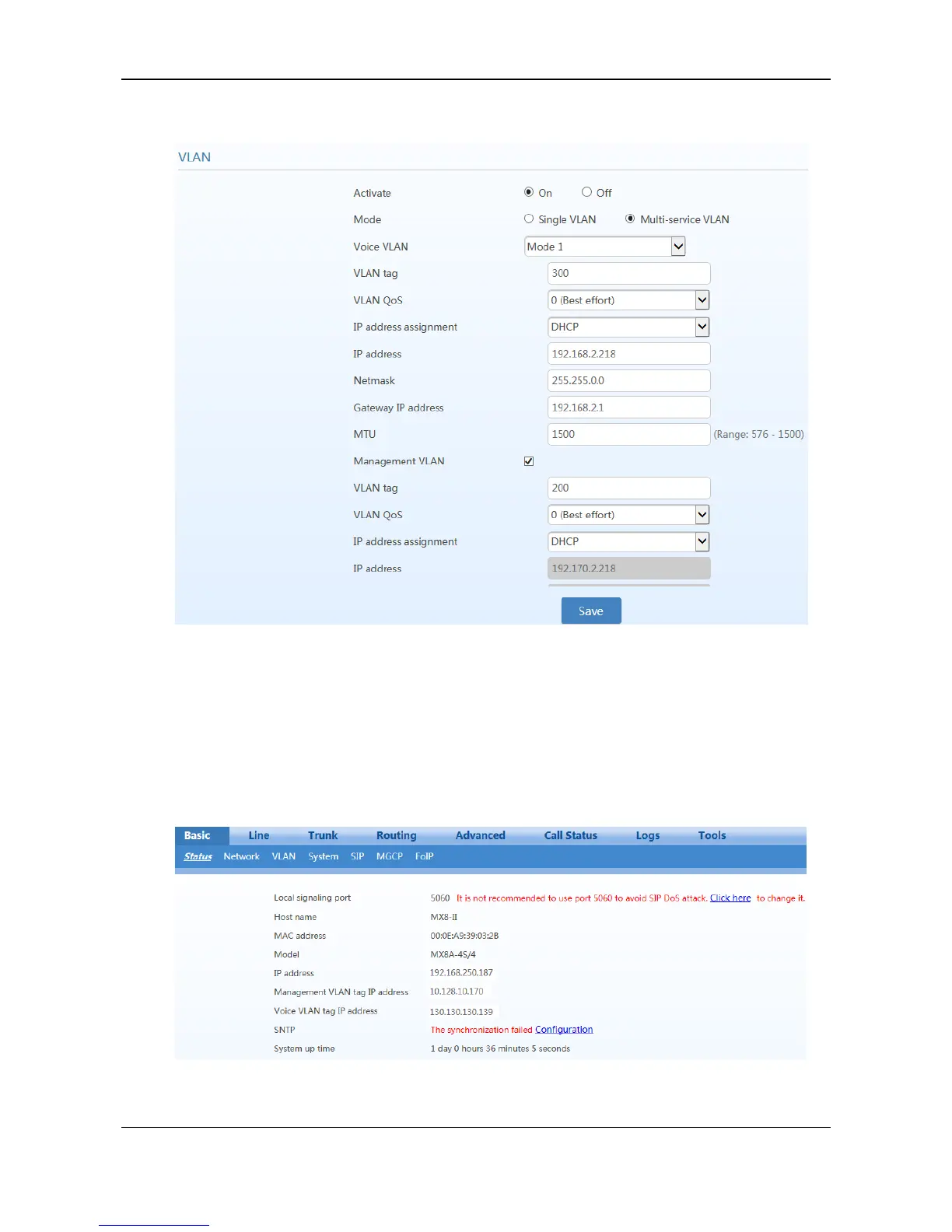
Figure 3-69 Configuring Multi-service VLAN
2. Restart the device for the VLAN to take effect.
3. Use the PC belonging to VLAN 200 to log in to the web page. On the Basic > Status page, the IP
address of each interface of the device can be viewed. As shown in Figure 3-70. From top to bottom:
IP address of the device physical network port, IP address of the management VLAN, and IP
address of the voice VLAN.
Figure 3-70 IP Addresses of the Device in Multi-service VLAN
4. Enable the device to register with the SIP server and call an extension number on the SIP server.



 To Next Page