OM Series IP Telephony System Administrator Manual
New Rock Technologies, Inc. 2-3
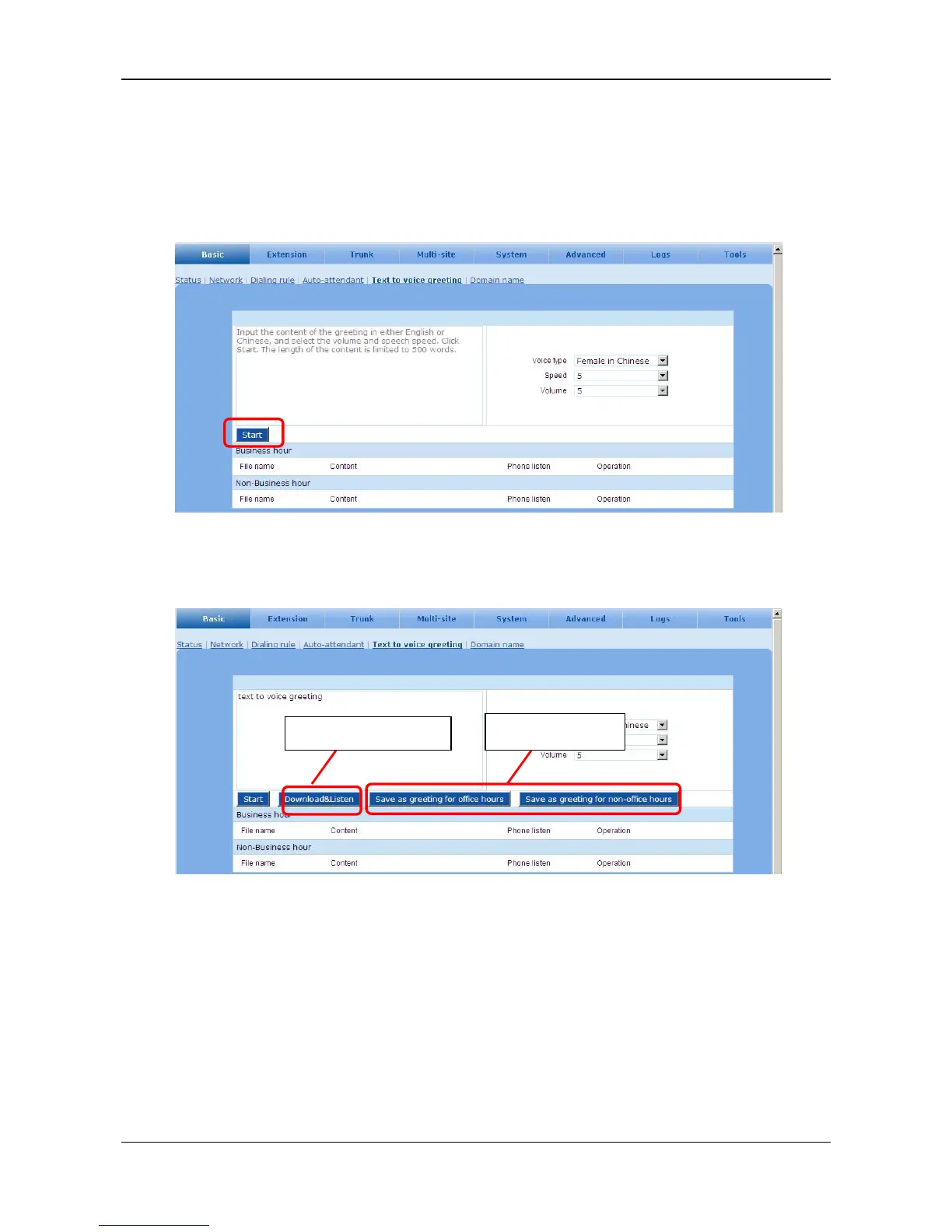
Step2 Synthesizing the greeting file from text
Go to the Basic > Text to voice greeting page. Input the content of greeting in either English or
Chinese and click Start.
Figure 2-3 Interface to enter the text of greeting
Step3 Play and save the file
Figure 2-4 Interface to save the greeting files
Step4 Replacing the existing greeting file
Go to the Basic > Auto-attendant page to select the greeting file. See Figure 2-5.
Play the voice file.
Save voice files.



 To Next Page