OM Series IP Telephony System Administrator Manual
www.newrocktech.com 5-7
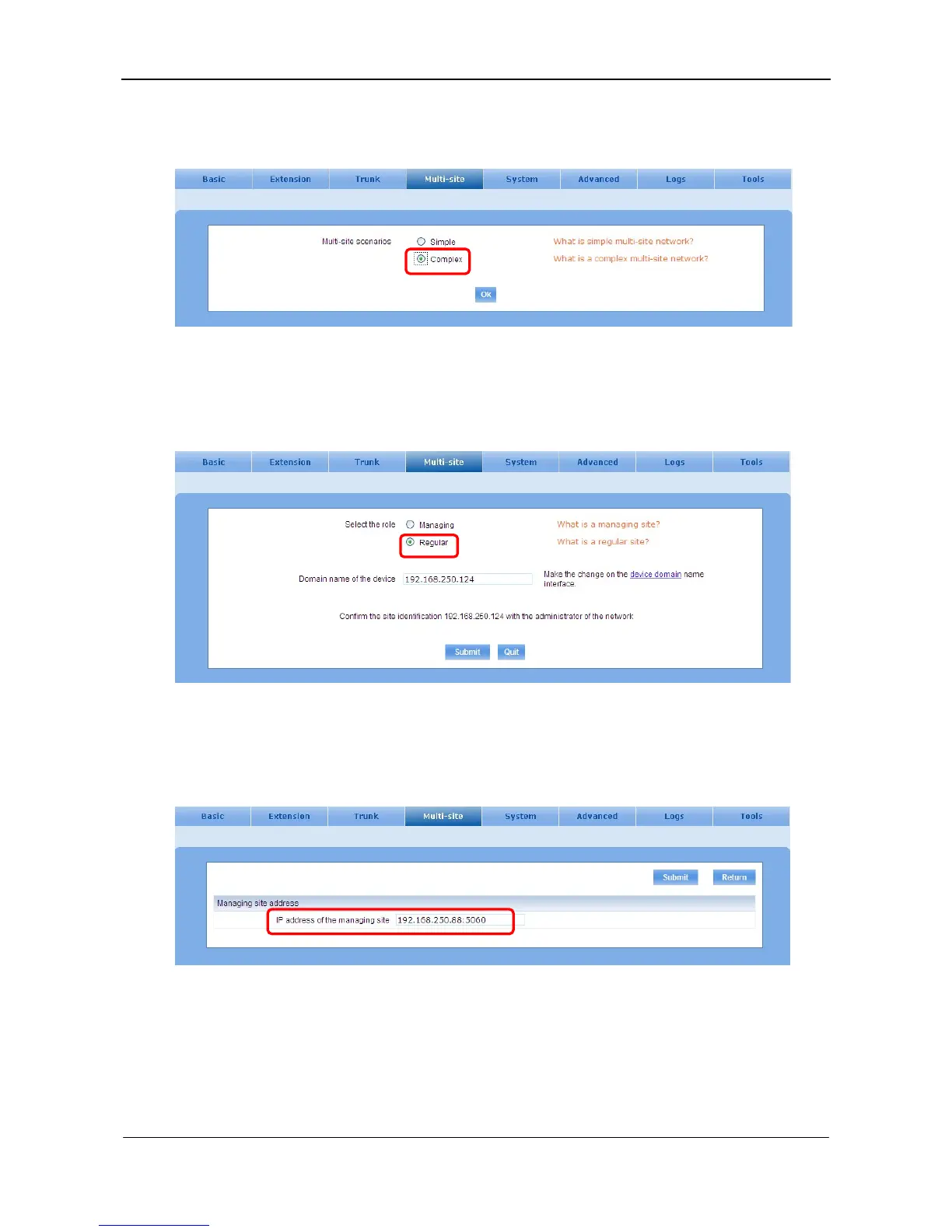
On Multi-site interface, select Complex and click OK.
Figure 5-11 Interface of multi-site scenarios
Step3 Select the role
Select Regular as the role and submit. See Figure 5-12.
Figure 5-12 Interface of site role
Step4 Enter the IP address of managing site
On the Managing site address interface, enter IP address of the managing site.
Figure 5-13 Managing site address interface
When configuration succeeds, the icon turns green.



 To Next Page