Administrator Manual OM Series IP Telephony System
2-4 www.newrocktech.com
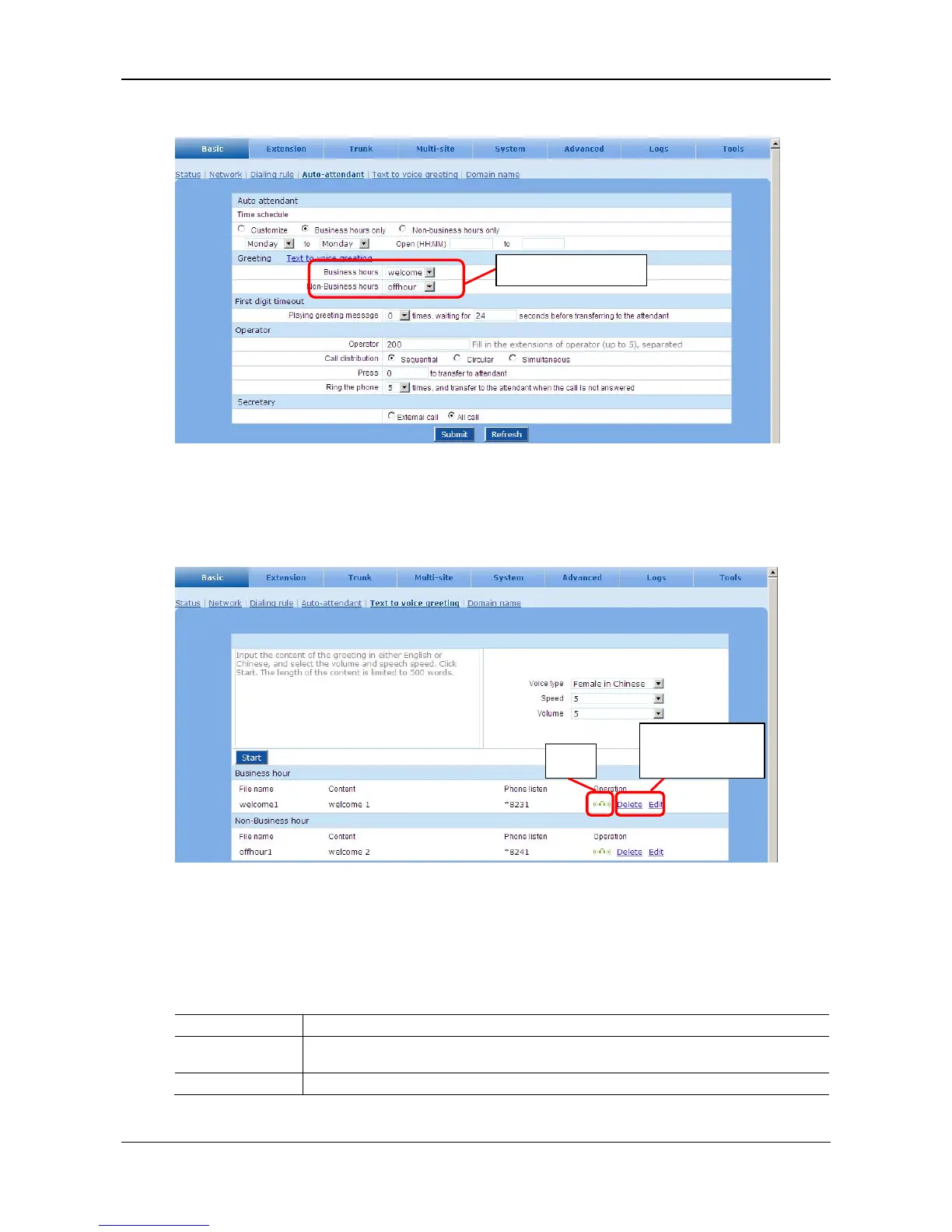
Figure 2-5 Interface to select greeting files
Step5 Managing the greeting files
Go to the Basic > Text to voice greeting page for file management.
Figure 2-6 Interface to managing the greeting files
Recording the greeting file via a phone
The greeting file can be recorded directly on a phone by using the operations listed in Table 2-3. To
ensure the high quality, it is suggested to make the recording in a quiet room.
Table 2-3 Recording the greeting file on a phone
Item Operation
Recording
Pick up any phone connecting to the device and press *81 to start the recording after the prompt,
and hang up the phone to finish the recording.
Listen Press *8200 to listen to the voice recording
Select a greeting file.
Make changes to
the greetings.
Play



 To Next Page