OM Series IP Telephony System Administrator Manual
www.newrocktech.com 3-7
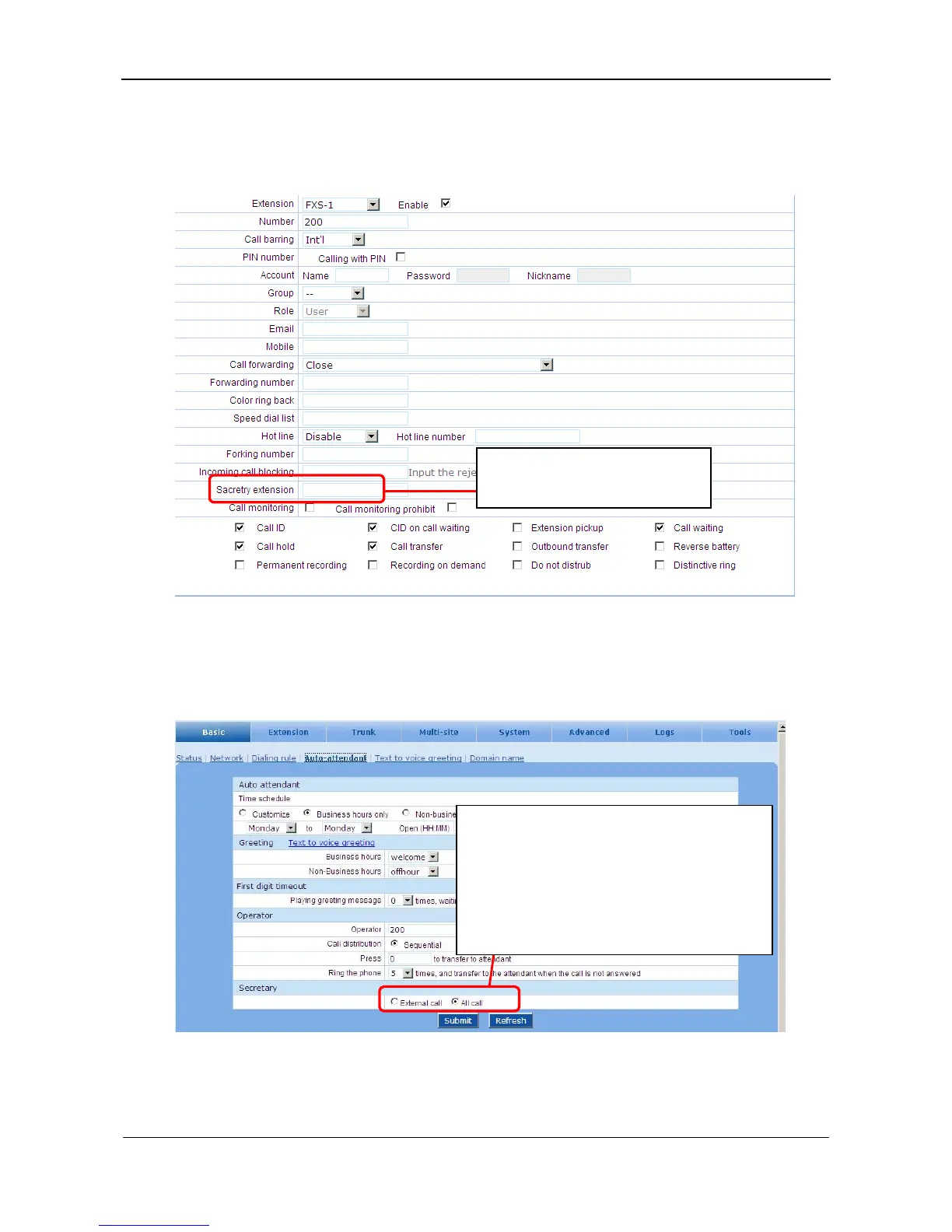
Step1 Input secretary’s extension number
Enter into the manager’s extension feature page, and input secretary’s extension number.
Figure 3-10 Extesion feature interface
Step2 Select the mode of secretary assistant
Go to the Basic > Auto-attendant page and select secretary’s pickup mode.
Figure 3-11 Auto attendant configuration interface
External call: only external calls are transfered
to the secretary.
All call: any call is transfered to the secretary
first.
Note: the secretary should use explicit transfer to
transfer the call to the manager.
Enter the secretary’s extension to
enable the feature.



 To Next Page