OM Series IP Telephony System Administrator Manual
www.newrocktech.com 6-3
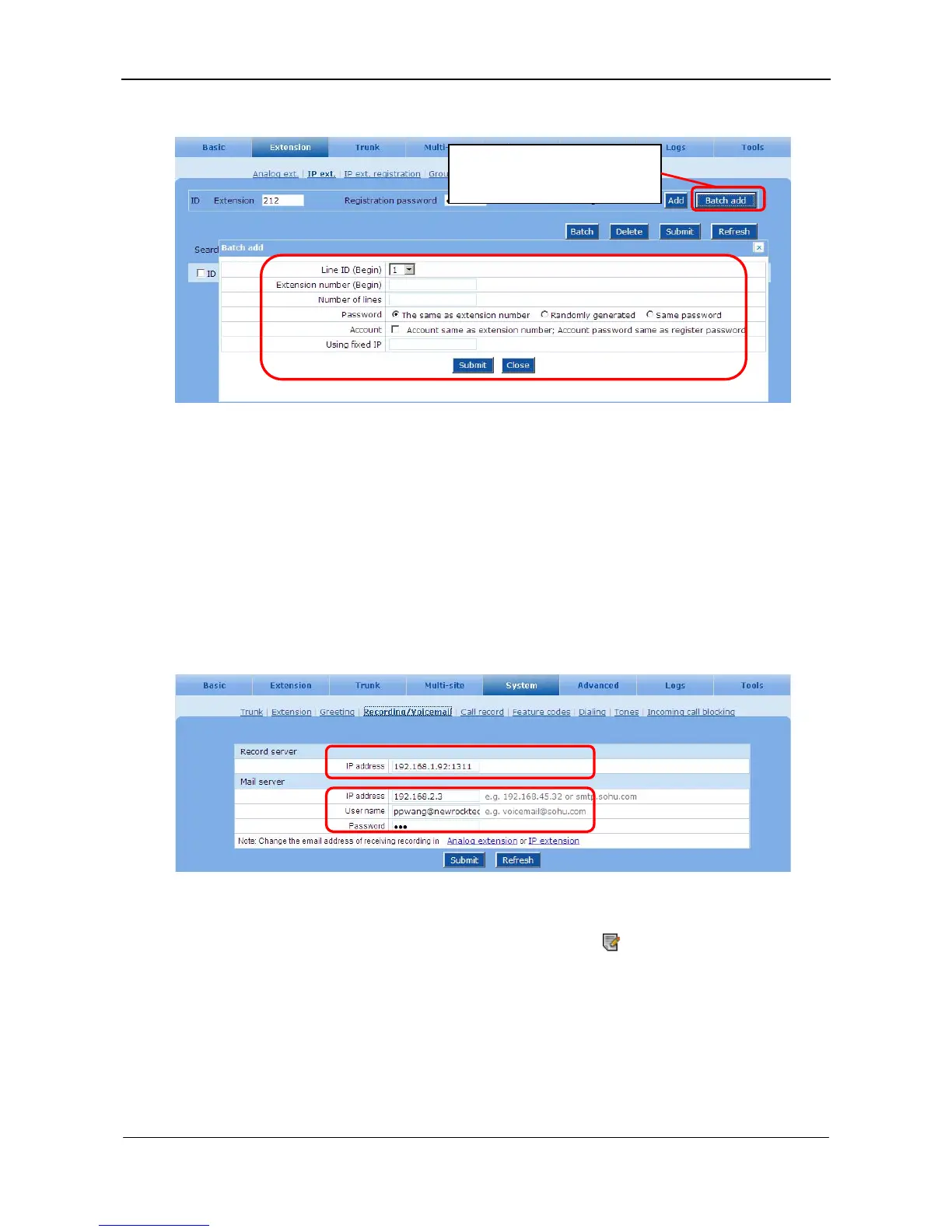
Figure 6-4 Adding IP extension in bulk interface
6.4 Call Recording and Voicemail
A file server is required in order to use call recording and voicemail functions. In addition, a mail server
is required if the messages of the voicemail are forwarded to the receipts through email.
Step1 Configure the file server and mail server addresses
On the System > Recording/Voicemail interface, enter relevant information of recording/mail
server.
Figure 6-5 Recording/Voicemail interface
Step2 Enable the recording function of an extension
On the Extension > Analog/IP ext. interface, click the icon
to enter into configuration page
of extension and enable recording.
Click Batch add to fulfill relevant
information.



 To Next Page