OM Series IP Telephony System Administrator Manual
www.newrocktech.com 7-1
7 Maintenance
7.1 Firmware Upgrading
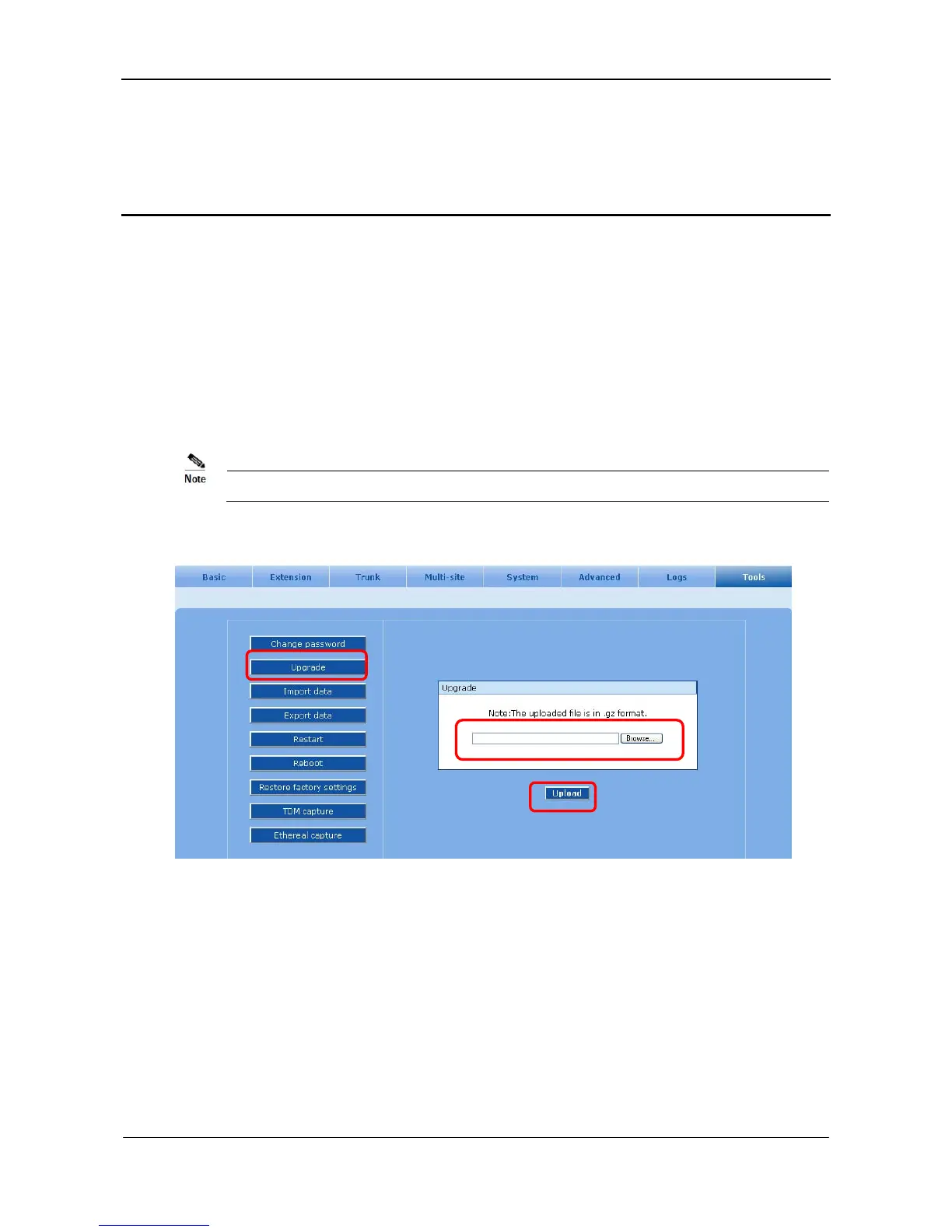
Step1 Select the Tools > Upgrade page, seen in Figure 7-1.
Step2 Click Browse to select the upgrade package.
Step3 Click Upload to upload the package to the system.
Please contact the supplier to obtain the latest firmware release.
Figure 7-1 Firmware upgrading interface
Step4 After uploading, click Next to upgrade the system.



 To Next Page