Administrator Manual OM Series IP Telephony System
5-6 www.newrocktech.com
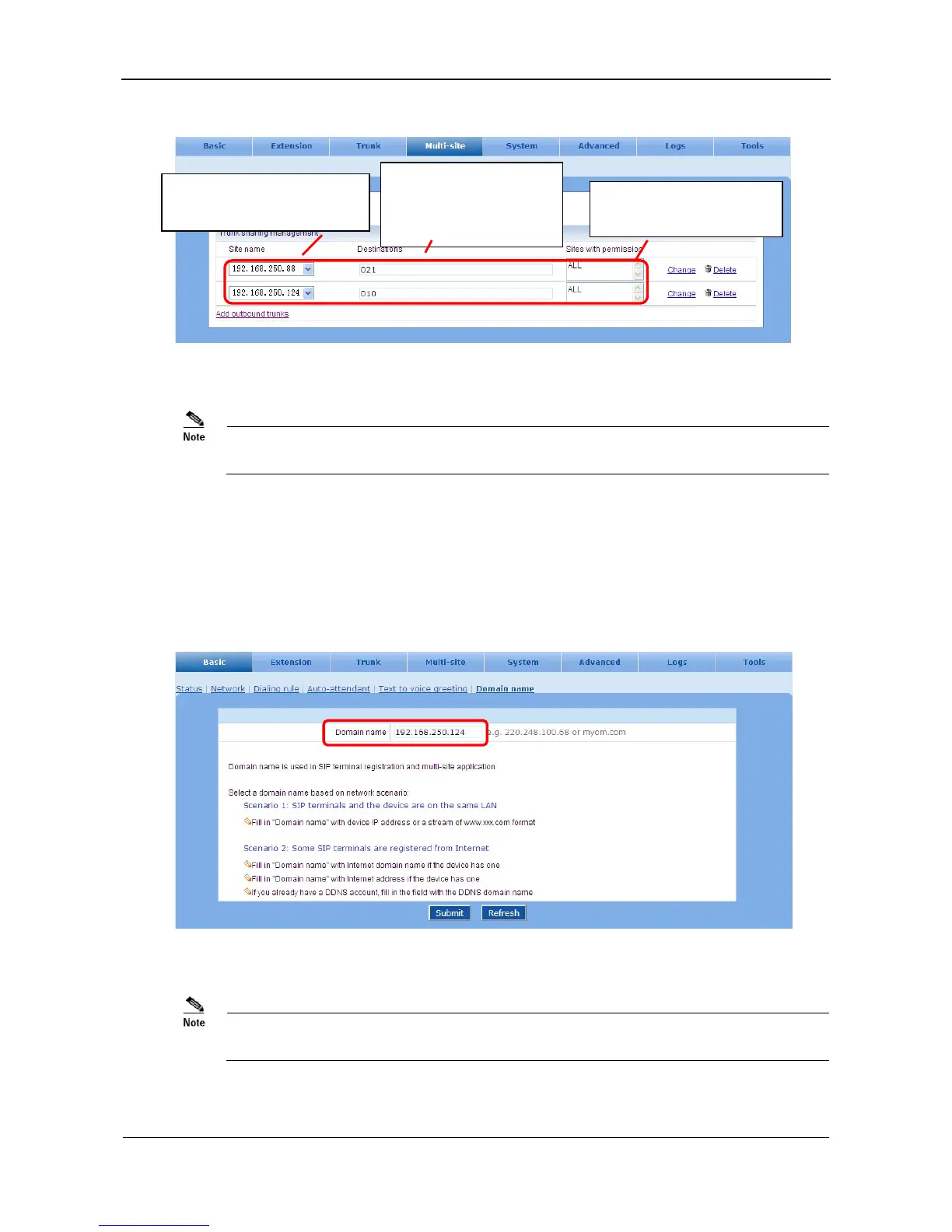
Figure 5-9 Trunk sharing interface
Unless the site ID is dialed for the outbound call to PSTN, the device will search the allowed
outbound trunk from the top of the list.
5.2.2 Regular Site
Step1 Enter the device domain name
On the Basic > Domain name interface, enter domain name of regular sites and click Submit
seen in Figure 5-10.
Figure 5-10 Domain name setting interface
The domain name and the port number will be used in configuring the device list on
managing site.
Step2 Select scenarios of the multi-site application
Add the devices which provide
shared trunks to PSTN.
Enter the area codes of the
reachable destination of
the trunk.
List the sites which are
allowed to use the trunk.



 To Next Page