OM Series IP Telephony System Administrator Manual
www.newrocktech.com 5-5
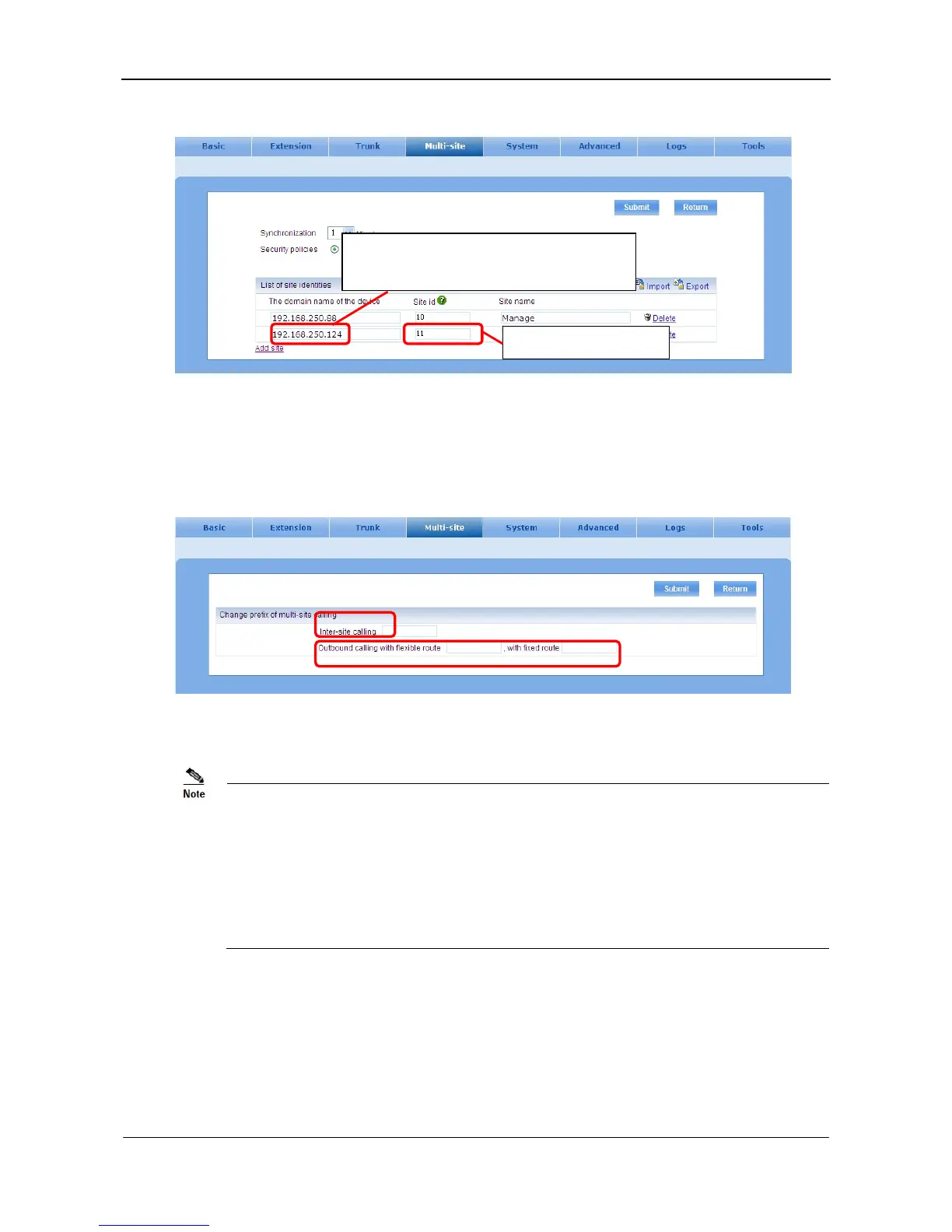
Figure 5-7 Device list setting interface
Step5 Create or update the dialing prefix
Enter into the Change prefix of multi-site calling interface to create or change the dialing prefix.
See Figure 5-8.
Figure 5-8 Prefix setting interface
The domain name and the port number will be used in configuring the device list on managing site.
Dialing prefix of inter-site calling is dialed before the extension number of the remote site. For
example, #1-11-200#, in which 1 is the prefix, 11 is the site id of the called party, and 200 is the
extension of the called party.
Dialing prefix of outbound calling is dialed ahead of the destination number. For example by dialing
#1-11-8005551212# the call to 8005551212 will be routed to PSTN through a trunk on site 11, and by
dialing #2-8005551212# the call to 8005551212 will be routed to PSTN through a trunk selected by
the managing site.
Step6 Configuration of trunk sharing
Go to Trunk sharing management interface.
Input information of site identities relevant to
domain name.
Site ID must be unique.



 To Next Page