Page | 138
The CLIPS LIST normally comprises ten tabbed pages you can use to organize your media
(sessions created on an older 3Play model show 16 tabs). To display a specific tab, simply click it.
Alternatively, you can navigate tabs using left or right TAB buttons on the Control Surface with
the Source Delegate set to CLIP LIST; or, finally, type a number (0-9) and punch GO TO on the
control surface to jump to a specific tab.
Tip: On smaller screens, use the < and > buttons at either end of the titlebar tab row to access
tabs at that have scrolled out of view.
Newly marked events (and newly added media files) are always added below existing rows on
the current page.
11.1.2 TAB MENU
Right-clicking a tab displays a context menu holding just one item – Rename lets you give each
tab a unique name to suit your needs.
11.1.3 EVENT MENU
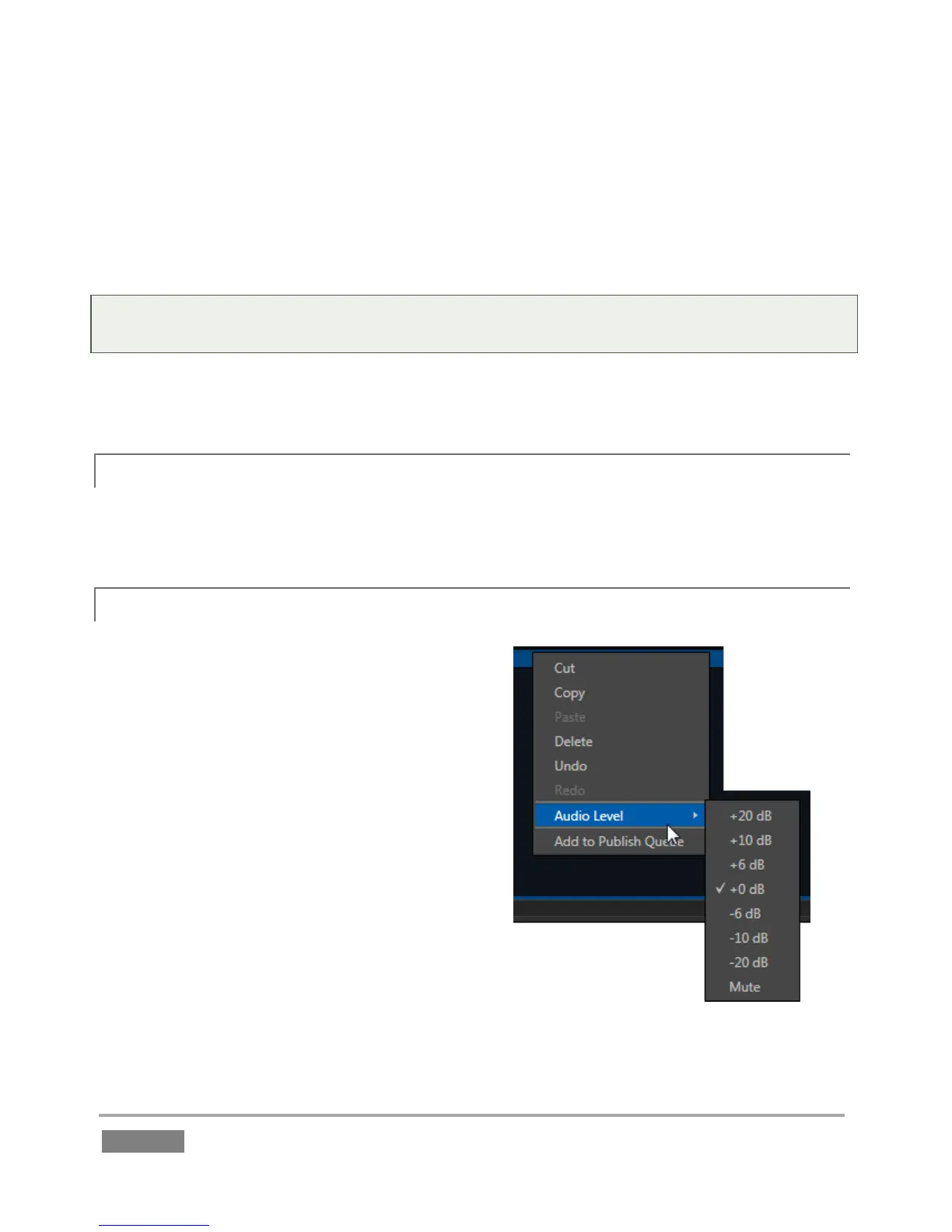
A second menu (Figure 122) is shown when you
right-click on any event field.
This menu allows you to Cut, Copy, Paste or Delete
the entire event. Copy and Paste between CLIP
LIST tabs, or paste selected events (including multi-
selections) into the PLAY LIST. (Pasting into the
PLAY LIST adds the entire event row – that is, all
angles – into the target PLAY LIST tab.)
In addition, you can Undo and Redo (also available
using standard keyboard shortcuts), set the Audio
Level for all angles of selected events, or add selected
angles to the Publish Queue.








 To Next Page