Page | 67
VIDEO STANDARD AND RESOLUTION
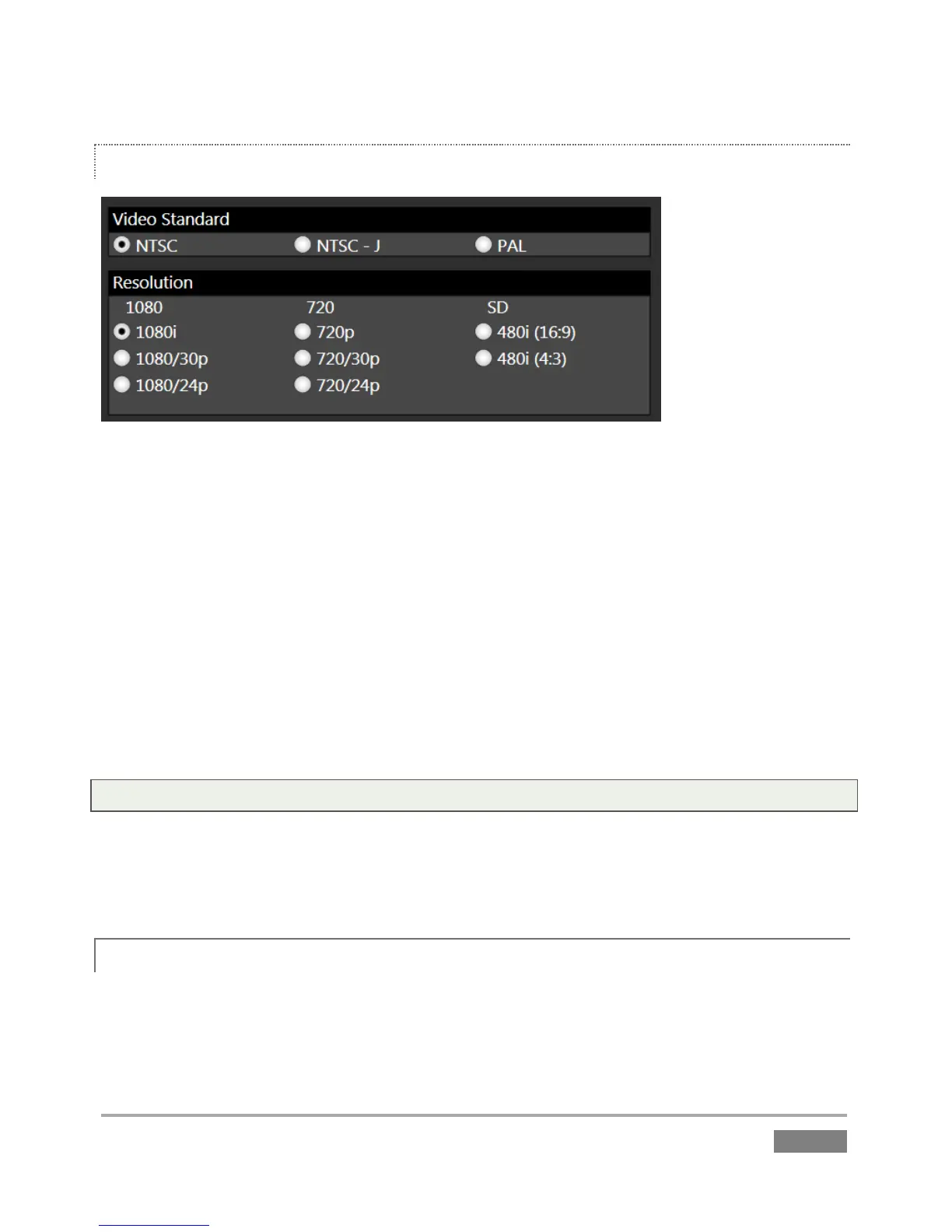
Figure 46
The format of video output by 3Play varies according to the session type. The session settings
also affect capture. For example, if your session format is SD 4:3, this is the format normally
captured by the Record function, even when the input Connection Type might be HD to
accommodate a specific camera; the converse is also true. The frame is scaled and cropped as
required to properly match the session setting, regardless of input type.
Multi-standard 3Play units show the Video Standard option buttons, allowing you to choose
NTSC, NTSC-J or PAL for your session, according to your local regional requirements.
The Resolution radio button groups allow you to further configure the recording and output
format for the new session.
Note: See Section 7.1 for more information on Video Output configurations.
Having made your selections, you would normally click the Create Session button at lower right
(then Create Session to launch the Replay Desktop); but first, let’s explore the features of the
Home page a bit more.
5.2.2 OPEN (SESSION)
If there are existing sessions on any currently mounted drive(s), the icon ring on the Home Page
will default to the Open icon (Figure 47).








 To Next Page