Page | 25
3.4 INPUT CONNECTIONS
3.4.1 CONNECT A/V SOURCES
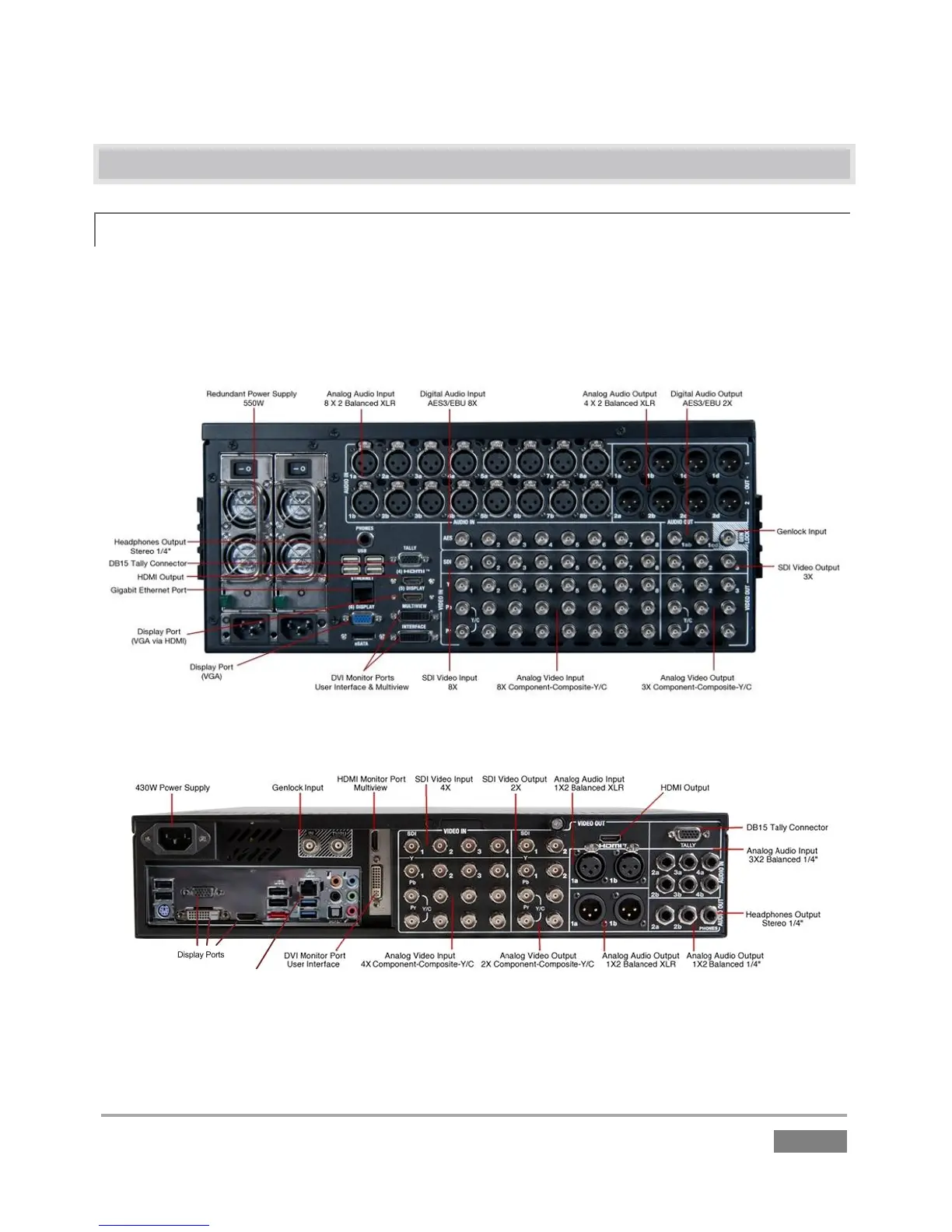
External audio and video sources are connected to the appropriate inputs on 3Play’s backplate.
External audio and video sources are connected to the appropriate inputs on
TriCaster’s backplate.
FIGURE 20 – 3PLAY 4800
FIGURE 21 – 3PLAY 440
1. Connect video sources to the appropriate connectors in the VIDEO IN section, whether
SDI, Component, Y/C (S-Video) or Composite (may require RCA to BNC adapter).








 To Next Page