Page | 140
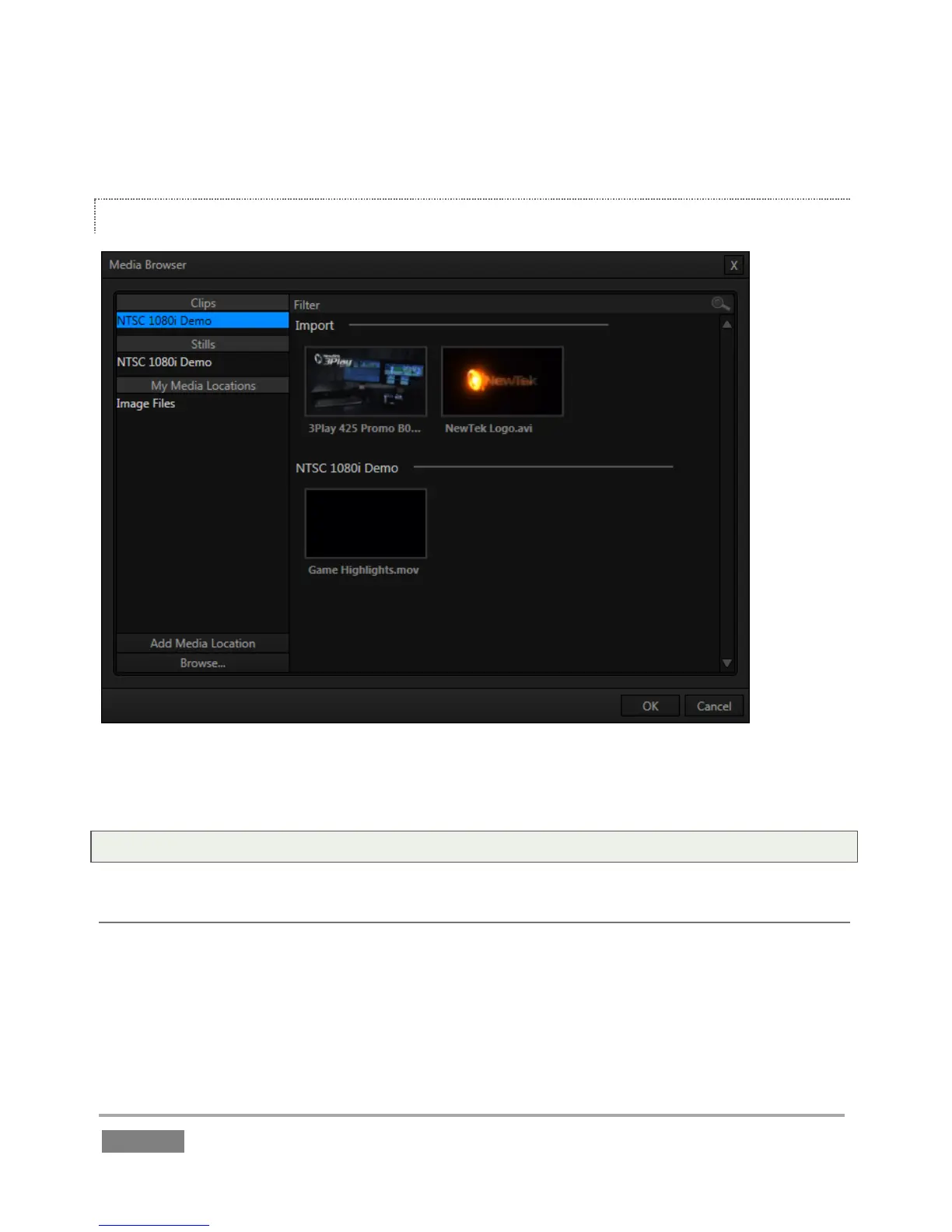
The keyboard shortcut to open the Media Browser is F5.
MEDIA BROWSER
Figure 125
The left and right panes of the Media Browser are the Location List and File Pane, respectively.
Tip: Press the keyboard Tab key to cycle through the Location List, Filter and File Pane folders.
LOCATION LIST
The Location List is a column of favorite “locations”, grouped under the headings Clips, Stills, and
My Media Locations. A list of sub-headings corresponding to named sessions or other content
locations (discussed momentarily) can appear under these main headings.




 To Next Page