Page | 42
1. On the Startup > Home page, click the New button on the icon ring (Figure 31), and
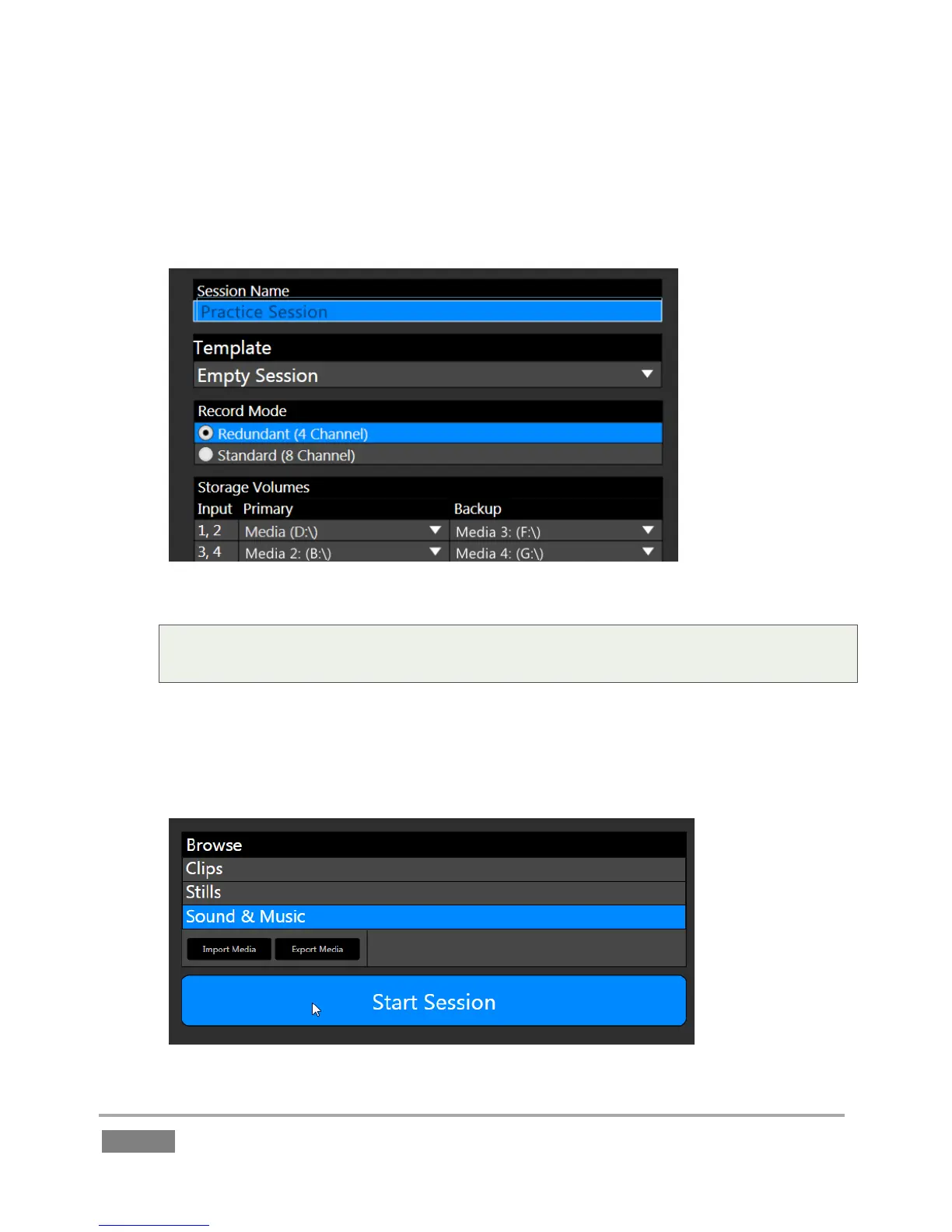
configure a new 1080i session. Name it “Practice Session” (without quotation marks).
Figure 32 – 3Play 4800 shown
Note: For 3Play 4800, we recommend the “Redundant (4 Channel)” Record Mode for
most purposes.
2. As part of the session setup process, assign different camera pairs to individual drives,
under Storage Volumes.
3. The Startup > Session page will appear when you click the Create Session link at right.
Figure 33








 To Next Page