27
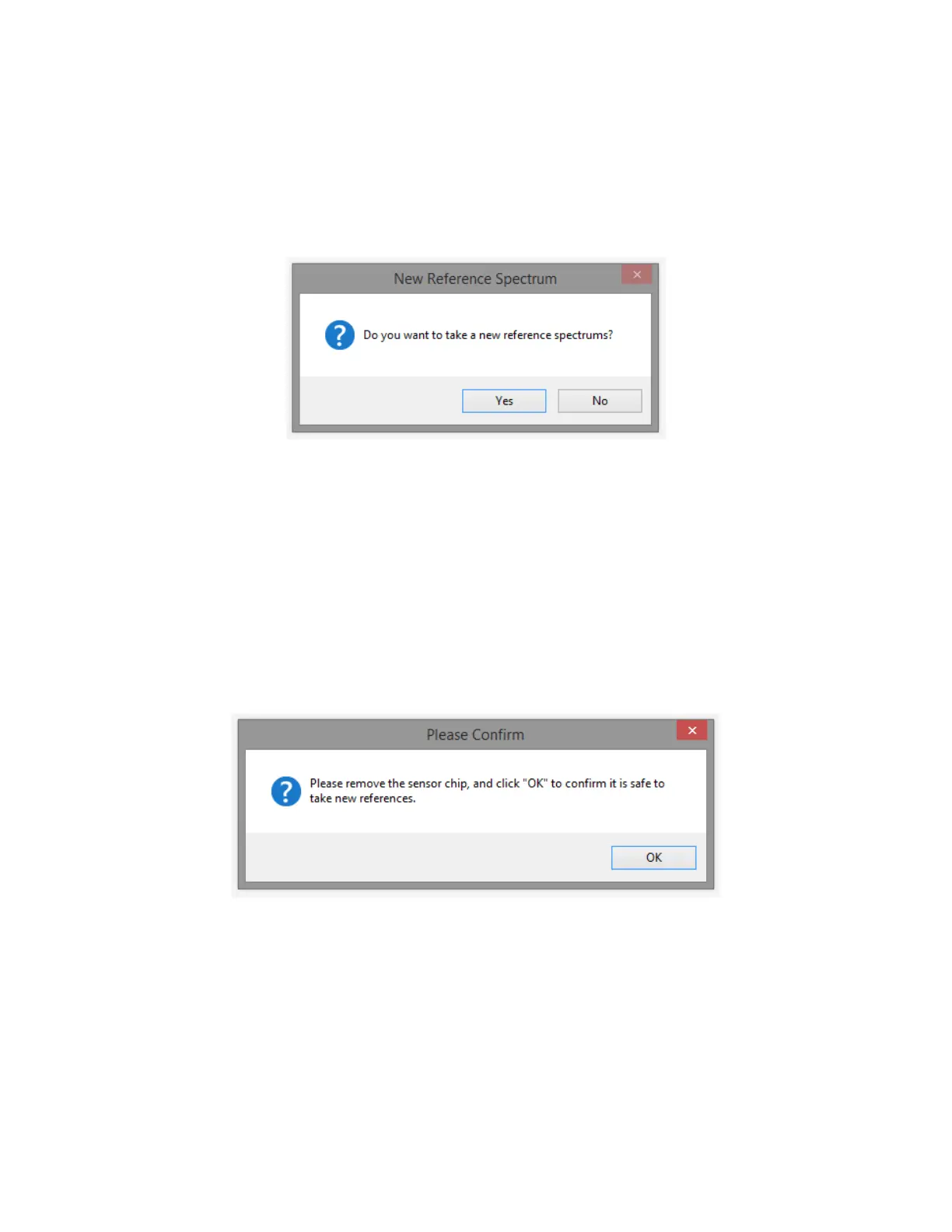
2. Next, the software will ask if you would like to take a new reference spectrum [Figure 2.3].
Reference spectra consist of a Dark Reference and Bright Reference used to calculate the
absorbance. The Dark Reference is taken with the light OFF and the Bright Reference is taken
with the Light ON (without a Sensor Chip in the instrument). It is best practice to take new
reference spectra each time a new test is started as this ensures the noise in the signal is as
low as possible.
Figure 2.3 New Reference Spectrum prompt.
Select “Yes” to take new reference spectra and proceed to the next step below (the software
will guide you through taking new reference spectra).
For the software to load the reference spectra from the very last time they were taken, select
“No” and proceed to Step 6.
3. The software will prompt you to remove the Sensor Chip currently installed in the instrument
[Figure 2.4]. Remove the Sensor Holder and slide the Sensor Chip out of the slot.* Ensure the
Flow Cell is dry and clean by gently wiping it with a lint free wipe soaked in DI water or
isopropanol and allow it to dry. You do not have to put the sample holder back on the
instrument to take the reference. Click “OK” to proceed.
Figure 2.4 Remove Sensor Chip prompt to prepare to take new reference spectra.
*If the flow cell comes off when the chip is removed, this is OK. It can be easily reinstalled by
following the directions provided in section “Installing a New Flow Cell”.
4. The system will first take a dark spectrum with the LED off. Then, the LED will switch on and
the instrument will automatically go through a number of conditioning procedures including
Warming Up, Checking for Spectrum Drift, and Waiting for LED to Stabilize. Windows will
appear informing you of the status of these procedures.



 To Next Page