30
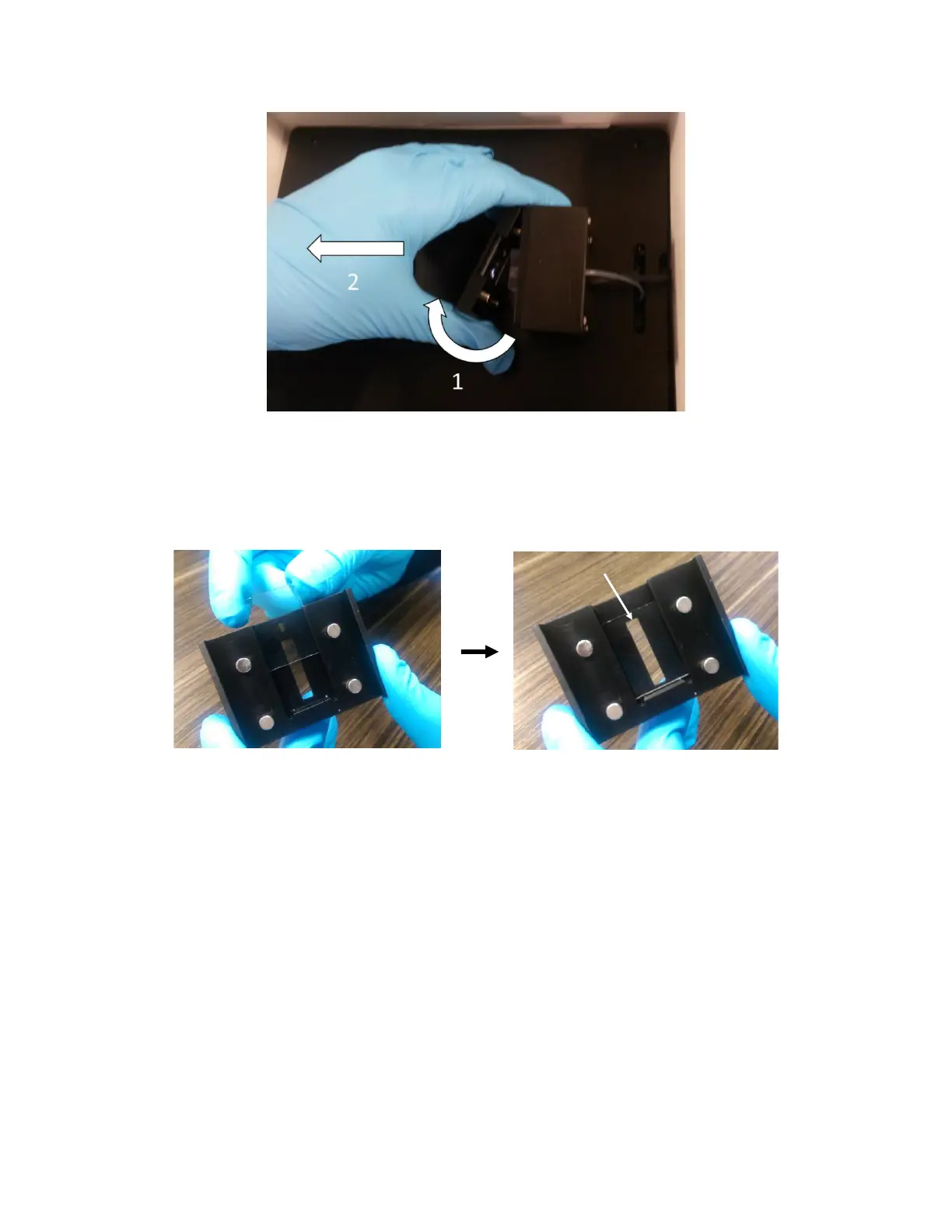
Figure 2.8 - How to easily remove the magnetic sample holder: 1. Remove the side closest to you using a twisting motion, 2. Pull
back to remove the other side.
5. Carefully slide the Sensor Chip into the slot in the top of the Sensor Holder and ensure it is fully
seated against the bottom of the holder [Figure 2.9]. The top surface of the sensor should be
facing the Fludics block. The Sensor Holder is now ready to be placed into the instrument.
Figure 2.9 - Assembled sensor in sample holder with proper alignment.
6. Place the Sensor Holder into the instrument by slowly bringing it into contact with the Fludics
block [Figure 2.10]. The magnetic force will draw the Sensor Holder into place. BE CAREFUL –
Ensure fingers and gloves are not between the Sensor Holder and Fludics block as they could
be pinched. A properly secured sample holder should look like that of Figure 2.11.



 To Next Page