33
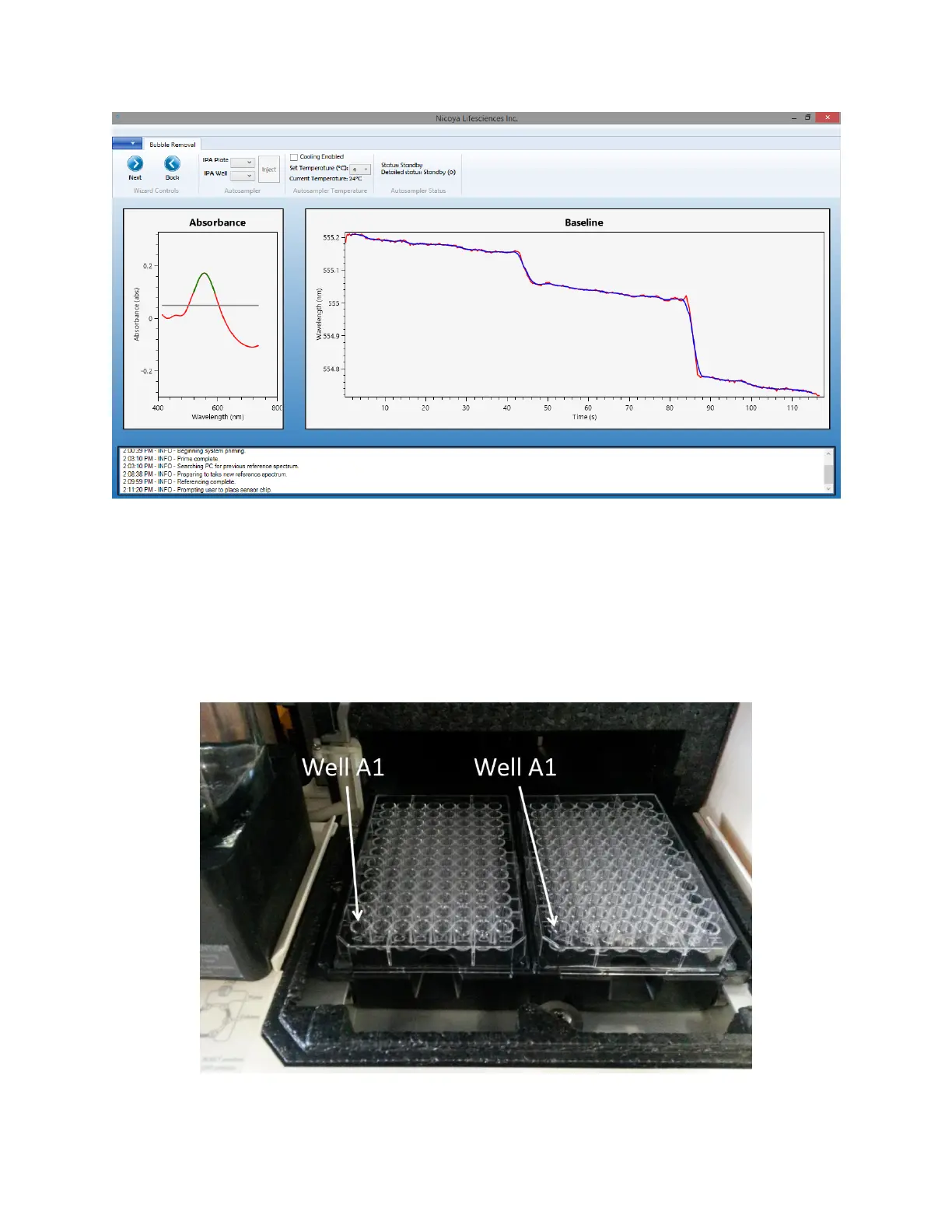
Figure 2.13 Main screen of Bubble Removal step showing Absorbance and Baseline graphs, bubble removal controls,
temperature controls and XT autosampler status.
2. Next, a bubble removal injection needs to be performed to make sure the Flow Cell as well as
Fluidic Lines are clear of bubbles. Fill a well in the 96-well plate with 300 µL 80% isopropanol
(v/v in water) (IPA solution). Open the Sample Compartment Door and place the 96-well plate
into a plate holder of the XT autosampler such that the position A1 is in the left corner closest
to you [Figure 2.14]. The plate should be fully in the plate holder and should not be able to
move. Once the plate is secure, close the Sample Compartment Door.
Figure 2.14 Proper positioning of 96-well microplates on plate holders: Well A1 should be at the front left of the holders.



 To Next Page