38
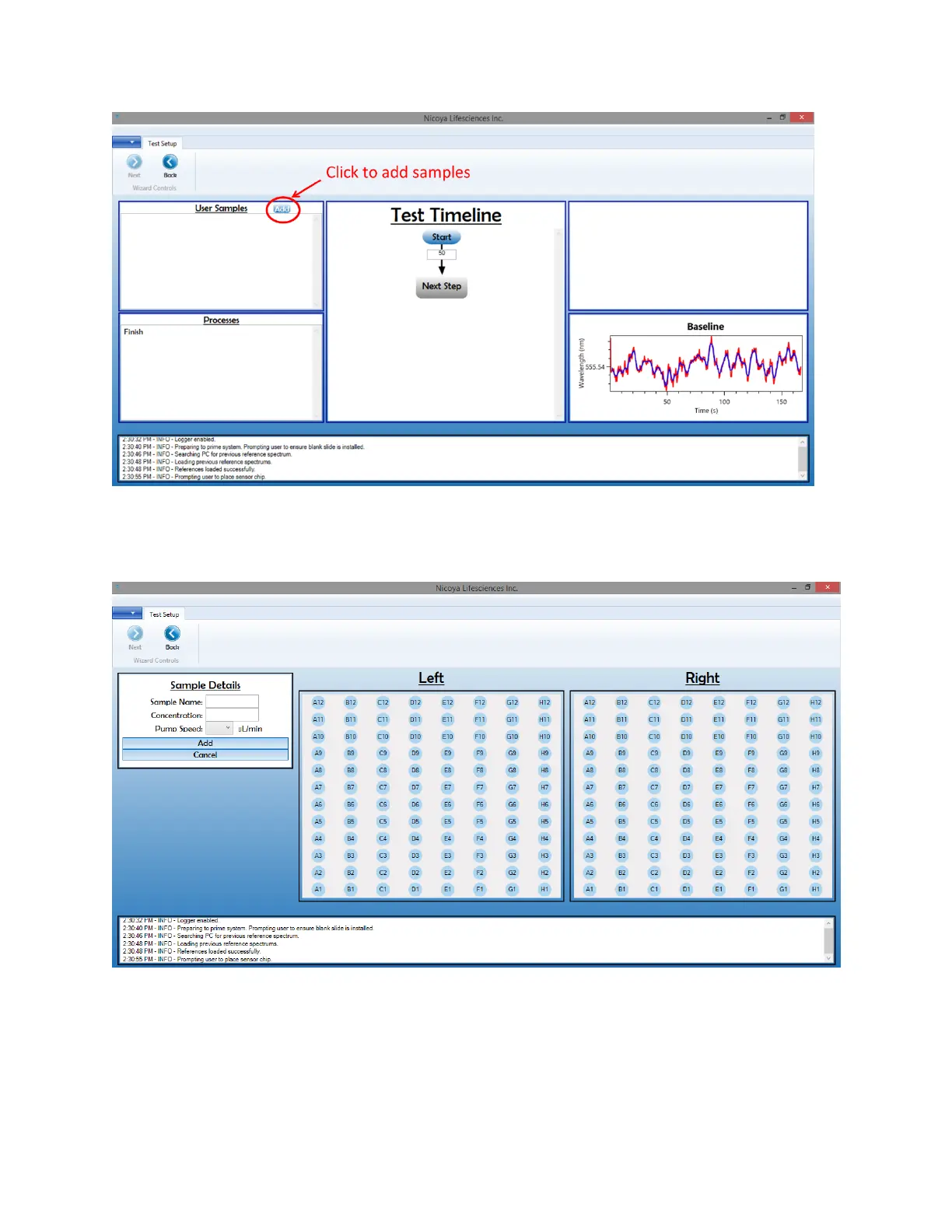
Figure 2.22 Click the "Add" button in the User Samples section to load sample information.
3. This will bring up another screen where you will input your sample details as well as the well
plate positions of your samples [Figure 2.23].
Figure 2.23 Sample details screen.
4. Begin by inputting your first sample name, concentration and the pump speed which you
would like your sample to be run over the Sensor Chip in the Sample Details box [Figure 2.24].
Speeds between 20 µL/min and 150 µL/min can be selected. For ligand immobilization, slower
speeds around 20 µL/min are recommended to maximize the interaction time with the sensor



 To Next Page