53
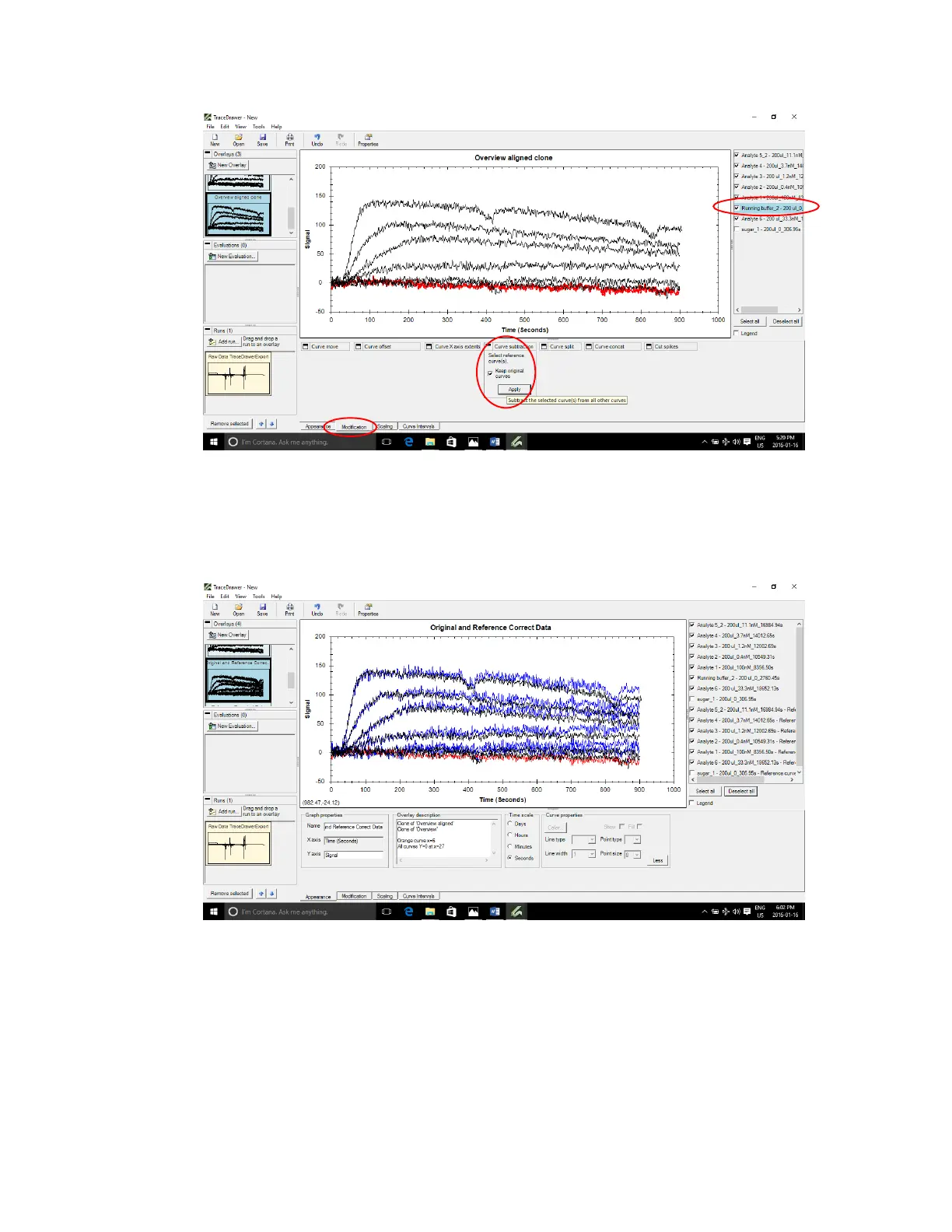
Figure 3.14 - Select reference curve only and apply Curve subtraction in Modification tab (Keep original curves does not need to
be checked).
The red reference curve appears to have a slight downward slope. The corrected blue curves show
a slightly flatter dissociation compared to the original black curves [Figure 3.15].
Figure 3.15 - Corrected binding curves (blue) have slightly flatter dissociation than original curves (black) after correcting with
reference (red).
9. Cut spikes
If spike is present in the middle of the response curve, select response curve then go to
Modifications tab>Cut spikes and move start/end cursor to sandwich the spike. Press Apply. This
will remove all data points in the selected section of the selected response curve.



 To Next Page