52
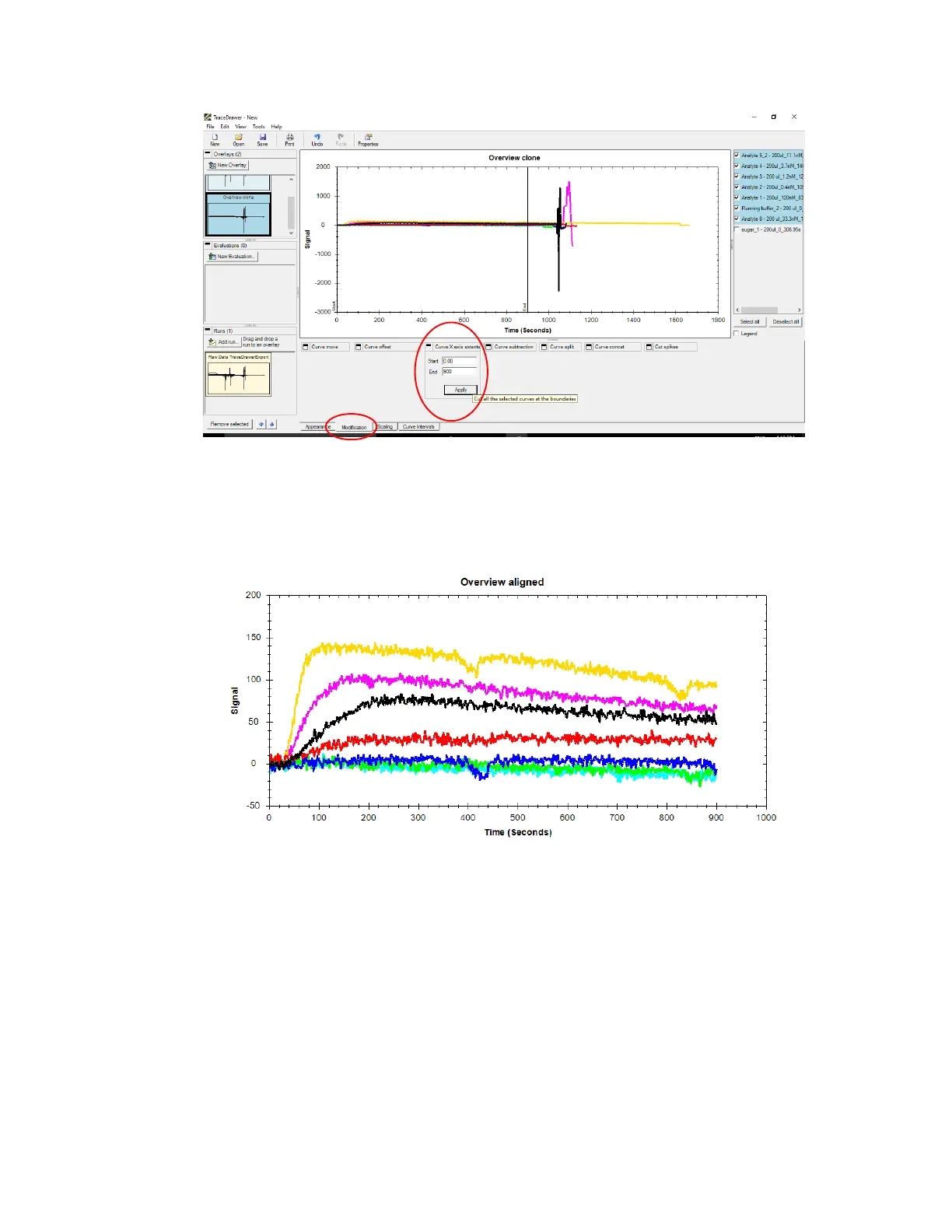
Figure 3.12 - To crop curves at boundaries, enter Curve Axis Extents in Modification tab.
Then Zoom to extents (see step 5) [Figure 3.13]. Rename the overlay if needed in Appearance
tab.
Figure 3.13 - Example curves after cropping and Zooming to extents.
8. Curve subtraction
Once the curves are aligned, the running buffer reference is subtracted from the raw data to
obtain corrected analyte responses. Select only the reference curve, go to Curve subtraction in
Modification tab [Figure 3.14]. Usually, keep original curves box is unchecked, however in this
example it is checked to show a comparison between original and corrected curves. Press Apply.
This will apply to all curves in the active overlay.



 To Next Page