70
Buffer does not flow through Flow Cell: Remove the Flow Cell and look for ripping of the material at
the Inlet and Outlet. Dislodge any material in the Inlet/Outlet with blunt tip needle or something
similar. Once removed, reassemble and look for leaks.
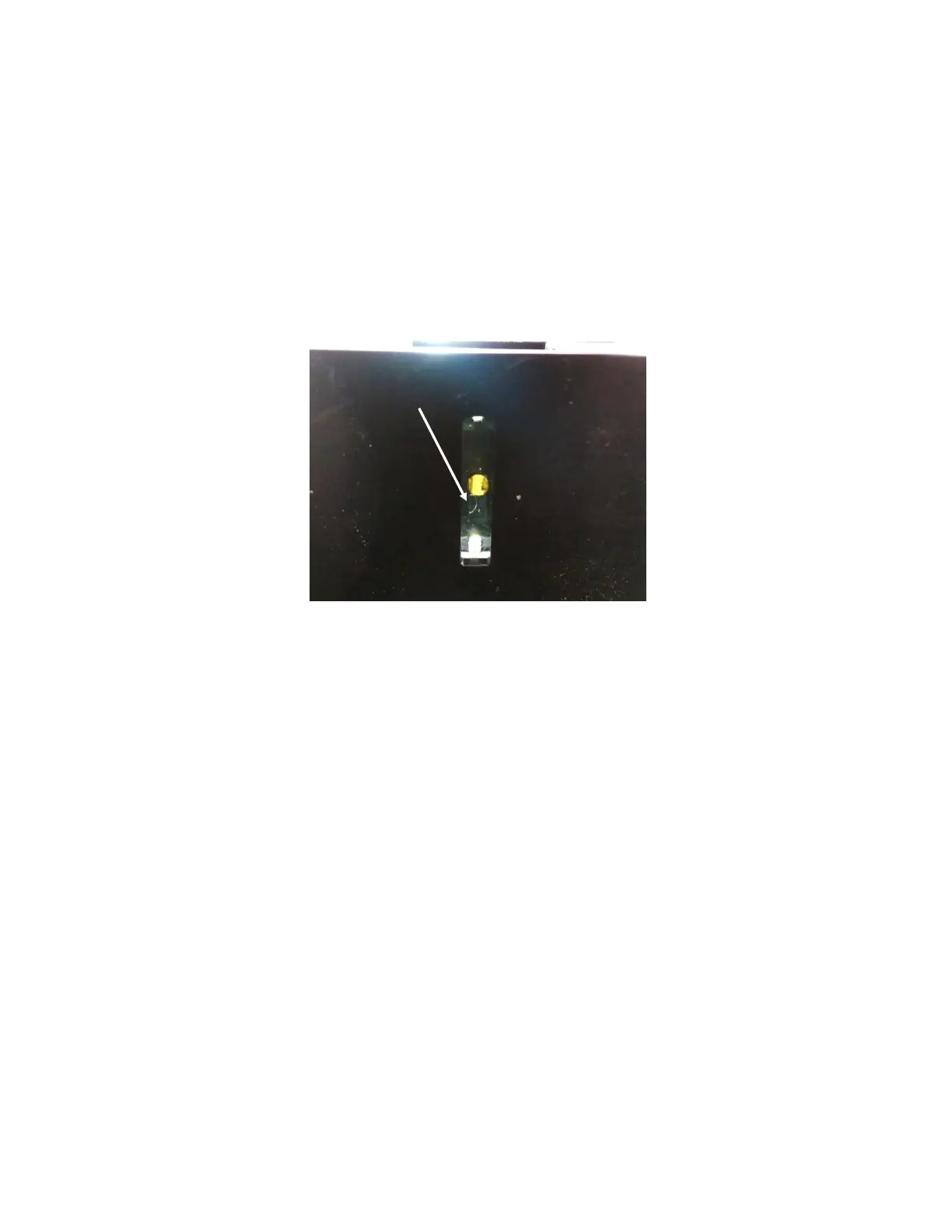
Bubble(s) present in Flow Cell: The presence of a bubble in the Flow Cell will usually correspond to an
extremely sharp change in the peak wavelength, a sudden jagged edge along a binding curve, or a very
unstable baseline. Bubbles can also be seen visually inside the Flow Cell as light from the light source
with reflect off of the bubbles much differently than the buffer. If it is difficult to see the Flow Cell, use
a flashlight to illuminate the Flow Cell from above [Figure 5.1].
Figure 5.1 - Bubble present in Flow Cell observed by illuminating from above using an external light source.
To remove bubbles present, follow the procedure outlined in the Bubble Removal & Cooling section.
If this procedure does not work, remove the Sensor Chip and sample holder. Wipe the Flow Cell with
a lint-free cloth soaked in IPA and let dry. Inspect the channel of the Flow Cell for the presence of
dust/obstructions and wipe again to remove if necessary. Rinse the Sensor Chip with water and dry it
with a clean nitrogen/air source prior to reloading into the instrument.
The best way to deal with bubbles is to prevent bubbles from entering in the first place. Follow these
tips to reduce bubble formation:
Make sure you are using enough sample to fully fill the Sample Loop for all injections.
Degas the running buffer before beginning experimentation.
Consider the addition of surfactants like Tween 20 in your running buffer at low concentrations
as this can help reduce bubble formation.
Buffer is not coming out of Outlet: If buffer is not seen exiting the Outlet tubing, this is an indication
of either a leak, a clog in the tubing or a tube rupture. First, check to see if buffer is still being drawn in
from the inlet and moving into the flow cell. To do this, remove the sensor chip and sample holder,
then lift the inlet tube out of the buffer so that it draws in air and watch for the air/water interface to
move through the tubing.



 To Next Page