2-4
StatStrip Glucose Hospital Meter
7. With the test strip correctly inserted, the Apply
Sample screen displays.
8. Gently mix the StatStrip Glucose Control Solution
before each use.
9. Discardtherstdropofcontrolsolutionfromthebottle
to avoid contamination.
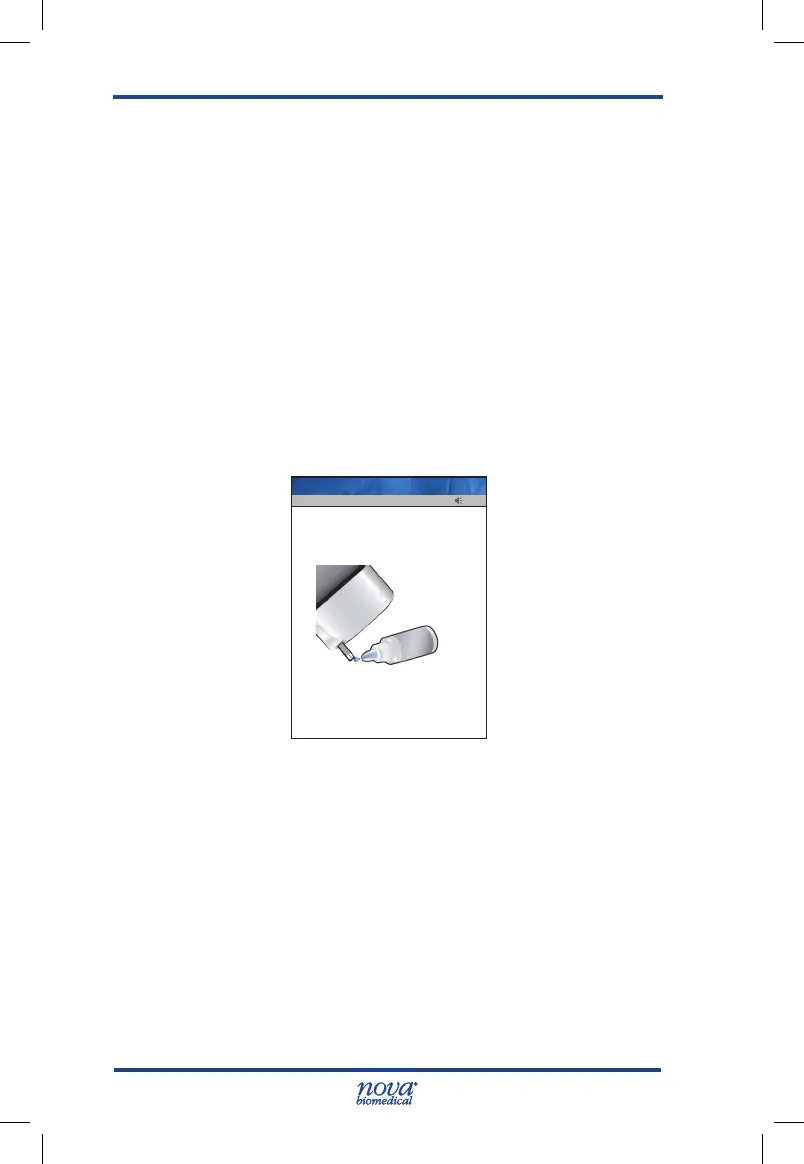
10. Place a drop of control solution from the bottle at the
end of the test strip until the solution is drawn into the
well of the test strip. When enough sample has been
drawn into the strip, an audible beep is sounded by
the meter.
Figure 2.4 Apply QC Solution to Test Strip Screen
11. Recap the control solution. The Testing Sample
screen displays. The screen shows a clock with
seconds remaining below the clock.
12. When the meter completes the test, the QC Result
screen displays with the results in mg/dL or mmol/L.
13. Remove the strip manually or use the ejector button
on the back of the meter to eject the strip directly
into a biohazard container.
13:42
Touch test strip to Level 1 QC drop
Remove test strip to cancel test
Op: ****
Name: A Unit-1
StatStrip Glu IFU 1.86 PN55848E EN 510K.indd 4 9/13/18 8:29 AM



 To Next Page