3-7
3. Pat.Sam.
Instructions for Use Manual 3 Patient Samples
17. The test results will appear in 6 seconds.
NOTE: Do not remove the test strip while the countdown is
in progress.
18. Remove the strip manually or use the ejector button
on the back of the meter to eject the strip directly
into a biohazard container.
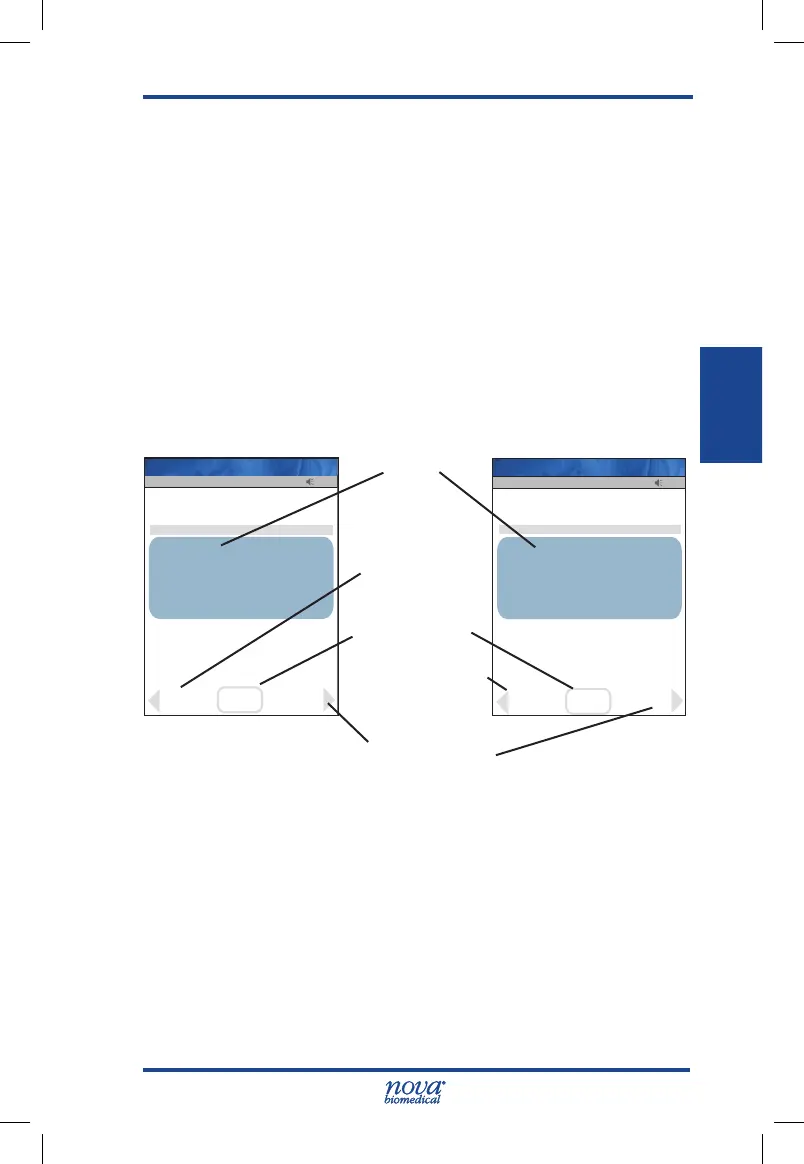
19. To accept the result, press the Accept soft key.
To reject the result, press the Reject soft key.
To add a comment, press the Comment soft key
(See Section 2.4 Add Comment to Result.)
All data are stored into memory.
Figure 3.8 Glucose Results Screen
NOTE: A single up arrow displays for abnormal high result
and 2 up arrows for critical high value.
A single down arrow displays for abnormal low result
and 2 down arrows for critical low value.
20. When patient testing is completed, the StatStrip
Glucose Hospital Meter System should be cleaned
and disinfected after use prior to testing with a new
patient. For cleaning and disinfecting instructions,
see Section 6.3.
13:42
Pt ID: 774615128
Darryl Smith
Normal 70-109
Comment
Strip Lot: 0206806099
Patient
07/19 06:19
Pending
Glu
102
mg/dL
Op: 8636
OK
Reject
Accept
Name: A Unit-1
Glu Result
Reject Soft Key
Accept Soft Key
Comment Soft Key
Op: 8636
13:42
Pt ID: 194546646
Darryl Smith
Comment
Strip Lot: 0206806099
5.7mmol/L
Normal 3.9-6.1
Glu
Patient
07/19 06:19
Pending
OK
Reject
Accept
Name: A Unit-1
Reject Soft Key
StatStrip Glu IFU 1.86 PN55848E EN 510K.indd 7 9/13/18 8:29 AM



 To Next Page