5-4
StatStrip Glucose Hospital Meter
12. Recap the linearity solution. The Testing Sample
screen displays. The screen shows a clock with
seconds remaining below the clock.
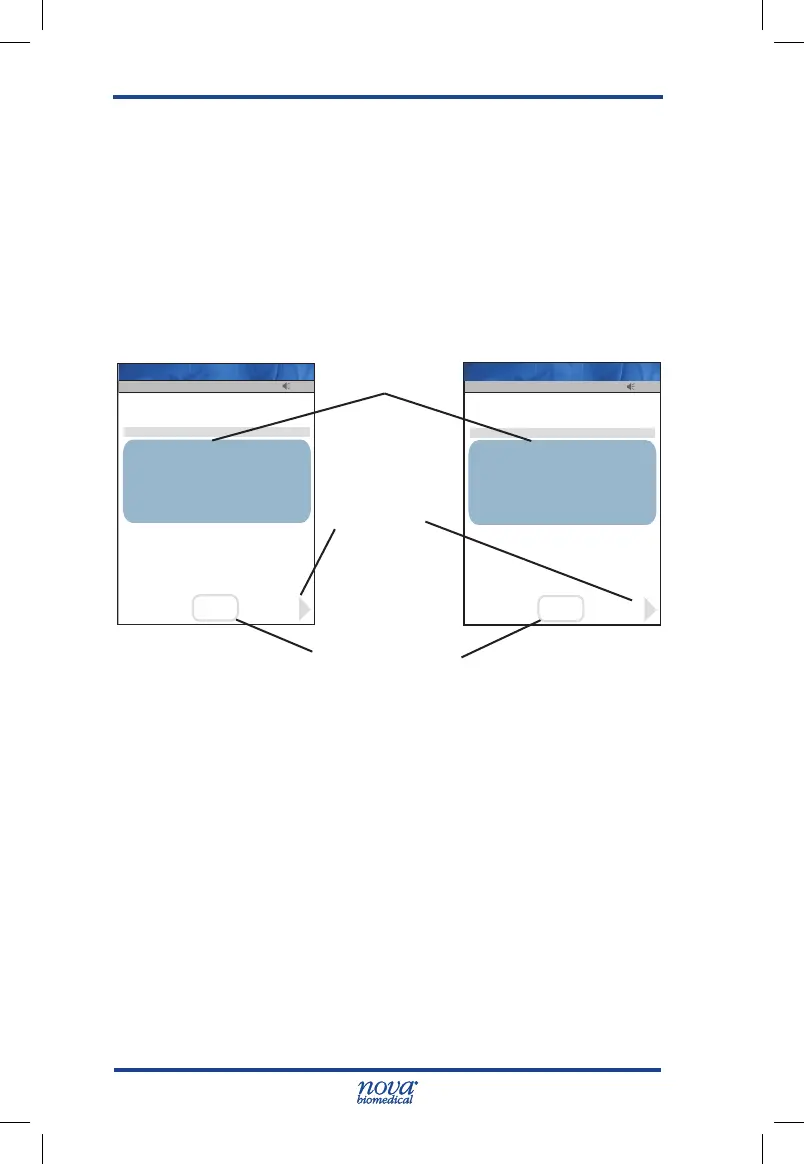
13. When the meter completes the test, the Linearity
Result screen displays with the results in mg/dL or
mmol/L.
NOTE: Result is displayed with either PASS or FAIL, or only
PASS or FAIL is displayed without the result.
Figure 5.5 Linearity Result Screen
14. Remove the strip manually or use the ejector button
on the back of the meter to eject the strip directly
into a biohazard container.
15. To add a comment, press the Comment soft key.
(See Section 2.4 Add Comment to Result.)
16. To accept the result, press the Accept soft key.
13:42
Lin Lot: 0213806081
Level: 1
OK
Accept
Comment
Strip Lot: 0206806099
Range 4.0-4.8
PASS
Glu
4.4
mmol/L
Op: ****
Linearity
07/19 06:19
Pending
Name: A Unit-1
13:42
Lin Lot: 0213806081
Level: 1
OK
Accept
Comment
Strip Lot: 0206806099
Range 72-86
PASS
Glu
80mg/dL
Op: ****
Linearity
07/19 06:19
Pending
Name: A Unit-1
Glucose Result
Accept Soft Key
Comment
Soft Key
StatStrip Glu IFU 1.86 PN55848E EN 510K.indd 4 9/13/18 8:29 AM



 To Next Page