3-32 Print Controller User’s Guide
Chapter 3 Printer Driver Functions
Scaling
Select the enlargement or reduction rate of image in 1% by entering the value from 10
to 100 into the text box.
Default is [100]%.
Resolution
Select [400 x 400] or [600 x 600] by clicking the radio button.
[400 x 400] prints documents with 400 dot per inch (dpi).
[600 x 600] prints documents with 600 dot per inch (dpi).
TrueType options
Select [Outline soft fonts], [Bitmap soft fonts] or [Rasters] by clicking the radio button.
[Outline soft fonts] prints documents using a TrueType font which downloaded from your
computer using Outline data format.
[Bitmap soft fonts] prints documents using a TrueType font which downloaded from your
computer using bitmap data format.
[Rasters] is selected, all text and font data is converted in the computer into Raster
graphics and downloaded to the printer.
Chapter
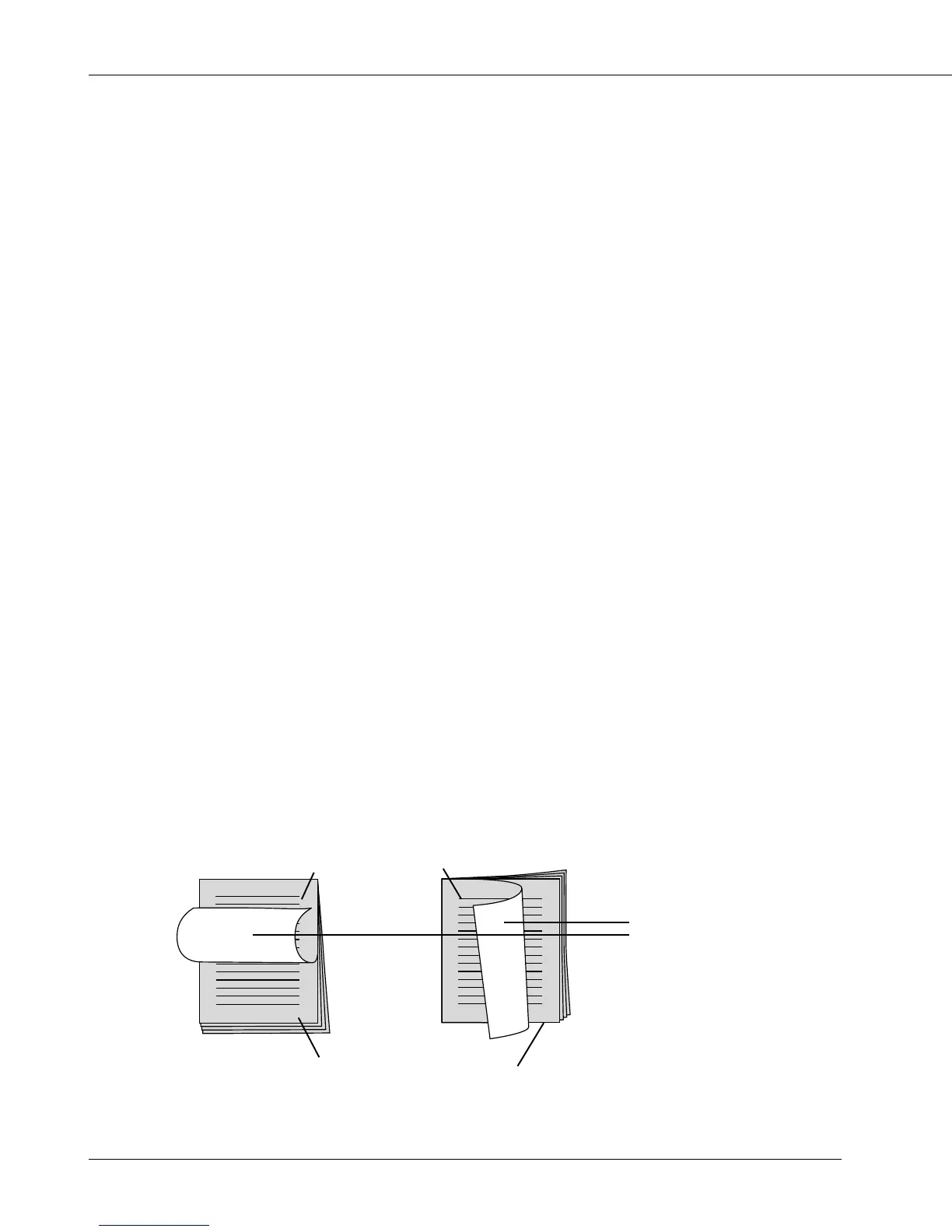
When [Chapter] is checked, you can chapter by the specified page in the [Pages] box.
The specified page in the [Pages] box means the first page of a chapter.
On [Duplex] printing, [Chapter] prints the specified page to the front of paper, if the page
has an even number which would be printed to the back of paper on duplex printing. (In
case of that an even number is specified, [Chapter] inserts a blank page before the
specified page.)
[Chapter] is on;
[Duplex] - [Flip on short edge] [Duplex] - [Flip on long edge]
an inserted
blank page
end of a chapter
1’st page of a chapter



 To Next Page