Wireless configuration for Windows
®
using the Océ installer application
44
4
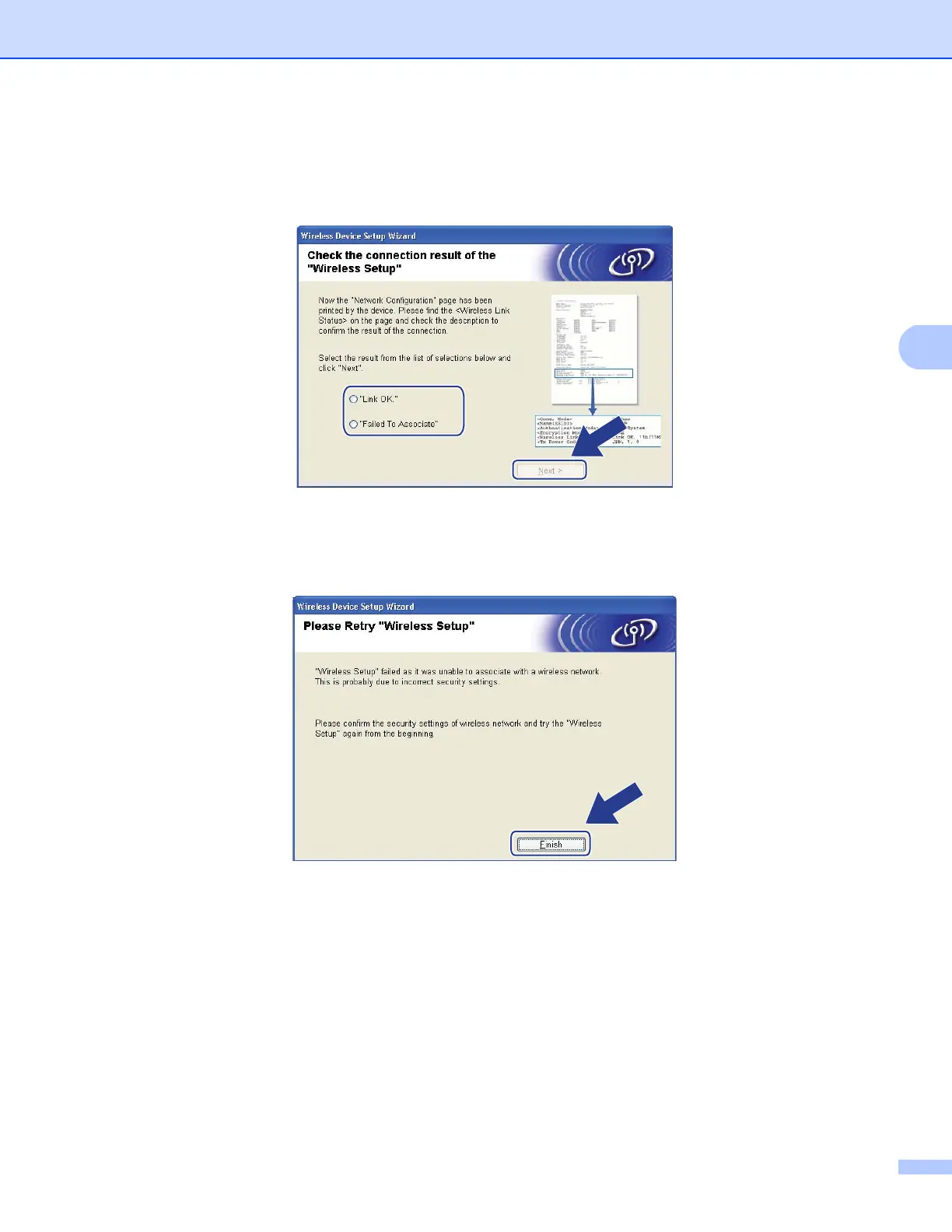
n Check the printed Network Configuration page. Choose the status as it is shown for the
Wireless Link Status on the Network Configuration page. Click Next.
If your status is "Link OK.", go to step p.
If your status is "Failed To Associate", go to step o.
o Click Finish. Wireless setup failed as it was unable to associate with a wireless network. This is probably
due to incorrect security settings. Reset the print server back to its factory default settings. (See
Restoring the network settings to factory default on pages 119.) Confirm the security settings of your
wireless network and try starting from step e again.






 To Next Page