APPENDIX D – FIRMWARE UPGRADE VIA USB
Ohaus Corporation www.ohaus.com 76 Explorer
®
Series Service Manual
APPENDIX D – FIRMWARE UPGRADE VIA USB
From version 2.00 the Explorer firmware can be upgraded via a USB flash drive. The whole process
takes less than 10 minutes.
Please follow below steps to upgrade the firmware using a USB flash drive.
STEPS
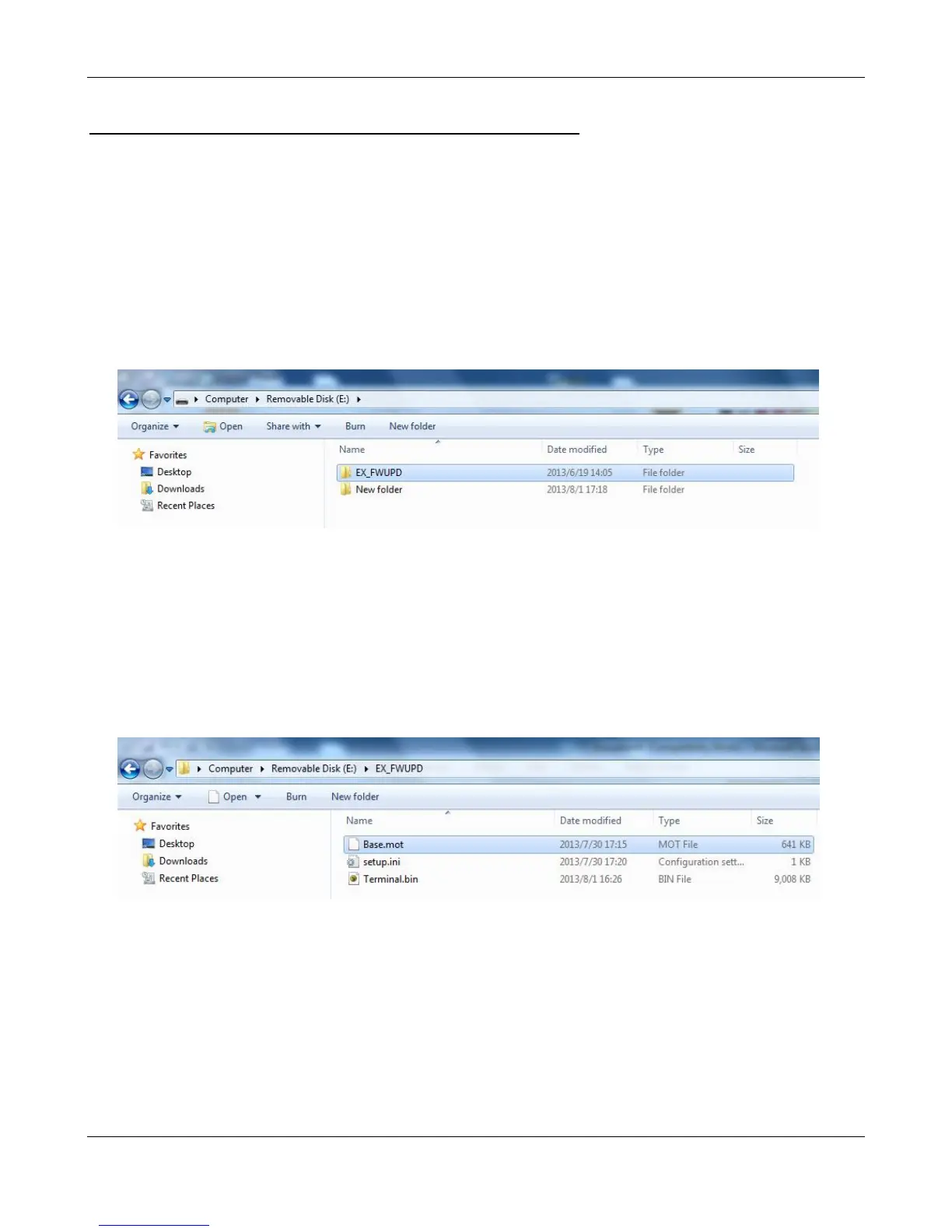
1. Copy the EX_FWUPD folder to the root directory of the USB flash drive.
Note: Do not change the folder name. It needs to be EX_FWUPD.
The EX_FWUPD folder contains three files:
Base.mot – image file for the base unit
setup.ini – setup file
Terminal.bin – image file for the terminal unit
Note: Do not change any of the file names.
2. Turn on the balance and connect the USB flash drive to the USB host slot on the back of the
terminal.













 To Next Page