3 – 6
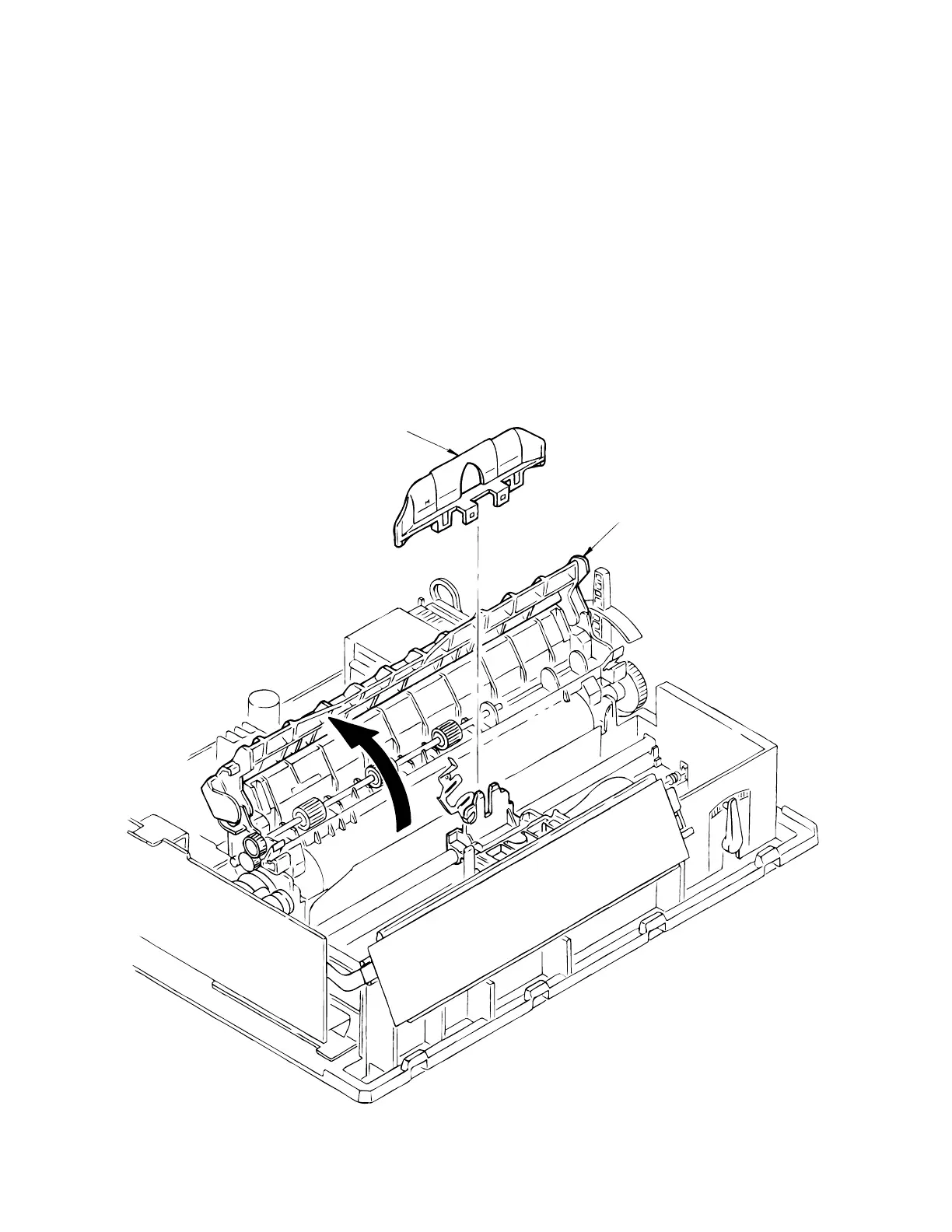
3.3.2 Ribbon Protector
(1) Remove the printhead (see 3.3.1).
(2) Open the pull-up roller cover 1.
(3) Remove the shim on the carriage frame.
(4) Loosen the screws holding the carriage assembly to the carriage frame--this allows more
play between the printhead and the platen.
(5) Raise and remove the ribbon protector 2.
(6) To install, follow the removal steps in reverse order. Be sure to replace the shim in exactly
the same position as it was before disassembly.
1
2



 To Next Page