E-4 Section 1
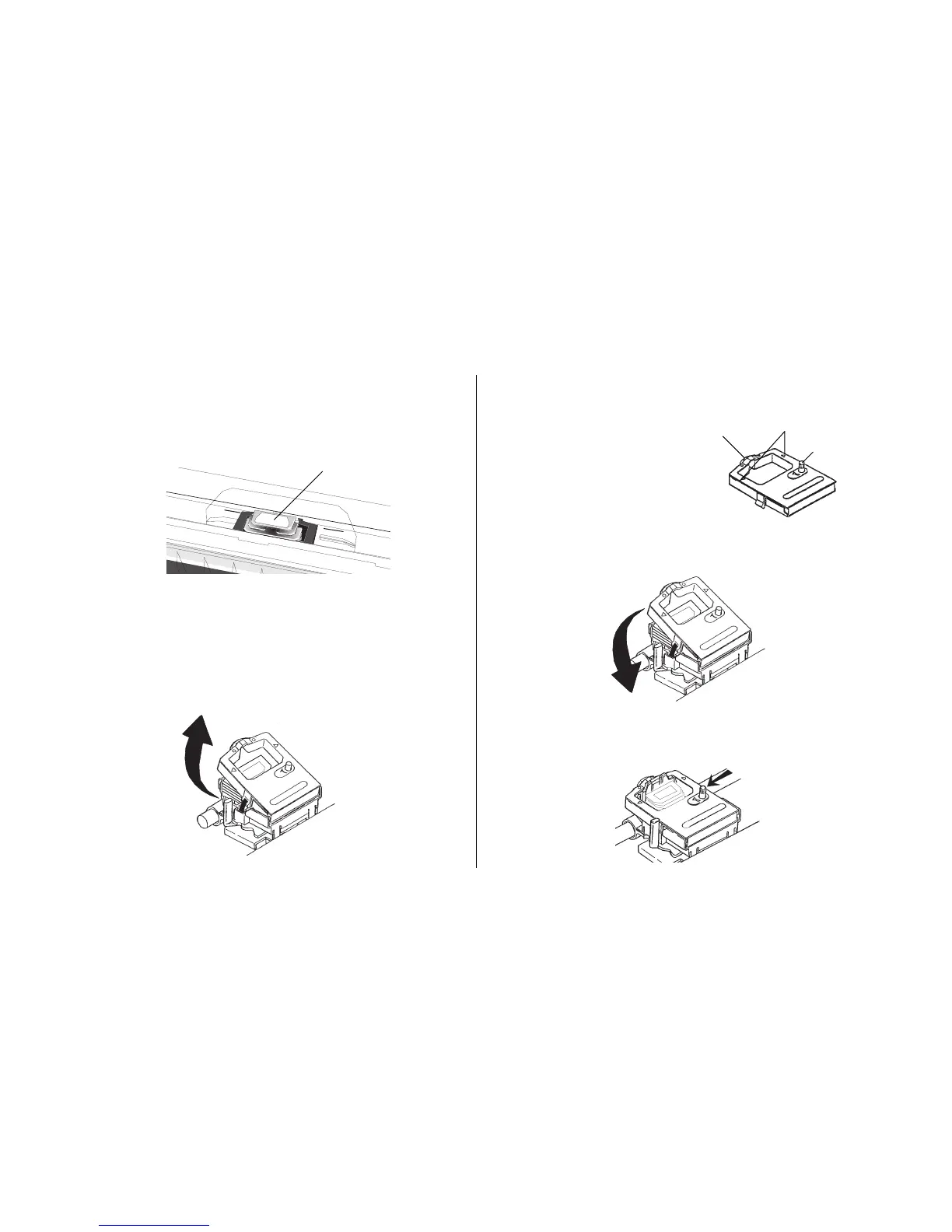
4. Unpack the ribbon cartridge.
5. Install the new ribbon cartridge.
6. Turn the take-up knob in the direction of the arrow to
take up any ribbon slack.
Installing/Replacing the Ribbon Cartridge
1. Make sure the printer is turned OFF.
2. Center the printhead (➊).
M
3. If you are replacing the ribbon: swing the front of the
cartridge up off the printhead, then lift the cartridge out
and discard it.
Caution! The printhead may be HOT!
➊
Important!
Do NOT remove the
ribbon shield from
the ribbon!
Grip points
Take-up knob
Ribbon shield



 To Next Page