Maintaining Your Printer E-17
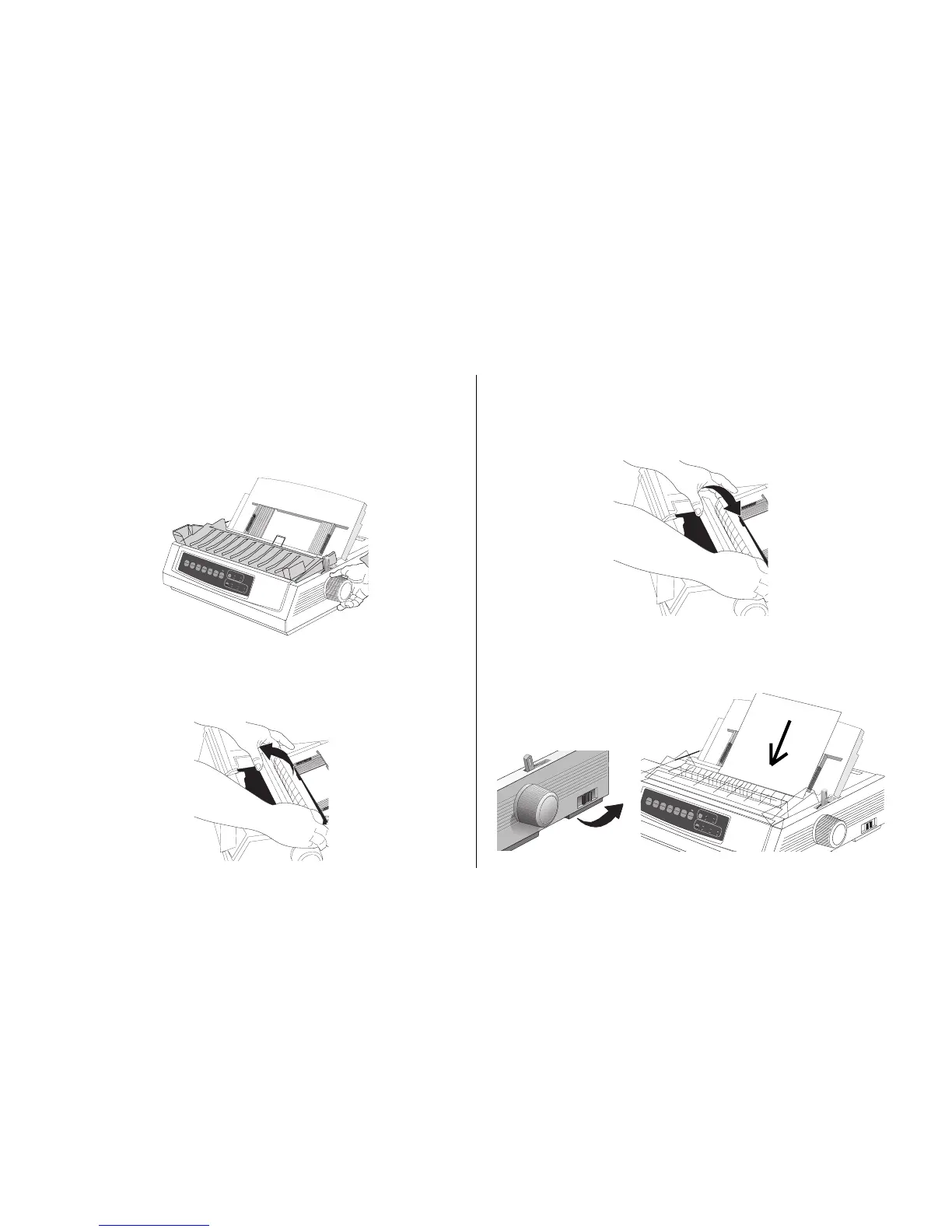
4. Remove any torn pieces from around the carriage.
5. Reinstall the pull-up roller assembly, and close the
access cover.
7. Turn the printer on, and reload paper.
QUIETPARKTEAR
FF/LOAD
LF
SEL
SEL
POWER ALARM
MENU
GROUPEXIT
ITEM SET
PRINT
MENU
SHIFT
TOF
Micro Feed
Up
Micro Feed
Down
PRINT QUALITY
CHARACTER PITCH
HSD
NLQ
UTL
SSD
10 12 15
17
20 PROP
Single-Sheet Jams
1. Turn the printer off.
2. Use the platen knob to back the jammed paper out.
QUIETPARKTEAR
FF/LOAD
LF
SEL
SEL
POWER ALARM
MENU
GROUPEXIT
ITEM SET
PRINT
MENU
SHIFT TOF
Micro Feed
Up
Micro Feed
Down
PRINT QUALITY
CHARACTER PITCH
HSD
NLQ
UTL
SSD
10 12 15
17
20 PROP
3. Open the access cover and remove the pull-up roller
assembly.



 To Next Page