Getting Started E-9
Temporarily Changing the Print Start
Position
To change the print start position lower for one page only:
1. Press
SEL to deselect the printer.
2. Press
LF to change the position of the Top of Form.
Resetting TOF to the Standard Setting
1. Turn the printer off.
2. Hold
PARK + QUIET/TOF while turning the printer back
on.
Switching Paper Paths
To switch from continuous-forms to single-sheet feed:
1. Tear off any printed pages.
2. Press
PARK.
3. Move the paper separator to the single-sheet feed
position.
4. Place the wire feed guide in the paper separator.
5. Move the paper lever to the position marked “TOP.”
6. Place a sheet of paper in the paper separator.
Setting the Top of Form (TOF)
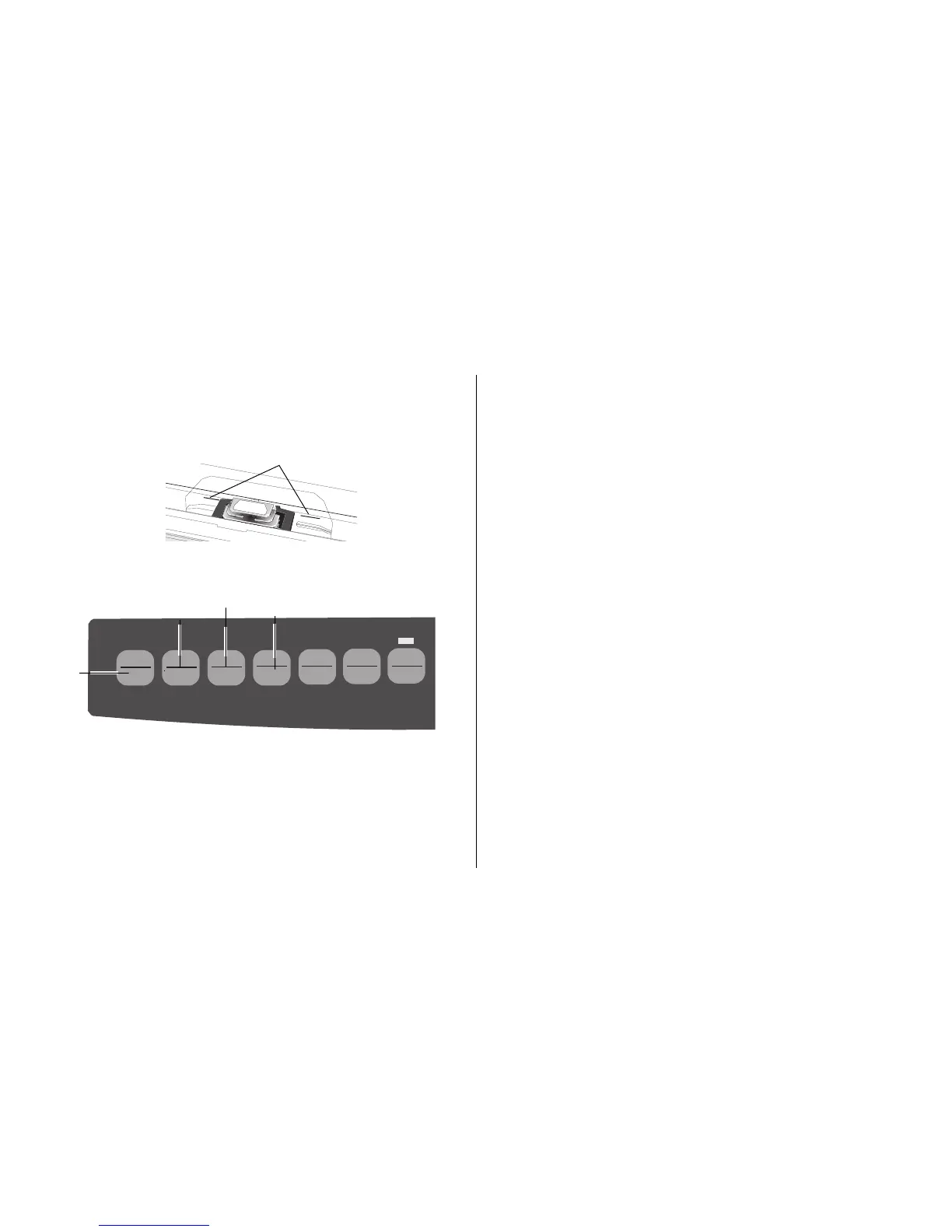
When setting the Top of Form, use the red line (➊) on the
paper shield as a reference:
M
1. Make sure the printer is deselected (SEL light off).
QUIETPARKTEAR
FF/LOAD
LF
SEL
SEL
POWER ALARM
MENU
GROUPEXIT
ITEM SET
PRINT
MENU
SHIFT TOF
Micro Feed
Up
Micro Feed
Down
2. Press and hold SHIFT (➊), then
☛ Press
LF (➋) to move Top of Form higher (paper
moves down)
☛ Press
FF/LOAD (➌) to move Top of Form lower
(paper moves up)
3. Press SEL (➍) to re-select the printer.
➊
➋
➌
➍
➊



 To Next Page