Maintaining Your Printer E-15
4. Fold some continuous-form paper over three times to
make a page four sheets thick, load it on the tractors and
close the covers.
5. Use the platen knob to draw the quadruple-thick page
around the platen: this brings out any jammed bits of
paper.
Correcting Repetitive Rear-Feed Jams
If the paper keeps jamming, you probably have bits of
paper stuck in the paper path.
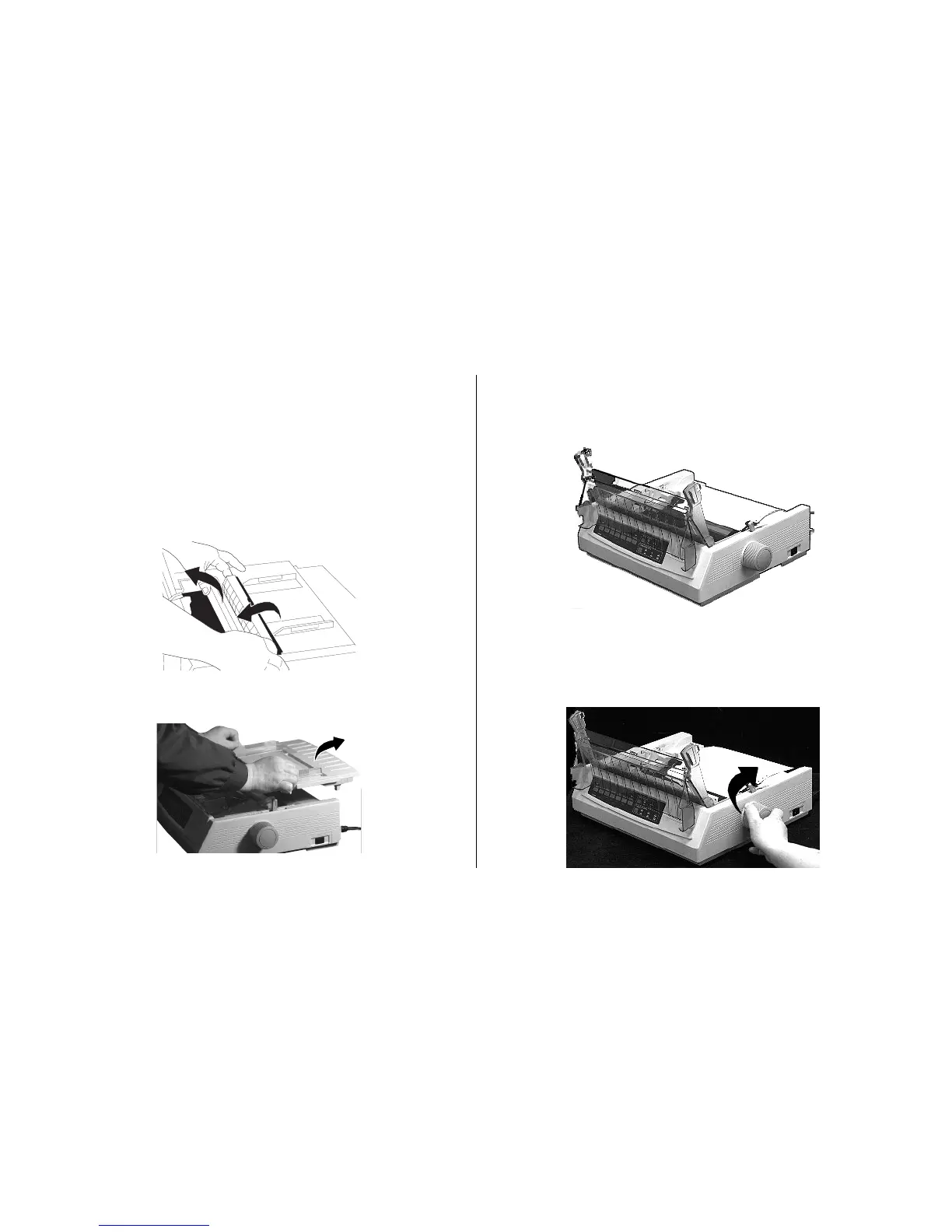
1. Turn the printer off, then turn the platen knob to back
the paper out of the printer.
2. Open the access cover and remove the pull up roller
assembly: remove any torn pieces of paper.
3. Remove the paper separator.



 To Next Page