E-6 Section 1
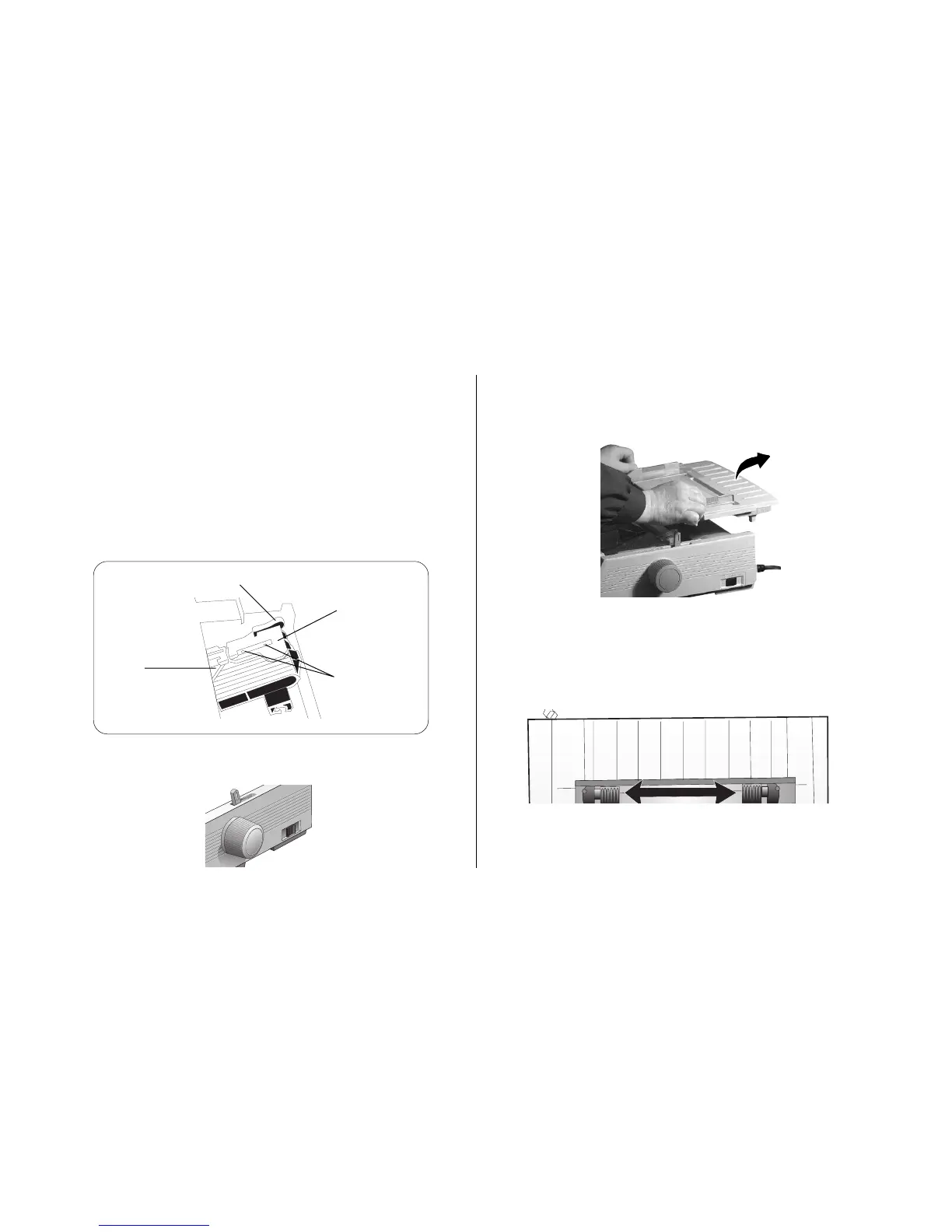
2. Grasp the paper separator by the tabs and lift it off the
printer.
3. Pull up on the lock levers and open the tractor covers,
then move the right tractor over to fit the width of the
paper.
Loading Paper
Loading Continuous Forms (Rear Feed)
We recommend the rear-feed path for printing reports, etc.,
on single-thickness, continuous-form paper. For graphics or
charts, it's best to use the single-sheet path (top feed).
Note: If you have paper in the paper path, be sure to
remove it before installing rear-feed paper.
1. Move the paper lever to the position marked “REAR.”
Lock Lever
Upper Tractor
Cover
Pins
Lower Tractor
Cover



 To Next Page