Data transfer via bluetooth 23
Now the bluetooth drivers will be installed on your computer. This can take several minutes, depending
on your computer. Please wait until all drivers are installed successfully and then continue with step 9.
OKM GmbH
www.okmmetaldetectors.com
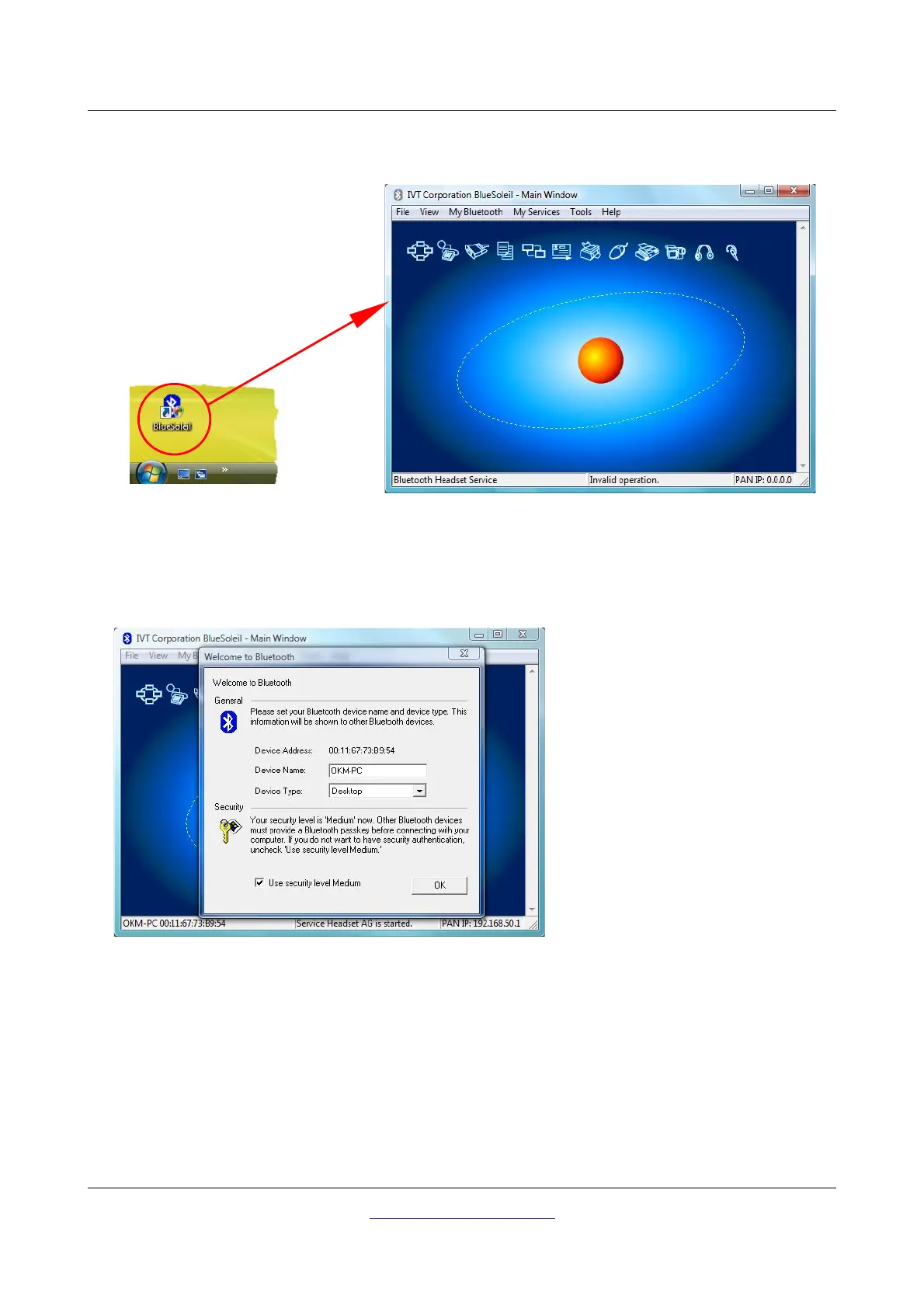
Figure 4.8: Installation of bluetooth software, step 7
Step 7
Double click on the new created bluetooth
symbol on your desktop to open a window
like here on the right side.
Figure 4.9: Installation of bluetooth software, step 8
Step 8
Plug in the bluetooth dongle in a free USB
connection of your computer. When the dialog
from the left figure appears click on “OK”.



 To Next Page