24 Data transfer via bluetooth
OKM GmbH
www.okmmetaldetectors.com
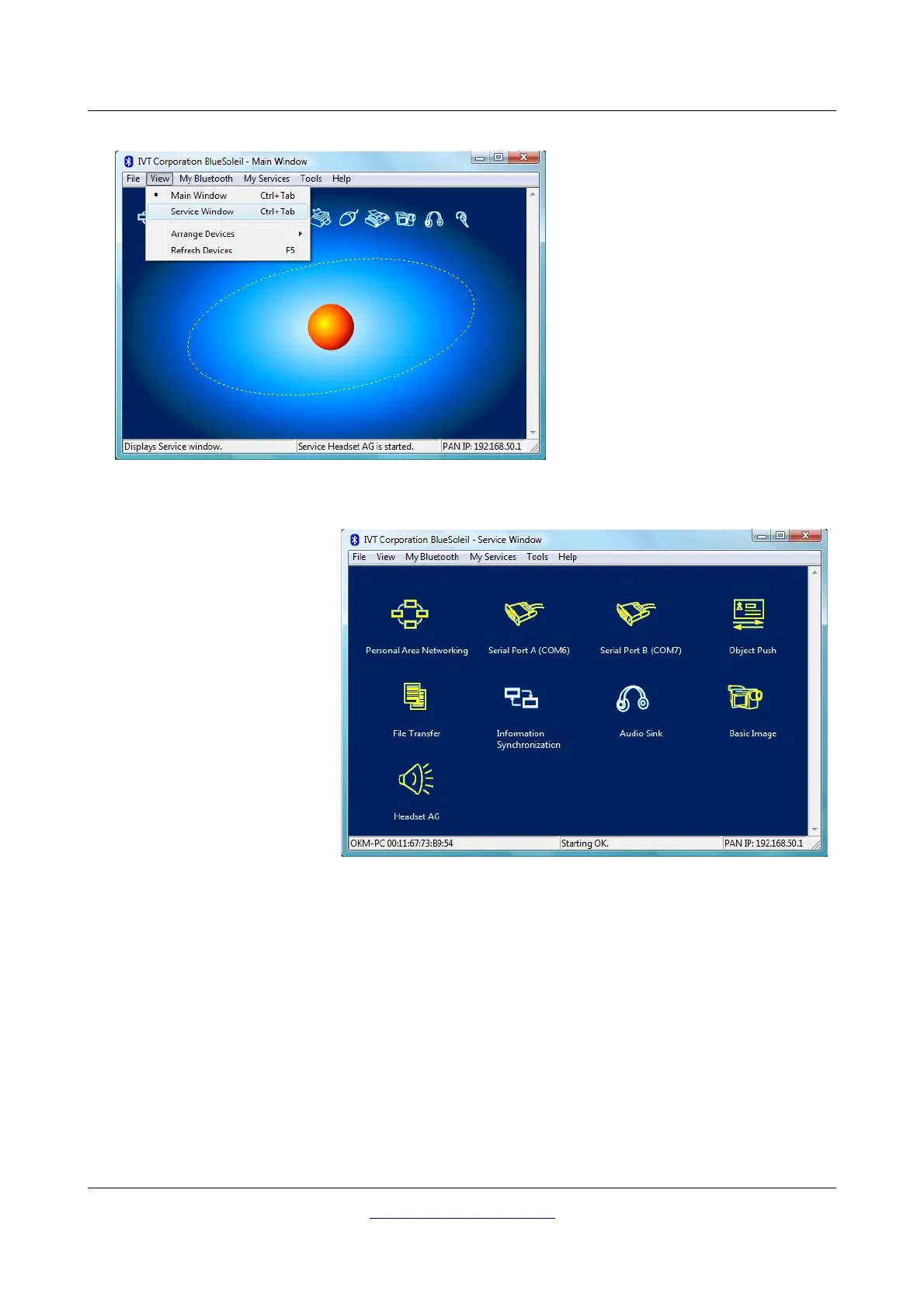
Figure 4.10: Installation of bluetooth software, step 9
Step 9
Click in the menu on “View → Service window”,
to see the installed services.
Figure 4.11: Installation of bluetooth software, step 10
Step 10
Behind the entry “Serial Port A” you
can find the assigned COM port,
which you should select during the
data transfer in the software
Visualizer 3D.
In our example here it is COM6.



 To Next Page