50 Operating modes
The last of the typical signatures is represented in figure 7.8. It is the signature of all non-metallic
targets and structures. These can be voids, tunnels or buried plastic pipes or boxes. You can recognize
that there is only a negative amplitude (blue).
7.3 Magnetometer
In operating mode "Magnetometer" you can research the area in regard to ferromagnetic
1
metals.
Primarily this function is an acoustical mode, it only generates a very rough graphical representation on
the display to visualize the highs and lows.
Please note that it can also react on metallic trash or contamination laying on the surface or near to the
surface.
7.3.1 Preparing a Magnetometer scan
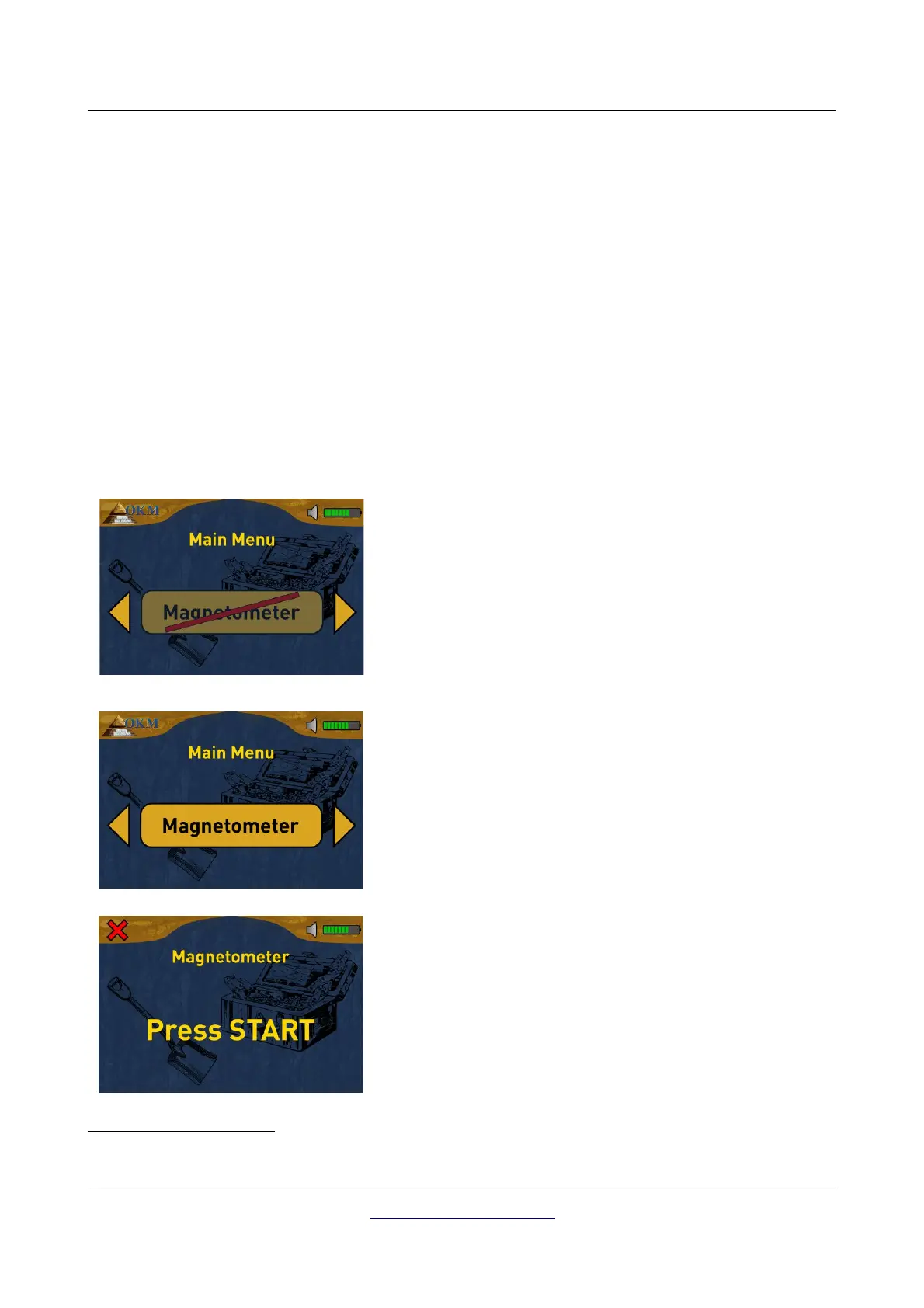
There is not much to prepare to conduct a scan in Magnetometer mode. Simply follow these steps:
Step 1
Power on the device and select the operating mode
"Magnetometer" from the main menu. If there is no probe
connected the button is disabled.
Step 2
If a proper probe is connected, please confirm the operating
mode "Magnetometer" with the OK button.
Step 3
Now push the start button of the detector to start measuring.
1 Ferromagnetic metals are for example iron, cobalt and nickel. Also other metals or objects, which include traces
of such metals can be detected.
OKM GmbH
www.okmmetaldetectors.com



 To Next Page