Data transfer via bluetooth 25
4.1.3 Setup connection
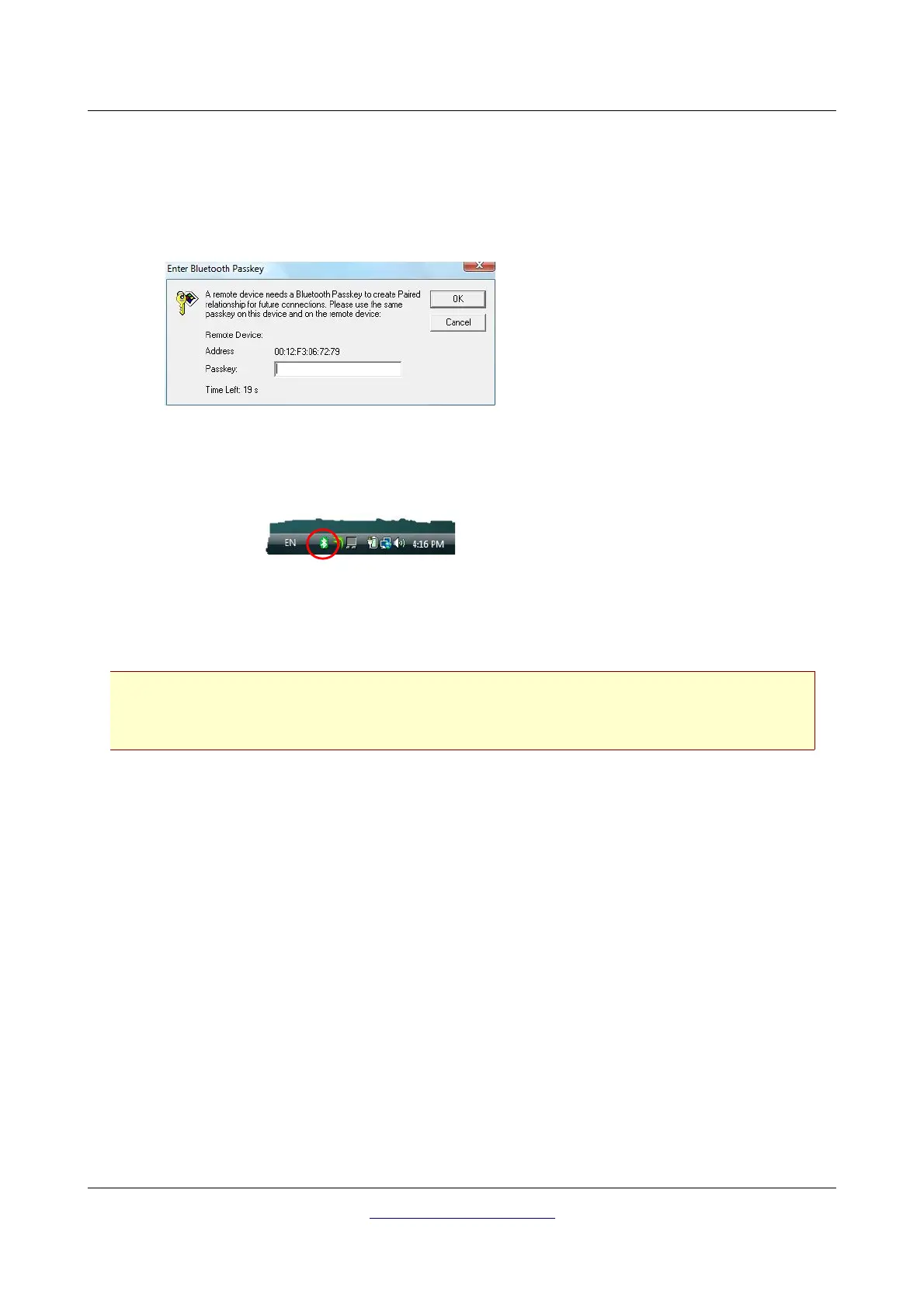
When you connect the device via bluetooth for the first time, to transfer data the computer, you should
enter the bluetooth passkey. The passkey is OKM (take care to write in capital letters!).
Only after the bluetooth connection is successfully established, you can transfer data from your
measuring instrument to the computer.
The measuring instrument should establish the bluetooth connection always by itself. It is not
possible to search for the device via the bluetooth software. You only can use the bluetooth
dongle delivered with the device!
4.2 Uninstall bluetooth software
In this section it is explained how to delete the bluetooth software from your computer.
Therefor click on the entry Start -> All Programs -> IVT BlueSoleil -> Uninstall BlueSoleil
and follow the instruction on the screen of your computer. After uninstalling your bluetooth drivers you
should reboot your computer.
OKM GmbH
www.okmmetaldetectors.com
Step 11
When connecting the device to
computer the first time you should
enter the bluetooth passkey.
Enter OKM in capital letters and click
on “OK”.
Step 12
When the bluetooth connection is established
successfully the bluetooth symbol in the task
bar will be visible in green.



 To Next Page